Blog · Dynamic SVG
The 12 best dynamic SVG tanks for WinCC Unified and WinCC V8 (free)
We opened every tank in the HMIx catalogue, 34 dynamic SVGs in October 2026, looked at each render up close, read every product sheet and kept the twelve we would happily drop into a WinCC Unified or WinCC V8 screen tomorrow morning. All free, all in .svghmi format, and almost all with a level you can bind to a tag.
- Dynamic SVG
- SVGHMI
- WinCC Unified
- WinCC V8
- TIA Portal
- Tank level
- HMI graphics
- SCADA symbols

Quick picks
Short on time? Jump straight to the tank you need.
- 01Best overallStorage Tank
- 02Best mixer tankMixer Tank
- 03Best for food & beverageFermentation Tank
- 04Best horizontal tankHorizontal Tank Level
- 05Best simple horizontal tankHorizontal Tank
- 06Best spherical tank (LPG, ammonia)Spherical Tank
- 07Best tank with a percentage scaleTank Level Gauge
- 08Best silo for bulk solidsSolids Storage Tank
- 09Best for water treatmentWater Clarifier Tank
- 10Crowd favourite (most downloaded)Industrial Tank Mixer
- 11Best for high-performance HMI screensIndustrial Tank Symbol
- 12Best process vessel with valve and sensorsTank with Manway and Level
Why a good tank graphic matters more than it seems
Every process screen has one. Water treatment, breweries, chemical dosing, a humble buffer vessel next to a pump: sooner or later someone asks for "a tank that fills up". And that tank ends up being the most stared-at object on the screen, because operators read the level before they read any number.
That is why a dynamic SVG tank deserves a bit of care. In WinCC Unified (TIA Portal) and in WinCC V8, a dynamic SVG, the .svghmi format, is a vector drawing that exposes properties such as Level or LiquidColor. You drag it onto the screen, bind those properties to HMI tags and the drawing reacts: the liquid rises, the colour changes, the agitator shows it is running. No scripts, no JavaScript, and it stays sharp at any size, from a 7-inch Unified Comfort Panel to a 4K control-room wall.
What makes a dynamic SVG tank worth downloading
Before the list, the yardstick. This is what we looked for, roughly in order of how much it annoys us when it is missing:
- A level that respects the vessel. The liquid has to follow the shape (dished heads, conical bottoms, spheres) instead of being a rectangle painted over the drawing. The good ones use a clip path for this.
- Sensible properties. A level from 0 to 100, a colour for the product and a couple of switches to hide details. Ten toggles nobody understands are worse than three good ones.
- Readable when small. Process overviews shrink equipment to the size of a postage stamp; a tank that turns into grey soup at 80 pixels is no good.
- Honest looks. Metal that looks like metal, a transparent background and colours you can tone down for high-performance screens in the ISA-101 spirit.
- Variety. Instead of twelve versions of the same vertical cylinder, we picked one champion per job: storage, mixing, fermentation, horizontal, spherical, bulk solids, water treatment and status symbols.
How we picked them (and what we did not do)
We went through the 34 dynamic SVG tanks published on HMIx in October 2026. For each one we looked at its real render (the drawing itself, not the catalogue cover with the big title on top) and read its product sheet to see which properties it exposes. Downloads and reviews only worked as tie-breakers, because a tank published last week has not had time to collect either.
We left out near-duplicates (some tanks have a twin published a few days apart), a couple of "tank systems" that are really machines, and one whose preview showed little more than a motor. A fair warning, too: for this article we judged drawings and documentation; we did not run all 25 tanks in a live Runtime. They were generated with AI and every product page reminds you to test them in your own TIA Portal project before production. We would say the same about anything you download from anywhere.
The 12 best dynamic SVG tanks, one by one
Each entry shows the real SVG render, what we liked, what to keep in mind and the properties you can bind, followed by the catalogue thumbnail: click it to open the product page and download the tank for free.
01Best overall
Storage Tank

If we could only keep one, it would be this one. It is a vertical storage tank with a dished top, a flanged manway, a conical bottom with its outlet and four legs on base plates. The shell is semi-transparent, so you see the liquid through a glassy body with a soft highlight, and a discreet graduated scale runs along the right-hand side.
What sells it is the kind of detail you only notice when it is missing: the liquid follows the conical bottom thanks to an internal clip path, so at 5 % you see a small puddle in the cone instead of a sad rectangle floating in mid-air. According to its sheet, level changes are animated with a 300 ms transition, which makes fluctuations easy to follow without the drawing looking jumpy.
It is also the sharpest preview on the list (published at 1079 × 1351 pixels), and it holds up well when you blow it up on a detail screen.
What we like
- Liquid clipped to the real shape, conical bottom included
- Looks premium on both dark and light backgrounds
- Only three properties: you will have it bound in a minute
Keep in mind
- The scale has ticks but no numbers
- No alarm colour: drive
LiquidColorfrom a state, or add an indicator next to it
Bindable properties
- Level
- LiquidColor
- BasicColor
02Best mixer tank
Mixer Tank

The mixer everybody wants on their batching screen. A semi-transparent vessel with a dished bottom, a geared motor on top, a shaft with two impeller levels, side nozzles and slightly splayed legs. It looks like equipment, not clip art.
The clever part is the agitator. A side view cannot really show a blade spinning, so the impellers simulate rotation by scaling horizontally, which reads as movement without looking broken. AgitatorActive switches it on and AgitatorSpeed sets the pace, so the operator sees at a glance whether the mixer is turning.
With seven properties, it is the most complete liquid-plus-motor combination on the list, and one of the most downloaded tanks in the catalogue. Deservedly so.
What we like
- Agitator state and speed visible without extra symbols
ShowLiquidhides the product for an empty or cleaning stateMotorColorcan carry the motor's status colour
Keep in mind
- It has an almost identical twin (Mixer Tank, product 1150): download one, not both
- The floor shadow under the legs can clash with very flat screens
Bindable properties
- LiquidLevel
- LiquidColor
- AgitatorActive
- AgitatorSpeed
- BasicColor
- MotorColor
- ShowLiquid

03Best for food & beverage
Fermentation Tank
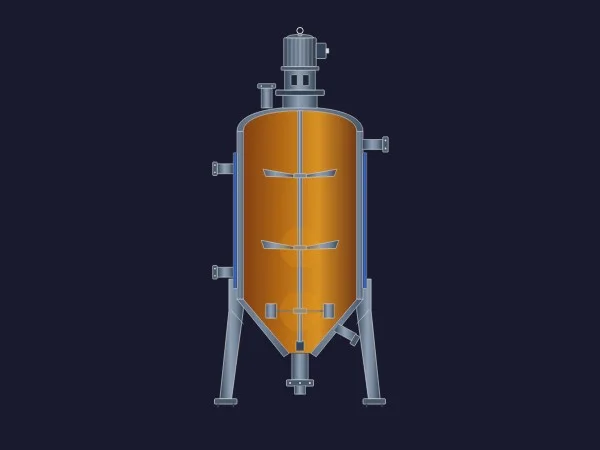
The drawing with the most personality in the top twelve. A cylindroconical vessel with amber product, a cooling jacket drawn along the sides, a motor on top driving an internal agitator, legs and a bottom outlet. Put it on a brewery or winery screen and nobody needs a label to know what it is.
It packs process state into the drawing itself: CoolingActive shows the jacket, AgitatorActive signals mechanical motion and AlarmColor paints a status band on the neck of the tank. Add Level and FluidColor and you have a fermenter that tells its whole story without three extra icons around it.
What we like
- Cooling, agitation and alarm state in a single symbol
- A distinctive look that suits food, beverage and pharma
- Fill level anchored to the conical bottom
Keep in mind
- The amber default screams "beer": change
FluidColorfor other products - Busy at very small sizes; better on unit screens than on plant overviews
Bindable properties
- Level
- FluidColor
- CoolingActive
- AgitatorActive
- AlarmColor
04Best horizontal tank
Horizontal Tank Level
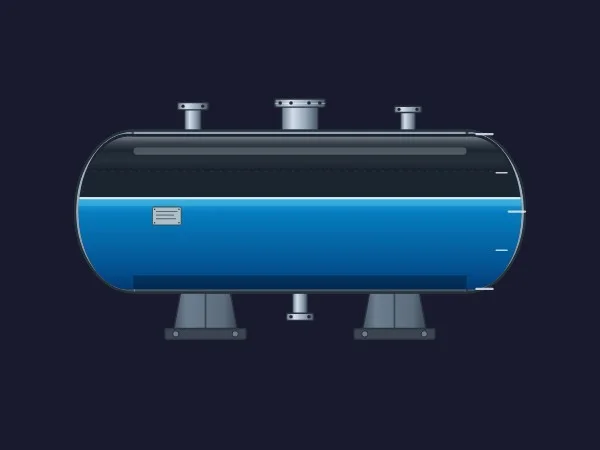
Horizontal vessels are where cheap tank graphics fall apart, because the liquid has to follow curved heads at both ends. This one gets it right: a clip path keeps the fill inside the shell from the bottom keel to the crown, with elliptical heads, three nozzles on top, a bottom drain, a nameplate and two solid saddles.
It adds a graduated scale with marks every 25 % on the right-hand head, which you can hide with ScaleVisible, and a ShellColor to match your plant standard. Ideal for buffer vessels, separators and fuel or chemical storage.
What we like
- The fill follows the curved heads correctly
- Scale on demand with
ScaleVisible - Plenty of believable fittings without clutter
Keep in mind
- Dark shell by default: on light screens you will probably want to change
ShellColor - Ticks every 25 % only, with no numbers
Bindable properties
- Level
- LiquidColor
- ShellColor
- ScaleVisible
05Best simple horizontal tank
Horizontal Tank
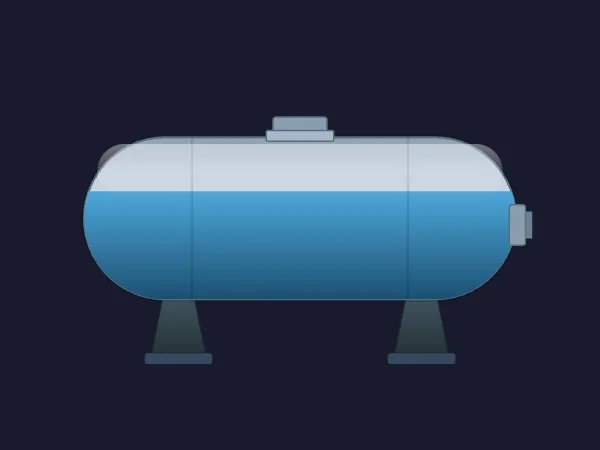
If the previous one is the detailed version, this is the clean one. A capsule-shaped horizontal tank with two saddles, a top hatch and a flanged outlet, rendered with a five-stop metallic gradient. Simple, tidy and very easy to read at small sizes.
Its trump card is configurability. Besides FillLevel and LiquidColor, you can recolour the shell (BasicColor) and the supports (SaddleColor) separately, and ShowFittings hides the hatch and flanges when you want a pure, P&ID-like silhouette. It is also the published resource we feature in our dynamic SVG guide.
What we like
- Very legible on overviews
- Fittings can be hidden for a schematic look
- Separate colours for shell and saddles
Keep in mind
- No scale
- Fewer details than Horizontal Tank Level: choose according to the screen
Bindable properties
- FillLevel
- LiquidColor
- BasicColor
- SaddleColor
- ShowFittings
06Best spherical tank (LPG, ammonia)
Spherical Tank
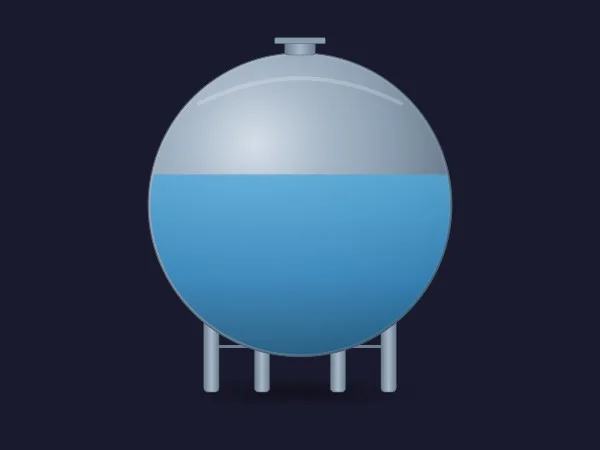
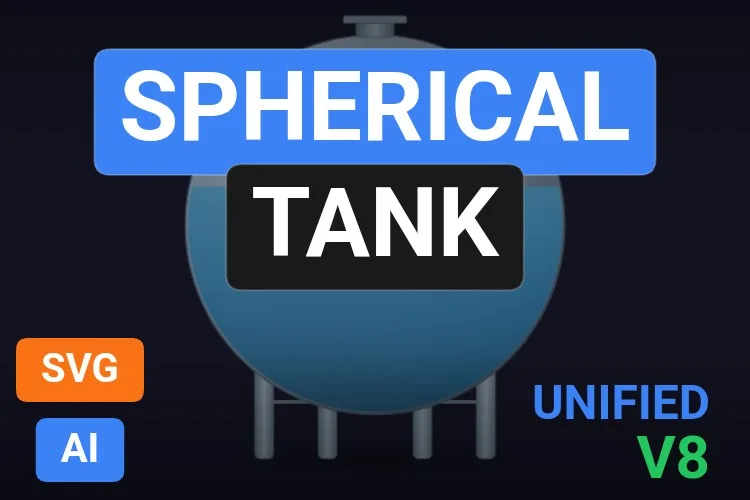
Spheres are rare in symbol libraries and are almost always drawn as a blue ball. This one is a proper Hortonsphere: a metallic shell with radial gradient and highlights, a top nozzle and support columns, with the liquid clipped to the spherical geometry.
It is aimed squarely at LPG, butane and ammonia storage. ShowSupports and ShowShadow let you strip it down for an overview, and SupportColor separates the structure from the shell.
What we like
- Liquid correctly clipped to the sphere
- Clean, realistic shading
- Optional supports and shadow
Keep in mind
- The support columns are simplified, with no bracing
- In a sphere, height and volume are not proportional (see the tip in the how-to section)
Bindable properties
- TankLevel
- LiquidColor
- BasicColor
- SupportColor
- ShowSupports
- ShowShadow
07Best tank with a percentage scale
Tank Level Gauge
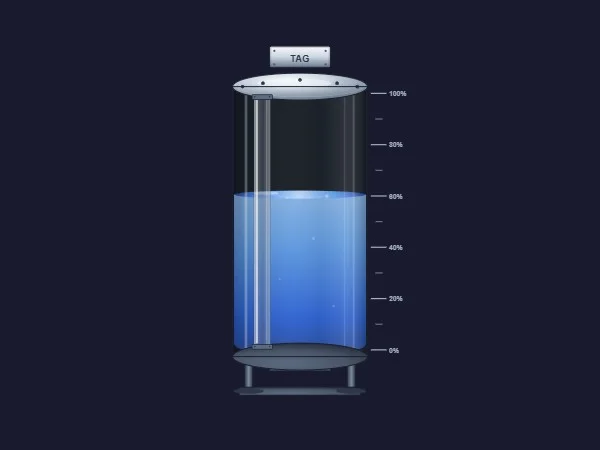
This is the tank you want when the operator has to read the level, not just glance at it. A glass-like vertical cylinder with a scale from 0 to 100 % beside it, a sight glass on the left and a tag plate on top. It looks like a laboratory-grade instrument.
Seven well-thought-out properties: LevelValue for the fill, LiquidColor and SurfaceColor to give the liquid surface its own tone, and three switches (ShowScale, ShowTagPlate and ShowLevelGlass) to go from full detail to a minimal version.
What we like
- The scale has real percentage labels
- Three visibility switches for different screen densities
- The separate surface colour adds a lot of realism
Keep in mind
- The plate reads "TAG" in the preview, and an SVG cannot change its texts at runtime: place a WinCC text field over it, hide the plate or edit the file with your equipment name
Bindable properties
- LevelValue
- LiquidColor
- SurfaceColor
- BasicColor
- ShowScale
- ShowTagPlate
- ShowLevelGlass
08Best silo for bulk solids
Solids Storage Tank

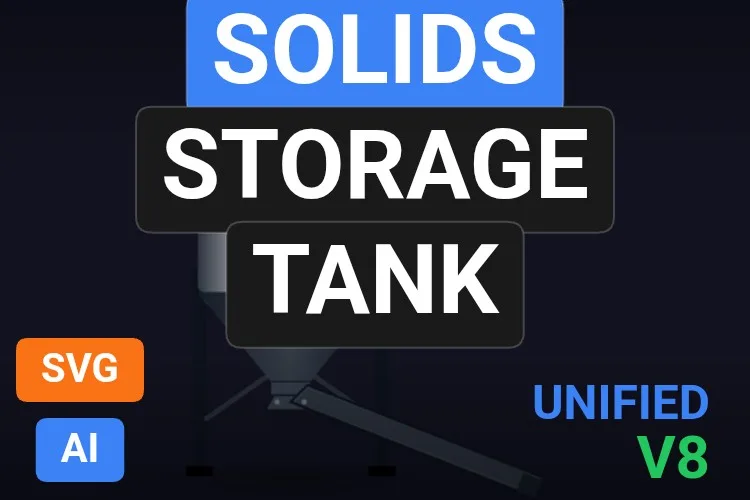
Not everything that goes into a tank is liquid. Grain, powders, plastic pellets and minerals need a silo, and this is the best one we found: a stainless body with a conical hopper, a maintenance ladder, a discharge chute and a sight window where the material shows up in amber.
Its sheet announces eleven properties, the most on the list. FlowActive shows material leaving through the chute; ShowLadder, ShowRamp and ShowMonitoring decide how much hardware you see; and MaterialColor and HopperColor let you tell sugar from cement at a glance.
What we like
- The only genuine solids silo among the best
- Discharge flow visible with
FlowActive - Very modular: from detailed to minimal
Keep in mind
- The level shows in the sight window, not across the whole body
- The sheet announces eleven properties but only names nine: check the full interface in TIA Portal before binding
Bindable properties
- FillLevel
- FlowActive
- MaterialColor
- BasicColor
- HopperColor
- ShowLadder
- ShowRamp
- ShowMonitoring
- ShowShadow
09Best for water treatment
Water Clarifier Tank
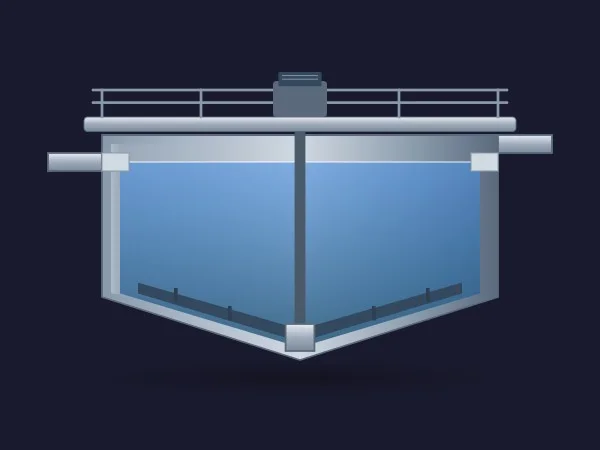
Wastewater plants deserve better than a blue rectangle, and this clarifier is a little gem: a V-bottom basin, a bridge with handrails and its drive motor, inlet and outlet pipes and rake arms at the bottom pushing sludge towards the centre.
Its eight properties are very operations-minded: FluidLevel and FluidColor for the water, ShowFluid for an empty basin, RakeRotation for the scraper and MotorStatusColor to paint the drive with its state. BridgeColor, PipeColor and BasicColor complete the palette.
What we like
- Unique in the catalogue: nothing else looks like it
- Motor status colour built in
- A natural fit for clarifiers, thickeners and settlers
Keep in mind
- Check how
RakeRotationlooks on your screen: in a side view, any rotation is an approximation - Too wide for crowded overviews
Bindable properties
- FluidLevel
- FluidColor
- ShowFluid
- RakeRotation
- MotorStatusColor
- BridgeColor
- PipeColor
- BasicColor
10Crowd favourite (most downloaded)
Industrial Tank Mixer

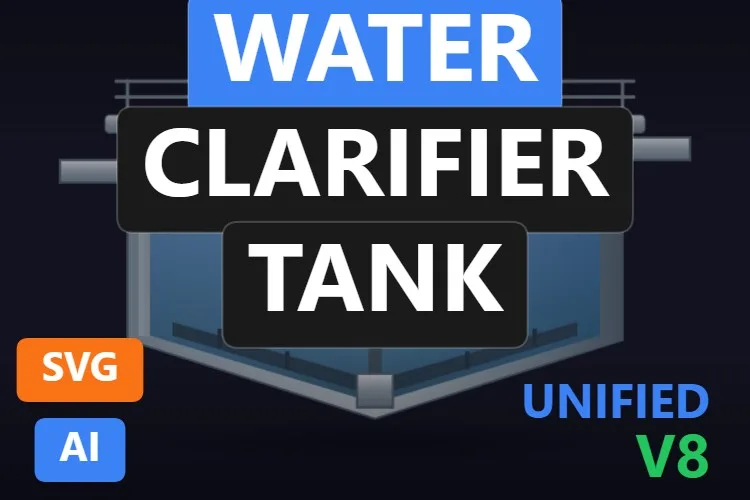
The veteran of the list: published in March 2026 and, at the time of writing, the most downloaded tank in the catalogue. A polished stainless vessel with a motor and gearbox on top, a side inlet, internal impellers visible through the shell, sturdy legs and a bottom outlet.
Here is the catch you should know before downloading: according to its sheet, it has no level property. It is an agitation symbol (MixerRotation drives the shaft and ShowInternals opens the cutaway) with plenty of colours to customise: MotorColor, ImpellerColor, PipeColor and SupportColor. If you also need the level, pair it with a bar or pick the Mixer Tank above.
What we like
- A very solid industrial look
- Lots of colour properties to match your style guide
- The most downloaded tank, so the most widely used
Keep in mind
- No fill level according to its sheet
- Animated rotation in a side view: test it before you promise it to the client
Bindable properties
- MixerRotation
- ShowInternals
- BasicColor
- MotorColor
- ImpellerColor
- PipeColor
- SupportColor
- ShowShadow
11Best for high-performance HMI screens
Industrial Tank Symbol

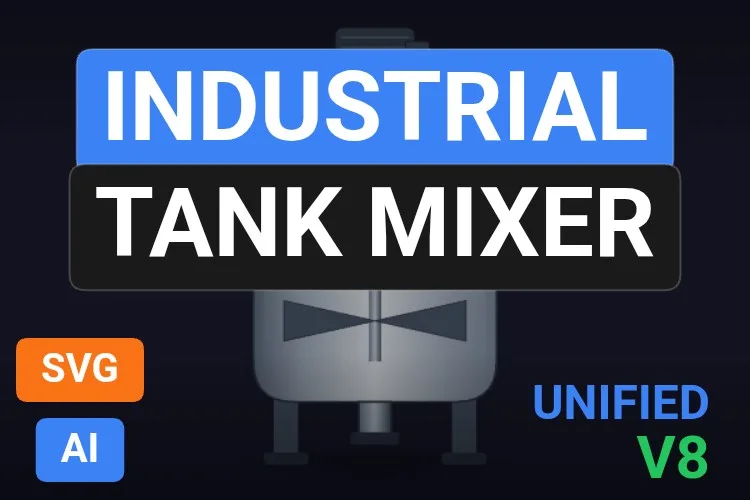
Not every screen wants a photorealistic tank. For overviews built on high-performance HMI ideas, this symbol is pure gold: a simplified tank with a level window and a status lamp, and underneath, four status icons (alarm, interlock, manual mode and maintenance) that you show or hide with ShowIconAlarm, ShowIconLock, ShowIconManual and ShowIconMaintenance.
It packs into one object what usually takes five: LevelValue for the level, StatusColor for the main lamp and dedicated colours for each icon. An operator scanning thirty tanks immediately sees which one is in manual or under maintenance.
What we like
- Equipment state at a glance, without extra symbols
- A flat style that stays legible at small sizes
- Fully configurable colours
Keep in mind
- The default icon colours are loud: tone them down if you work with a grey palette
- The icon row needs room under the tank
Bindable properties
- LevelValue
- StatusColor
- BasicColor
- StrokeColor
- ShowIconAlarm
- ShowIconLock
- ShowIconManual
- ShowIconMaintenance
- ColorAlarm
- ColorMaintenance
12Best process vessel with valve and sensors
Tank with Manway and Level
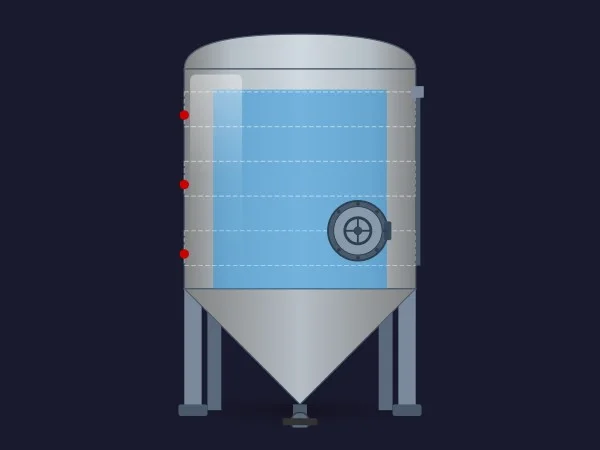
A process vessel with everything a maintenance technician would recognise: a cylindrical body with a conical bottom, a round side manway, sensor points marked on the shell, a frame of legs and a bottom valve. Dashed lines across the body hint at level references and give it an engineering-drawing feel.
Besides FillLevel and FillColor, it exposes ValvePosition to show the state of the bottom valve, plus two switches, ShowCooling and ShowSensors, for the jacket and the instrumentation. The right choice for reactors and CIP-cleaned tanks where the manway and the valve matter.
What we like
- Bottom valve with its own position property
- Optional cooling jacket and sensors
- Separate colours for the manway and the frame
Keep in mind
- According to its sheet, the level starts at the top of the cone: the cone itself is not filled
- The red sensor points stand out a lot on some palettes
Bindable properties
- FillLevel
- FillColor
- ValvePosition
- ShowCooling
- ShowSensors
- BasicColor
- SupportColor
- ManwayColor

Honourable mentions: 13 more tanks worth a look
They did not make the top twelve, usually because a better sibling did, but each one has a good reason to exist. Click any thumbnail to open its product page.
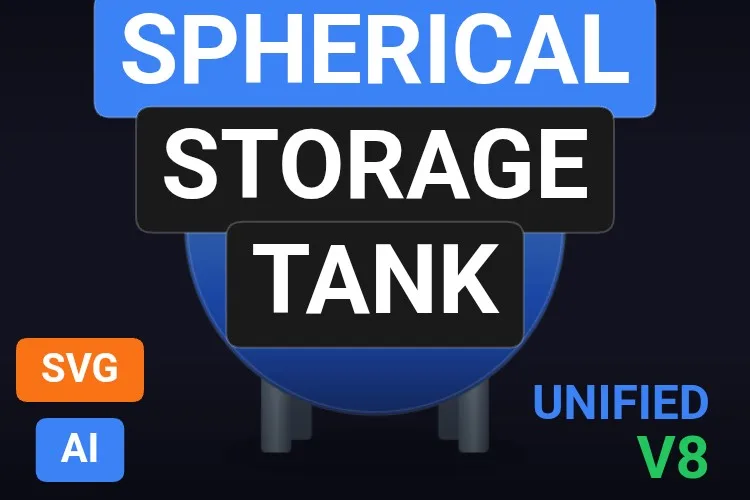
Spherical Storage Tank
A brighter, glossier sphere with ten properties, including hatch and outline colours. A good alternative if the Spherical Tank feels too sober.
View product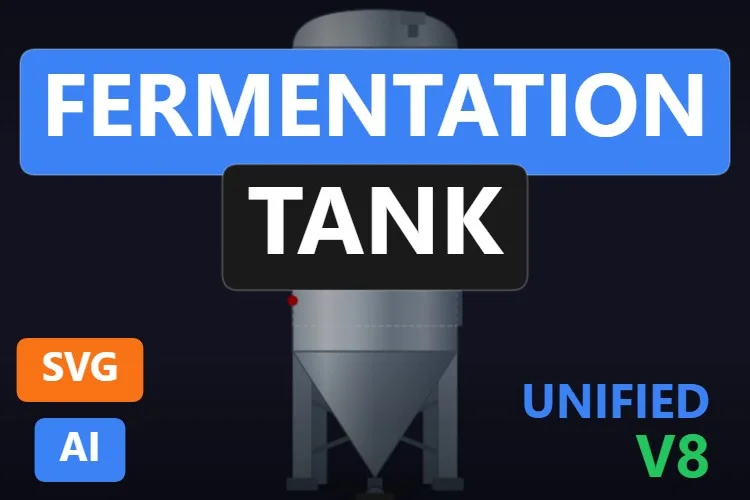
Fermentation Tank
A stainless cylindroconical fermenter with manway, valves and sensors. It shows equipment state (valve and relief valve positions, cooling) rather than level.
View product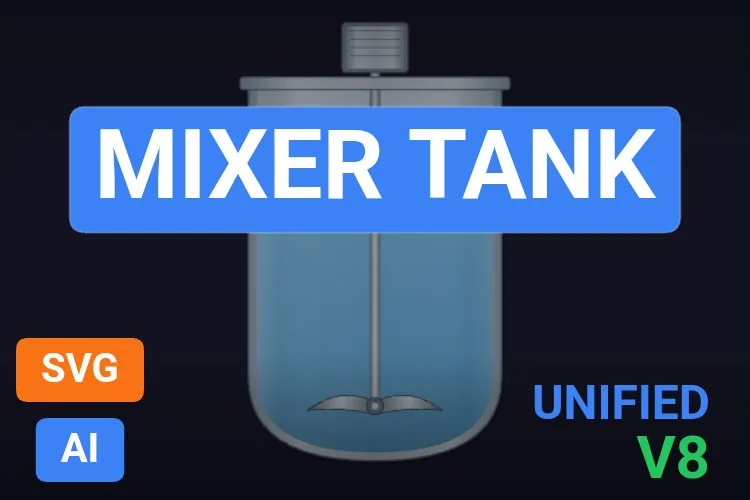
Mixer Tank
A glass beaker-style vessel with a single impeller and
View productAgitatorSpeed. Lighter than our favourite mixer, with fewer properties.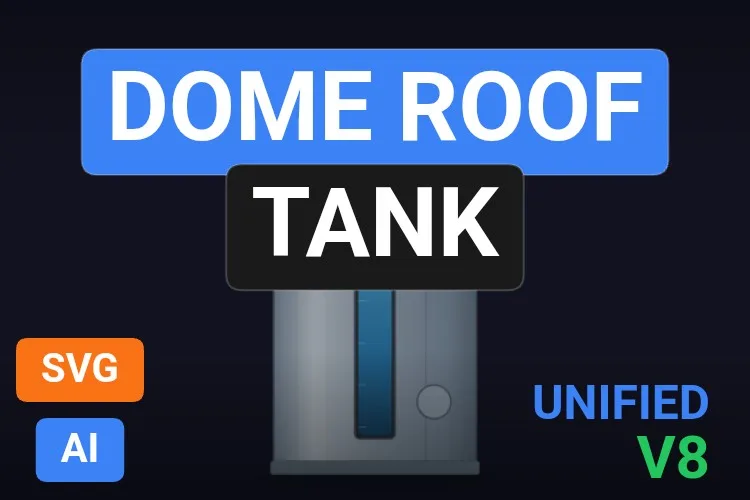
Dome Roof Tank
A dome-roofed tank with a vertical level window,
View productShowLevelWindowandShowDetails. Simple and elegant for storage.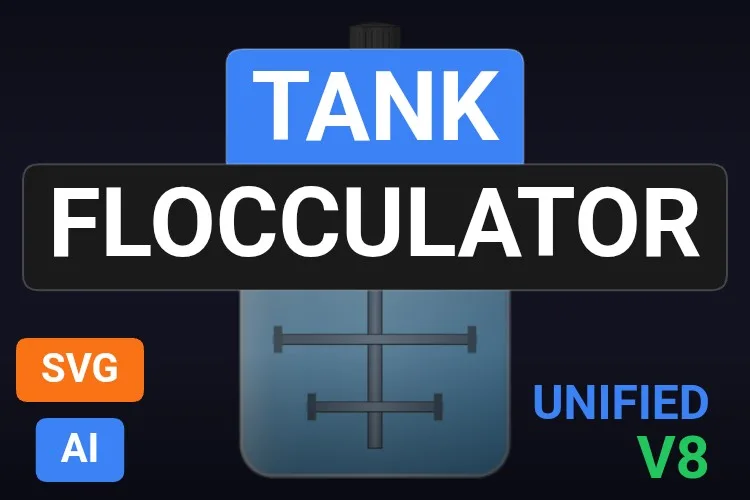
Tank Flocculator
A three-blade agitator for flocculation, with
View productAgitatorSpeedand aMotorColorfor running, stopped or alarm states.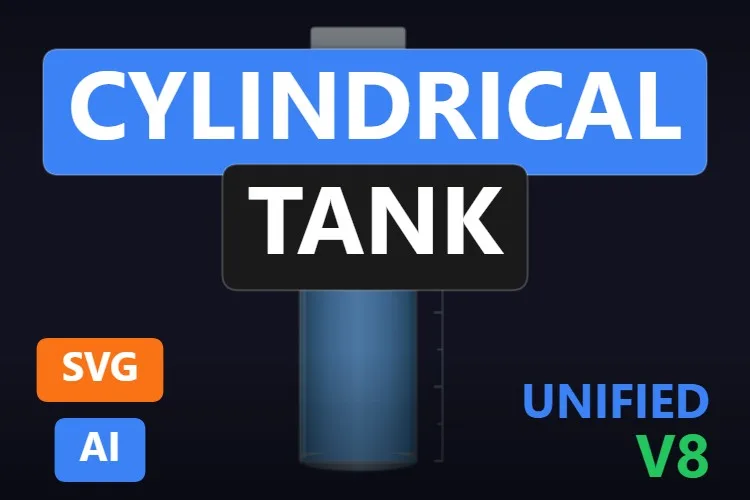
Cylindrical Tank
A slim vertical cylinder with a scale and a label plate. The minimalist of the group.
View product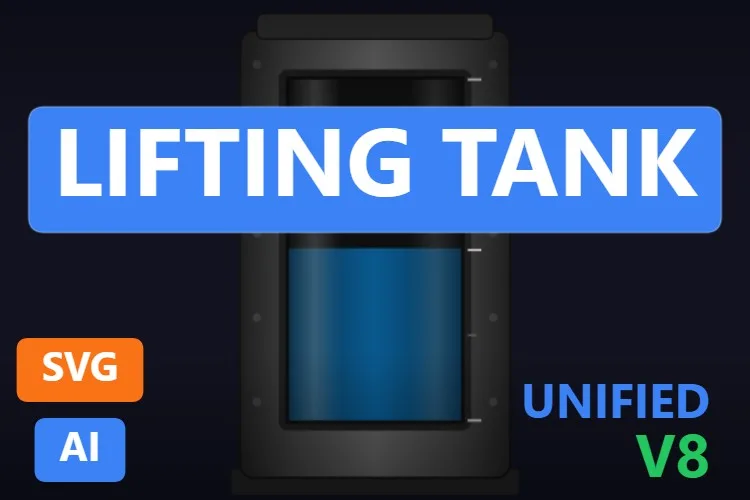
Lifting Tank
A black-framed tank with a sight window and scale, plus
View productTankOpacityto push it into the background.
Storage Tank Gauge
A brushed steel panel with a sight tube and a display window. Very "instrument panel" in style.
View product
Process Agitator Tank
A rounded vessel with a big viewing window and only three properties. Quick to bind.
View product
Horizontal Storage Tank
A pressurised horizontal tank with a pressure gauge drawn on the head and saddles in their own colour.
View product
Storage Tank Symbol
The steel-bodied cousin of the Industrial Tank Symbol, with the same alarm, lock, manual and maintenance icons.
View product
Industrial Mixer Tank
An open rectangular vat with a paddle agitator that you can hide with
View productAgitatorVisible.
Storage Tank
A capsule-shaped vertical tank with
View productLiquidLevelandShowDetails. Simple, and one of the most downloaded.
Didn't find your tank? Make your own (or remix one) with AI, for free
A confession: every tank in this article was created with the HMIx AI generator. That is why we can say this without blushing: if none of them is exactly what your process needs, you can generate your own in minutes.
Describe the equipment in plain words (for example, "jacketed reactor with two agitators, a temperature band and a level from 0 to 100") and the generator walks you through it step by step: the drawing, the properties you will bind in WinCC, a simulation to try values and the final .svghmi package for WinCC Unified and WinCC V8. The same tool builds Custom Web Controls when you need numbers, buttons or logic that an SVG cannot provide.
- Remix any tank on this list: on its product page, the "Edit in AI Generator" button opens it straight in the generator, ready for you to ask for changes such as "make it ISA-101 grey", "add a high-level alarm band" or "move the manway to the left". The "Edit it with AI" links in this article do the same.
- Free to try: you can start without an account, with a small daily allowance of credits, and the Community plan is free.
- The result is yours to use: download the package and drop it into your TIA Portal project like any other tank on this page.
How to use a dynamic SVG tank in WinCC Unified (and WinCC V8)
The short version, for when you have already picked your tank. Our dynamic SVG guide covers every step with diagrams and screenshots.
Download the .svghmi file
Open the product page, sign in with your free account and download the file. All the tanks in this article are free.
Copy it into your TIA Portal project
In WinCC Unified, put the file in your project folder under
UserFiles\SVGControls(create both folders if they do not exist). Back in TIA Portal, refresh Dynamic widgets in the Tools task card and drag the tank onto your screen.Bind the properties
Select the tank and, in the Inspector window, find its level property (
Level,FillLevel,LevelValue… each tank names it its own way) and bind it to an HMI tag that goes from 0 to 100. Do the same with colours and switches if you need them.Test before connecting the PLC
Bind the level to an internal tag, add an I/O field for that same tag and start Runtime: type 0, 50 and 100 and watch the liquid move. Only then switch to the real PLC tag.
On WinCC V8
WinCC V8 also supports SVGHMI dynamic graphics, which you configure in Graphics Designer. The file is the same; the engineering steps are those of that environment.
Pro tip: in these tanks the level property represents height, not volume. In a vertical cylinder both are proportional, but in horizontal and spherical tanks they are not. If your PLC delivers litres or a volume percentage, convert it to height before binding it, or the drawing will lie to the operator.
Read the complete dynamic SVG guideFrequently asked questions
Are these dynamic SVG tanks really free?
Yes. Every tank in this article is published as a free product on HMIx. You only need a free account to download them.
Do they work on WinCC Unified Comfort Panels and on WinCC V8?
Their product pages list compatibility with WinCC Unified, including Unified Comfort Panels, and with WinCC V8. As with any AI-generated graphic, test the behaviour in your own project and on your target device before going into production.
What is the difference between a dynamic SVG and a Custom Web Control for a tank?
A dynamic SVG is a lightweight drawing whose properties (level, colours, visibility) you bind to tags; it cannot show changing text or contain logic. A Custom Web Control is a small web application (HTML, CSS and JavaScript) that can display numbers, react to clicks and run logic. For a tank that only has to fill up and change colour, the SVG is simpler and lighter. HMIx also offers tank Custom Web Controls, and our Custom Web Control guide explains how they work.
Can I change the colours to follow a high-performance HMI palette?
Yes. Practically all of them have BasicColor and a property for the liquid colour. You can set them once with fixed values or make them dynamic in WinCC to show states.
Why does my horizontal tank look fuller (or emptier) than it is?
Because the level property is a height, not a volume. In horizontal and spherical vessels, the same volume corresponds to different heights depending on the shape. Convert the volume to height in the PLC or in WinCC before binding it.
Can I modify one of these tanks?
Of course. You can open the .svghmi file in any text or vector editor, or press "Edit in AI Generator" on the product page and ask for the changes in plain language. The second option is usually faster, because the generator takes care of the properties and the packaging.
Our verdict
If you only download one, make it the Storage Tank: it looks good everywhere and you will have it bound before your coffee gets cold. For batching, the Mixer Tank; for a brewery, the Fermentation Tank; for horizontal vessels, the Horizontal Tank Level; and for overviews full of equipment, the Industrial Tank Symbol.
And if your tank is stranger than all of these (they always are), remember that the generator that drew them is just one click away.