Blog · Dynamic SVG
The 11 best dynamic SVG motors for WinCC Unified and WinCC V8 (free)
We opened every dynamic SVG motor in the HMIx catalogue, 23 motor drawings in November 2026, looked at each render up close, read every product sheet and kept the eleven we would happily drop into a WinCC Unified or WinCC V8 screen tomorrow morning. All free, all in .svghmi format: realistic electric motors, motor symbols with status icons, two servomotors and an agitator drive.
- Dynamic SVG
- SVGHMI
- WinCC Unified
- WinCC V8
- TIA Portal
- Motor symbols
- HMI graphics
- SCADA symbols
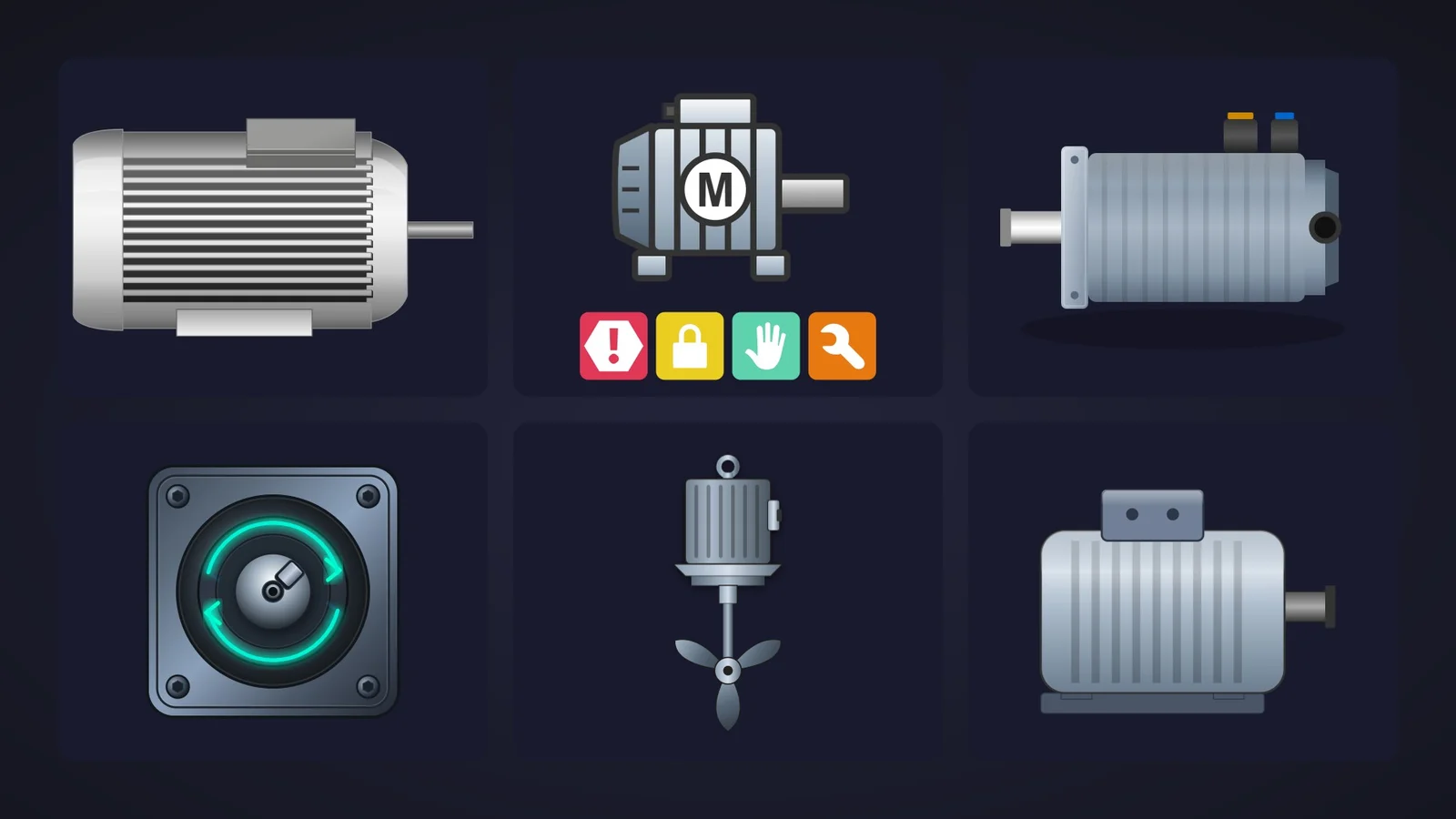
Quick picks
Short on time? Jump straight to the motor you need.
- 01Best overallPressure Motor
- 02Most realistic motor drawingRealistic Motor
- 03Best classic motor for overviewsIndustrial Motor
- 04Best for dark control-room themesElectric Motor
- 05Best flat motor for high-performance screensSimple Motor
- 06Best motor symbol with status iconsFull motor Symbol
- 07Best compact symbol for MCC overviewsMotor Symbol
- 08Best servomotorIndustrial Servomotor
- 09Best for showing the direction of rotationServomotor Shaft Indicator
- 10Best for lockout and blocked statesMotor_Inv_V2
- 11Best agitator driveAgitator Motor
Why the motor symbol deserves more than a grey rectangle
Count the motors on any process screen. Conveyors, fans, pumps, mixers, screws, crushers: behind almost every piece of moving equipment there is an electric motor, and the operator wants to know three things about it at a glance. Is it running? Is it in fault? Can I touch it, or is it locked out, in manual or under maintenance?
A good dynamic SVG motor answers those questions without a single number. In WinCC Unified (TIA Portal) and in WinCC V8, a dynamic SVG, the .svghmi format, is a vector drawing that exposes properties such as StatusColor or ShaftRotation. You drag it onto the screen, bind those properties to HMI tags and the drawing reacts: the body changes colour, a status lamp lights up, a lock icon appears. No scripts, no JavaScript, and it stays sharp at any size, from a 7-inch Unified Comfort Panel to a 4K control-room wall.
What makes a dynamic SVG motor worth downloading
Before the list, the yardstick. This is what we looked for, roughly in order of how much it annoys us when it is missing:
- A state you can see. At the very least a colour property for the body or a status lamp, so running, stopped and fault are obvious from across the room. Built-in icons for alarm, interlock, manual and maintenance are a bonus.
- Honest motion. Rotation is convincing when the shaft points at the viewer, as in a front view of a servomotor. In a side view of a motor, colour and visibility tell the story better than a spinning drawing.
- Properties named in the sheet. If the product page announces eleven properties, we want to know what they are called before we download. Sheets that name none of them went to the honourable mentions at best.
- Readable when small. MCC and plant overviews shrink motors to the size of a fingernail; a motor that turns into grey soup at 60 pixels is no good there.
- Variety. Instead of eleven copies of the same finned cylinder, we picked one champion per job: realistic, flat, symbolic, servo, lockout and agitator.
How we picked them (and what we did not do)
We searched the catalogue for dynamic SVGs with "motor", "servo" or "drive" in their name: 33 results in November 2026, 23 of them actual motors (the rest were motorised valves, a drive pump, mills, drive cabinets and a set of push buttons). For each motor we looked at its real render (the drawing itself, not the catalogue cover with the big title on top) and read its product sheet to see which properties it exposes. Downloads only worked as tie-breakers, because a motor published last month has not had time to collect any.
We left out one whose preview is broken, one whose sheet describes a finned steel motor while its render is a round "M" symbol, near-duplicates and a couple of drawings we could not read. A fair warning, too: for this article we judged drawings and documentation; we did not run these motors in a live Runtime. They were generated with AI and every product page reminds you to test them in your own TIA Portal project before production. We would say the same about anything you download from anywhere.
The 11 best dynamic SVG motors, one by one
Each entry shows the real SVG render, what we liked, what to keep in mind and the properties you can bind, followed by the catalogue thumbnail: click it to open the product page and download the motor for free.
01Best overall
Pressure Motor
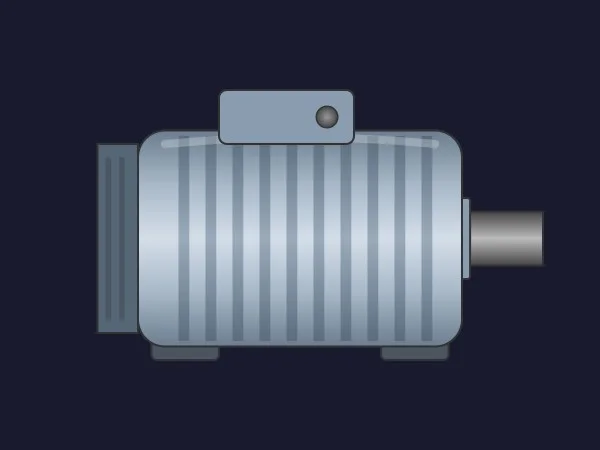
If we could only keep one, it would be this one, despite its odd name (nothing in it measures pressure). It is a well-proportioned induction motor: a polished steel body with vertical fins and a soft highlight, a cover at the non-drive end, two feet, a chrome shaft and a terminal box with a small round status lamp on top.
That lamp is what wins it the title. StatusColor paints it with the motor state and ShowStatusIndicator hides it when you do not need it, so the drawing stays realistic while still telling the operator whether the motor runs, stops or trips. The other five properties are all named too: BasicColor, ShaftColor, TerminalBoxColor, MountingFootColor and ShowTerminalBox.
What we like
- A realistic motor with a built-in status lamp
- All seven properties named in the sheet
- Colours for body, shaft, terminal box and feet
Keep in mind
- The lamp is small: on a plant overview, colour the body as well
- The name says "pressure", which may confuse colleagues browsing your library: rename the screen object
Bindable properties
- StatusColor
- ShowStatusIndicator
- BasicColor
- ShaftColor
- TerminalBoxColor
- MountingFootColor
- ShowTerminalBox
02Most realistic motor drawing
Realistic Motor
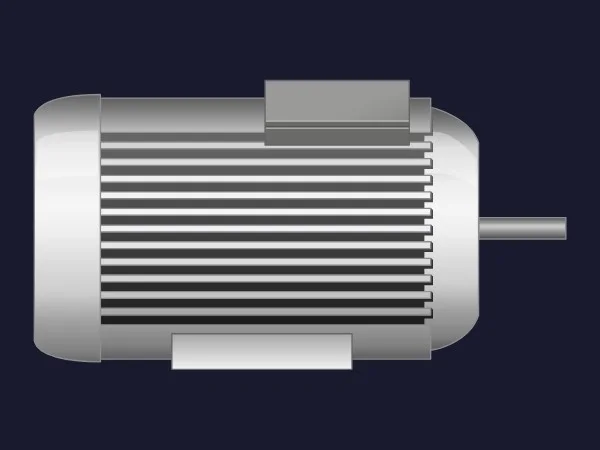
If the client wants the HMI to look like the plant, this is the one. A brushed aluminium motor with deep horizontal cooling fins, rounded end bells, a terminal box on top, wide mounting feet and a slim shaft, rendered with clean highlights. It is the most convincing drawing in the group and it still reads well when scaled down.
It keeps things simple with five properties, all named: BasicColor for the frame, TerminalBoxColor and BaseColor for the box and the feet, and two switches, ShowTerminalBox and ShowBase, for a cleaner silhouette.
What we like
- The most realistic look among the motors
- Only five properties: bound in a minute
- Looks good on both dark and light backgrounds
Keep in mind
- No running or status property: state has to travel in
BasicColor - Very bright: on high-performance grey screens it will be the loudest object
Bindable properties
- BasicColor
- TerminalBoxColor
- BaseColor
- ShowTerminalBox
- ShowBase
03Best classic motor for overviews
Industrial Motor
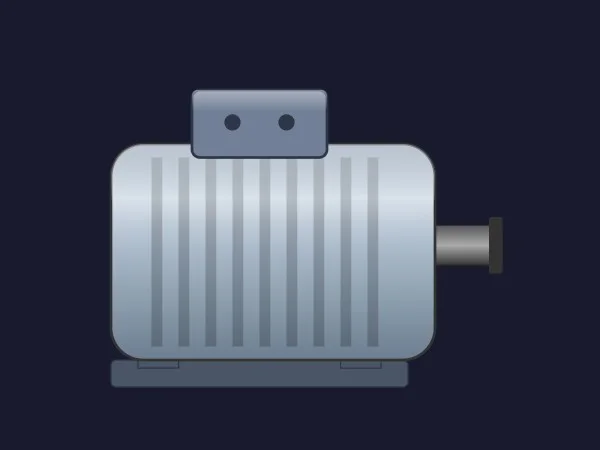
The motor you picture when someone says "motor": a rounded steel-blue body with vertical fins, a terminal box with two cable glands, a flat base and a shaft with a coupling end. Clean lines, no frills and a silhouette you recognise at any size, which is exactly what you want on an overview with forty drives.
Its sheet lists six properties: MotorRotation for the rotation feedback, BasicColor, TerminalBoxColor and MountingBaseColor for the colours, and ShowCoolingFins and ShaftVisibility to simplify the drawing. It also talks about five colour states (stopped, running, warning, alarm) and a blinking alarm at "state 5", but none of the six properties is a state number.
What we like
- Very legible at small sizes
- Fins and shaft can be hidden for a schematic look
- Three separate colour zones
Keep in mind
- The colour states and the blinking alarm described in the sheet do not match the listed properties: check the interface in TIA Portal
- Side view: test
MotorRotationbefore relying on it
Bindable properties
- MotorRotation
- BasicColor
- TerminalBoxColor
- MountingBaseColor
- ShowCoolingFins
- ShaftVisibility
04Best for dark control-room themes
Electric Motor
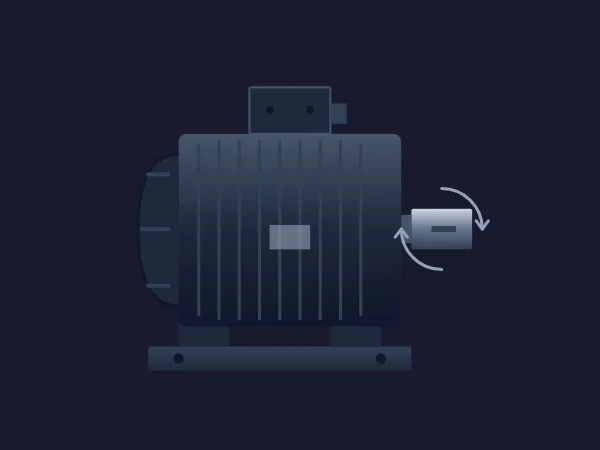
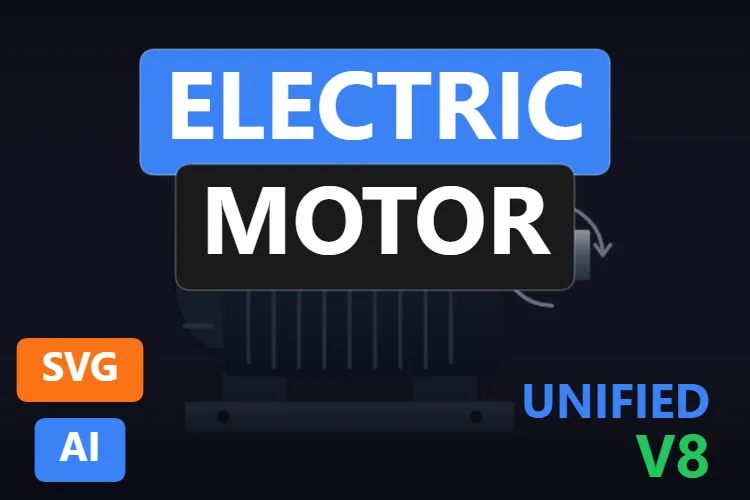
Most motors in the catalogue are polished steel. This one is dark: a blue-grey induction motor with a ribbed body, a rounded fan cowl, a terminal box on top, a solid base plate and two curved arrows around the shaft end that hint at rotation. On a dark operator theme it looks at home rather than glowing like a chrome toy.
All seven properties are named in its sheet. BasicColor, TerminalBoxColor and FanCowlColor let you paint the parts separately, ShowLiftingEye, ShowMountingBase and ShaftVisibility decide how much hardware you see, and ShaftRotation controls the shaft, described as speed and direction of the visual rotation.
What we like
- A sober look that suits dark operator themes
- Three separate colour zones, including the fan cowl
- Base, lifting eye and shaft can be hidden
Keep in mind
- Low contrast on dark backgrounds: brighten
BasicColoror give it a lighter panel - The rotation arrows are drawn in, so it always suggests movement
Bindable properties
- ShaftRotation
- BasicColor
- TerminalBoxColor
- FanCowlColor
- ShowLiftingEye
- ShowMountingBase
- ShaftVisibility
05Best flat motor for high-performance screens
Simple Motor
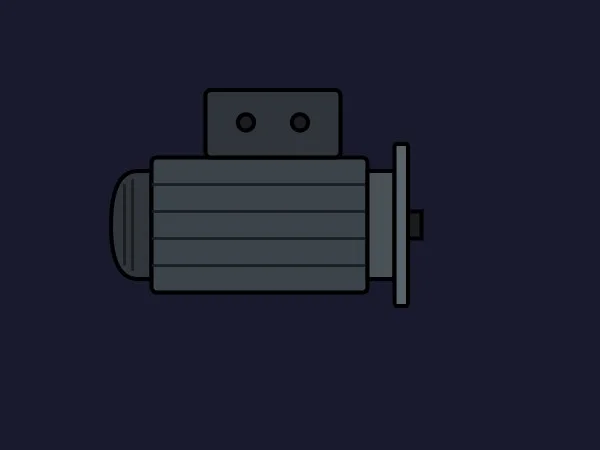
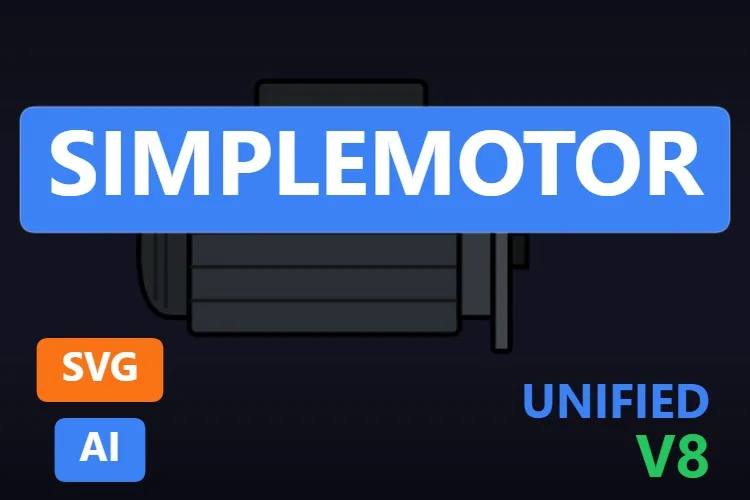
High-performance HMI ideas, in the ISA-101 spirit, ask for grey equipment and colour only when something needs attention. This motor speaks that language: a flat dark grey body with black outlines, horizontal ribs, a terminal box with two glands and a flange at the shaft end. No gradients, no shine.
Five named properties keep it light: RunningState changes the fill of the core elements to show operation, BasicColor and SecondaryColor set the palette, FinColor the stroke of the ribs and MotorVisible hides it completely.
What we like
- A flat style made for grey, low-distraction screens
- A dedicated
RunningStateproperty - Tiny and quick to bind
Keep in mind
- Dark grey on a dark background almost disappears: use it on light grey screens or brighten
BasicColor - Very schematic: it will not impress anyone looking for realism
Bindable properties
- RunningState
- BasicColor
- SecondaryColor
- FinColor
- MotorVisible
06Best motor symbol with status icons
Full motor Symbol

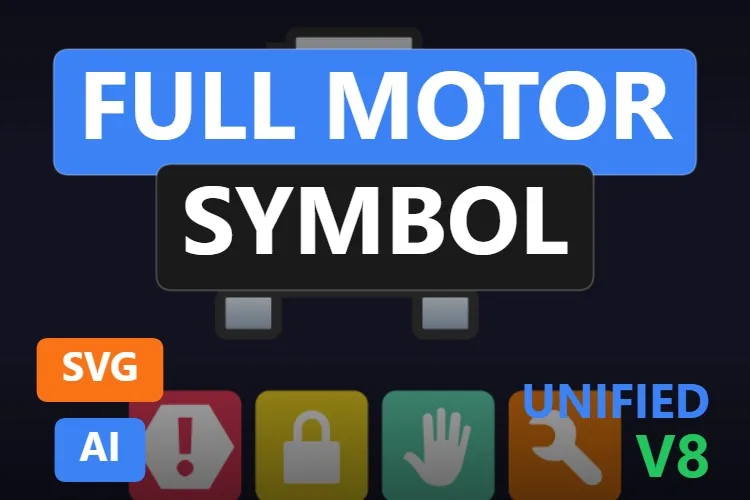
Halfway between a drawing and a P&ID symbol: a finned motor with a terminal box, feet and shaft, outlined in bold strokes, with a round "M" badge in the middle. Underneath, a status bar with four icons: alarm, interlock, manual and maintenance. One object tells the operator what the equipment is and what state it is in.
Its sheet announces eleven properties and names seven: BasicColor for the chassis, FanColor for the cooling unit and ShaftColor for the drive end, plus visibility switches such as ShowIconAlarm and ShowIconMaintenance and colours such as ColorAlarm and ColorLock. The same family of status icons also exists for valves and tanks in the catalogue, so a whole screen can share one visual language.
What we like
- Motor and four equipment states in a single object
- Bold outlines that stay legible at small sizes
- Colours for body, fan and shaft
Keep in mind
- The sheet names seven of its eleven properties: check the rest in TIA Portal
- The default icon colours are loud on grey screens
Bindable properties
- BasicColor
- FanColor
- ShaftColor
- ShowIconAlarm
- ShowIconMaintenance
- ColorAlarm
- ColorLock
07Best compact symbol for MCC overviews
Motor Symbol
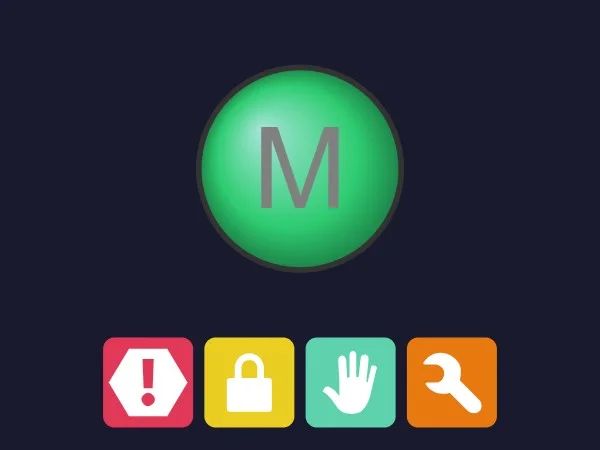
For a motor control centre overview with dozens of drives, you do not want a drawing; you want the classic round "M". This one turns it into a glossy dome that, according to its sheet, goes from slate grey when stopped to emerald green when running, with the same four status icons below (alarm, interlock, manual and maintenance).
Ten properties in total. MotorState drives the dome, BasicColor the bezel, and each icon has its own colour (ColorAlarm, ColorLock, ColorManual and ColorMaintenance) and its own visibility switch. Compact and readable from across the room.
What we like
- Compact and instantly readable on dense overviews
- A dedicated running state on the dome
- Individual colours for each status icon
Keep in mind
- The grey "M" has little contrast on the green dome
- The sheet does not give the exact names of the four icon switches
Bindable properties
- MotorState
- BasicColor
- ColorAlarm
- ColorLock
- ColorManual
- ColorMaintenance
08Best servomotor
Industrial Servomotor
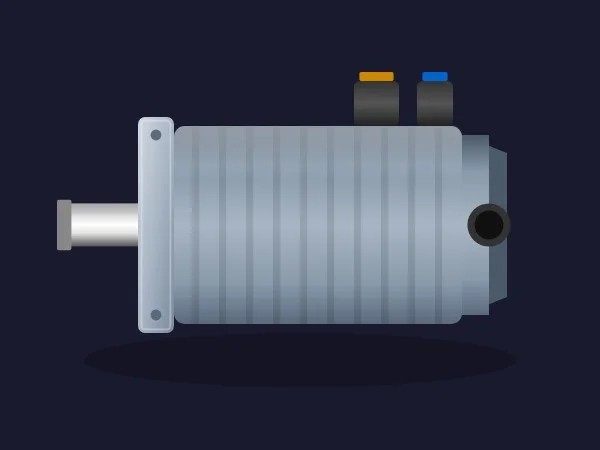
Servos do not look like induction motors, and a plant full of robots and CNC axes deserves the right silhouette. This is a long, finned servomotor with a square front flange and an output shaft, the rear encoder housing and two power and signal connectors on top, with orange and blue caps. A soft shadow underneath gives it some depth.
Its sheet names nine of its ten properties, and they are all about matching the hardware: ShowConnectors, ShowShaft and EncoderVisibility show or hide those parts, BasicColor, FlangeColor and ConnectorColor repaint them, FinIntensity changes how strong the fins look and ShowShadow removes the shadow on flat screens. ShaftRotation is described as a 360-degree position or speed indication.
What we like
- The only realistic servo silhouette among the best
- Very modular: connectors, shaft, encoder and shadow are optional
- Separate colours for body, flange and connectors
Keep in mind
- Side view: check how
ShaftRotationlooks on your screen before promising it - No status lamp of its own: carry the state in
BasicColoror add an indicator
Bindable properties
- ShaftRotation
- BasicColor
- FlangeColor
- ConnectorColor
- FinIntensity
- ShowShadow
- ShowConnectors
- ShowShaft
- EncoderVisibility
09Best for showing the direction of rotation
Servomotor Shaft Indicator
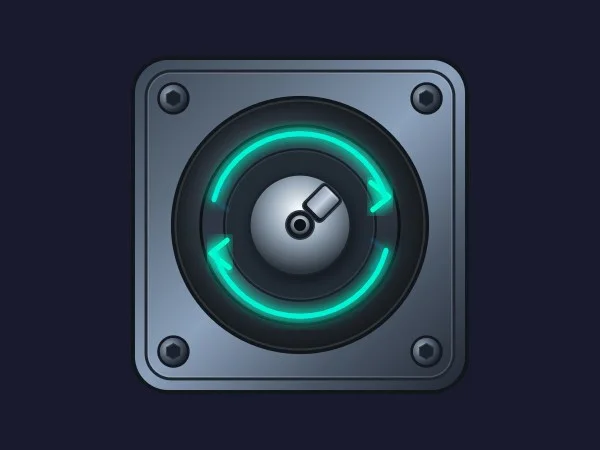
This is the one case where rotation makes complete sense, because you are looking straight at the shaft. A square servo flange with four bolts, a round housing, a keyed shaft in the centre and two glowing arrows around it, one clockwise and one counter-clockwise. It looks like a premium motion-control icon.
All seven properties are named: ShaftRotation sets the shaft angle from 0 to 360°, ShowClockwise and ShowCounterClockwise switch the arrows, IndicatorColorCW and IndicatorColorCCW colour them, and BasicColor and FlangeColor handle the body. Bind the two arrows to forward and reverse and the operator sees the direction instantly.
What we like
- Front view: the shaft angle is honest motion
- Direction of rotation with separate arrows and colours
- A very polished look for motion-control screens
Keep in mind
- The neon glow is bold; tone the colours down on grey screens
- Not a full motor: pair it with a side view on detail screens
Bindable properties
- ShaftRotation
- ShowClockwise
- ShowCounterClockwise
- IndicatorColorCW
- IndicatorColorCCW
- BasicColor
- FlangeColor
10Best for lockout and blocked states
Motor_Inv_V2

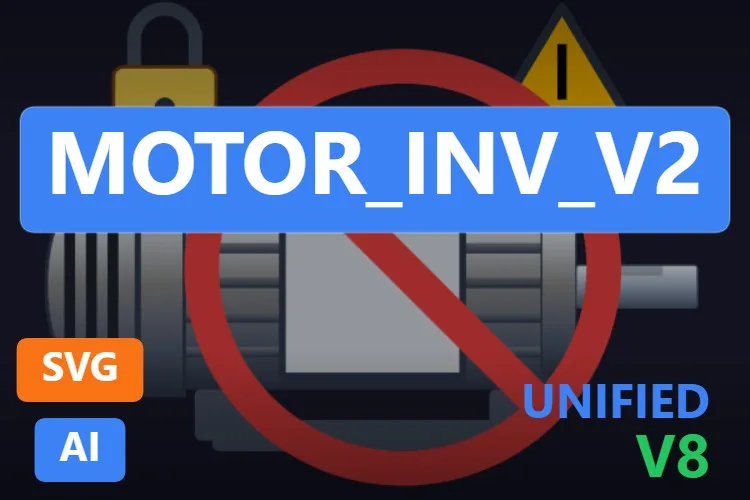
The name is an engineer's working title, but the idea is good. A realistic finned motor with a terminal box carries three overlays: a yellow padlock, a warning triangle and a big red prohibition sign across the body. The preview shows all three at once, which looks alarming; on your screen you switch on only the one that applies.
Its seven properties are all named: ShowSafetyLock, ShowWarningSign and ShowProhibitionSign for the overlays, WarningSignColor for the triangle and, the detail we liked most, WarningSignBlink, which makes the warning flash during alarm conditions. BasicColor and FinColor handle the motor itself. Lockout-tagout, blocked by interlock, waiting for maintenance: it is all visible on the drawing.
What we like
- Lock, warning and prohibition overlays in one symbol
- A built-in blinking warning with
WarningSignBlink - Every property is named in the sheet
Keep in mind
- With every overlay on, it looks like a road sign: show one at a time
- The padlock and the triangle stick out beyond the motor, so leave some room around it
Bindable properties
- WarningSignBlink
- WarningSignColor
- ShowWarningSign
- ShowSafetyLock
- ShowProhibitionSign
- BasicColor
- FinColor
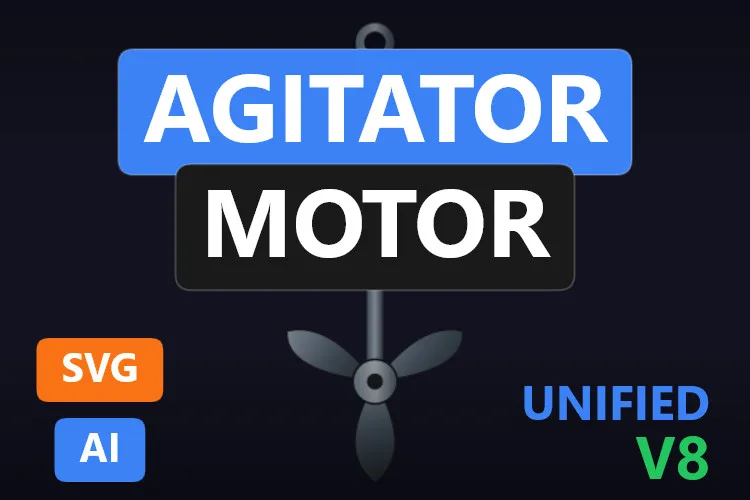
11Best agitator drive
Agitator Motor
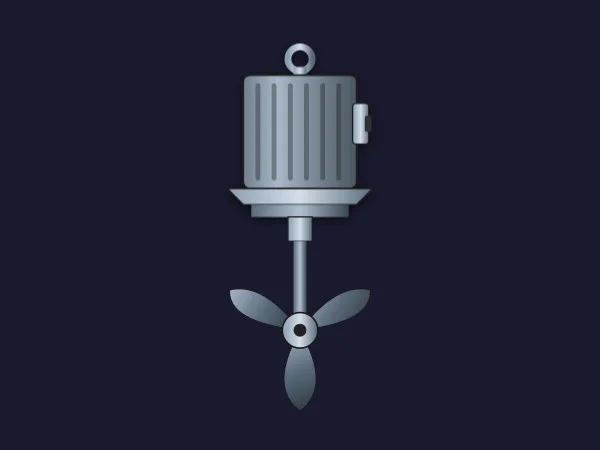
Mixers and reactors need a vertical drive, and this is the cleanest one we found. A finned motor with a lifting eye on top, a mounting flange, a long shaft and a three-blade impeller at the bottom. Put it on top of any vessel and the agitator is explained.
Four named properties: ImpellerSpeed takes a number and, according to its sheet, scales the impeller animation with your drive's speed; ImpellerColor and BasicColor paint the blades and the motor; and ShowMotor hides the motor when the vessel drawing already has one.
What we like
- A clean vertical drive that fits on top of any tank
- Impeller animation driven by a speed value
ShowMotorlets you combine it with tanks that already have a motor
Keep in mind
- Only four properties: no status lamp, so carry the state in
BasicColor - Narrow and tall: leave room above your vessel
Bindable properties
- ImpellerSpeed
- ImpellerColor
- BasicColor
- ShowMotor
Honourable mentions: 6 more motors worth a look
They did not make the top eleven, usually because a better sibling did, but each one has a good reason to exist. Click any thumbnail to open its product page.
Motor Symbol
A sibling of the Full motor Symbol with a round run indicator on the body (
View productStatusIndicatorColor),ShaftRotationand the same four status icons.
Motor Symbol
The original motor with status icons, from February 2026, and the most downloaded motor in our search. Its sheet announces 15 properties but does not name them.
View product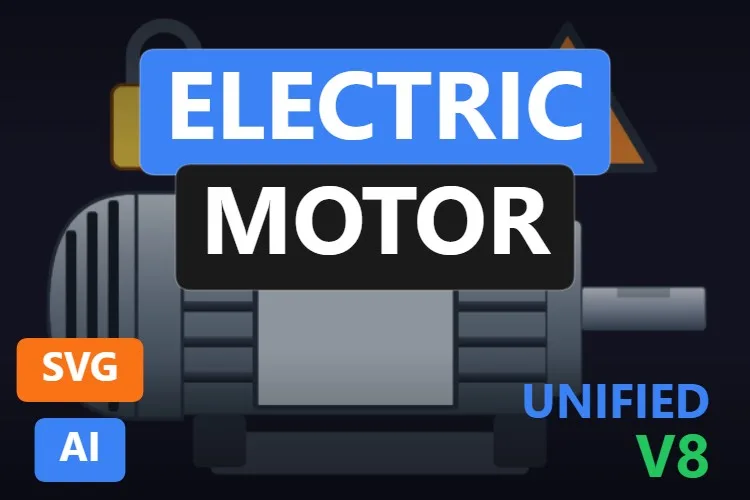
Electric Motor
The lighter cousin of Motor_Inv_V2: a padlock and a warning triangle (
View productShowLock,ShowWarning) andMotorColorfor the stator, four properties in total.
Motor Shaft Assembly
A finned motor with a four-blade fan drawn over the body and
View productRotationAnglefor the shaft. Striking, if a little unusual.
Vertical Motor
A small blue vertical motor on a grey pump body, with
View productShaftRotation,PumpColorandShowFins. Useful for vertical pumps, but tiny in its preview.
Mixer Motor
A vertical mixer drive with a four-blade propeller,
View productMixerSpeedfor the blades andMotorPositionto align the unit with your vessel.
Didn't find your motor? Make your own (or remix one) with AI, for free
A confession: every motor in this article was created with the HMIx AI generator. That is why we can say this without blushing: if none of them is exactly what your plant needs, you can generate your own in minutes.
Describe the equipment in plain words (for example, "flanged gear motor in RAL 7035 with a status lamp on the terminal box and a lock icon for lockout") and the generator walks you through it step by step: the drawing, the properties you will bind in WinCC, a simulation to try values and the final .svghmi package for WinCC Unified and WinCC V8. The same tool builds Custom Web Controls when you need numbers, buttons or logic that an SVG cannot provide, such as a motor faceplate with speed and current.
- Remix any motor on this list: on its product page, the "Edit in AI Generator" button opens it straight in the generator, ready for you to ask for changes such as "make it ISA-101 grey", "add a manual-mode icon" or "turn it to face left". The "Edit it with AI" links in this article do the same.
- Free to try: you can start without an account, with a small daily allowance of credits, and the Community plan is free.
- The result is yours to use: download the package and drop it into your TIA Portal project like any other motor on this page.
How to use a dynamic SVG motor in WinCC Unified (and WinCC V8)
The short version, for when you have already picked your motor. Our dynamic SVG guide covers every step with diagrams and screenshots.
Download the .svghmi file
Open the product page, sign in with your free account and download the file. All the motors in this article are free.
Copy it into your TIA Portal project
In WinCC Unified, put the file in your project folder under
UserFiles\SVGControls(create both folders if they do not exist). Back in TIA Portal, refresh Dynamic widgets in the Tools task card and drag the motor onto your screen.Bind the properties
Select the motor and, in the Inspector window, find its state property (
StatusColor,RunningState,MotorState… each motor names it its own way) and bind it to an HMI tag. Do the same with the status icons and colours you need.Test before connecting the PLC
Bind the state to an internal tag, add an I/O field for that same tag and start Runtime: switch it between stopped, running and fault and watch the motor change. Only then switch to the real PLC tag.
On WinCC V8
WinCC V8 also supports SVGHMI dynamic graphics, which you configure in Graphics Designer. The file is the same; the engineering steps are those of that environment.
Pro tip: most PLCs deliver a motor's state as bits or a status word, while many of these motors expect a colour. Decide your colour code once (for example grey stopped, green running, red fault, yellow maintenance), map the status to colours in a single place in WinCC and reuse it for every motor. And resist the spinning shaft on side views: a steady colour is easier to read than a drawing that pretends to turn.
Read the complete dynamic SVG guideFrequently asked questions
Are these dynamic SVG motors really free?
Yes. Every motor in this article is published as a free product on HMIx. You only need a free account to download them.
Do they work on WinCC Unified Comfort Panels and on WinCC V8?
Their product pages list compatibility with WinCC Unified, including Unified Comfort Panels, and with WinCC V8. As with any AI-generated graphic, test the behaviour in your own project and on your target device before going into production.
Can a dynamic SVG motor show the speed in rpm or the current in amps?
Not as text. A dynamic SVG can change colours, visibility and positions, but it cannot display changing numbers. Place a WinCC I/O field next to the motor, or use a Custom Web Control if you want a full motor faceplate with values, buttons and logic.
Which motor should I use on a high-performance (ISA-101) screen?
A flat, grey motor such as Simple Motor, or a symbol whose colours you tone down, like the Full motor Symbol. Keep the motor grey when it is healthy and use colour only for states that need attention.
Should a motor symbol rotate when it runs?
Only if you are looking at the shaft from the front, as in the Servomotor Shaft Indicator. In a side view, a rotating drawing is an approximation; a clear colour change or a status lamp is easier to read and less distracting.
Can I modify one of these motors?
Of course. You can open the .svghmi file in any text or vector editor, or press "Edit in AI Generator" on the product page and ask for the changes in plain language. The second option is usually faster, because the generator takes care of the properties and the packaging.
Our verdict
If you only download one, make it the Pressure Motor: realistic, with a status lamp and every property documented. For realism at any cost, the Realistic Motor; for grey high-performance screens, Simple Motor; for MCC overviews, the round Motor Symbol; for servo axes, the Industrial Servomotor and the Servomotor Shaft Indicator; and for mixers, the Agitator Motor.
And if your motor is stranger than all of these (gear motors, brake motors, motors with a drive on top: they always are), remember that the generator that drew them is just one click away.