Blog · Dynamic SVG
The 11 best dynamic SVG conveyors for WinCC Unified and WinCC V8 (free)
We opened every dynamic SVG conveyor in the HMIx catalogue, 25 conveyor drawings in November 2026, looked at each render up close, read every product sheet and kept the eleven we would happily drop into a WinCC Unified or WinCC V8 screen tomorrow morning. All free, all in .svghmi format: belt conveyors with cargo, roller conveyors, screw conveyors, a bucket elevator, a lift table and a set of direction arrows.
- Dynamic SVG
- SVGHMI
- WinCC Unified
- WinCC V8
- TIA Portal
- Conveyor belt
- Material handling
- SCADA symbols
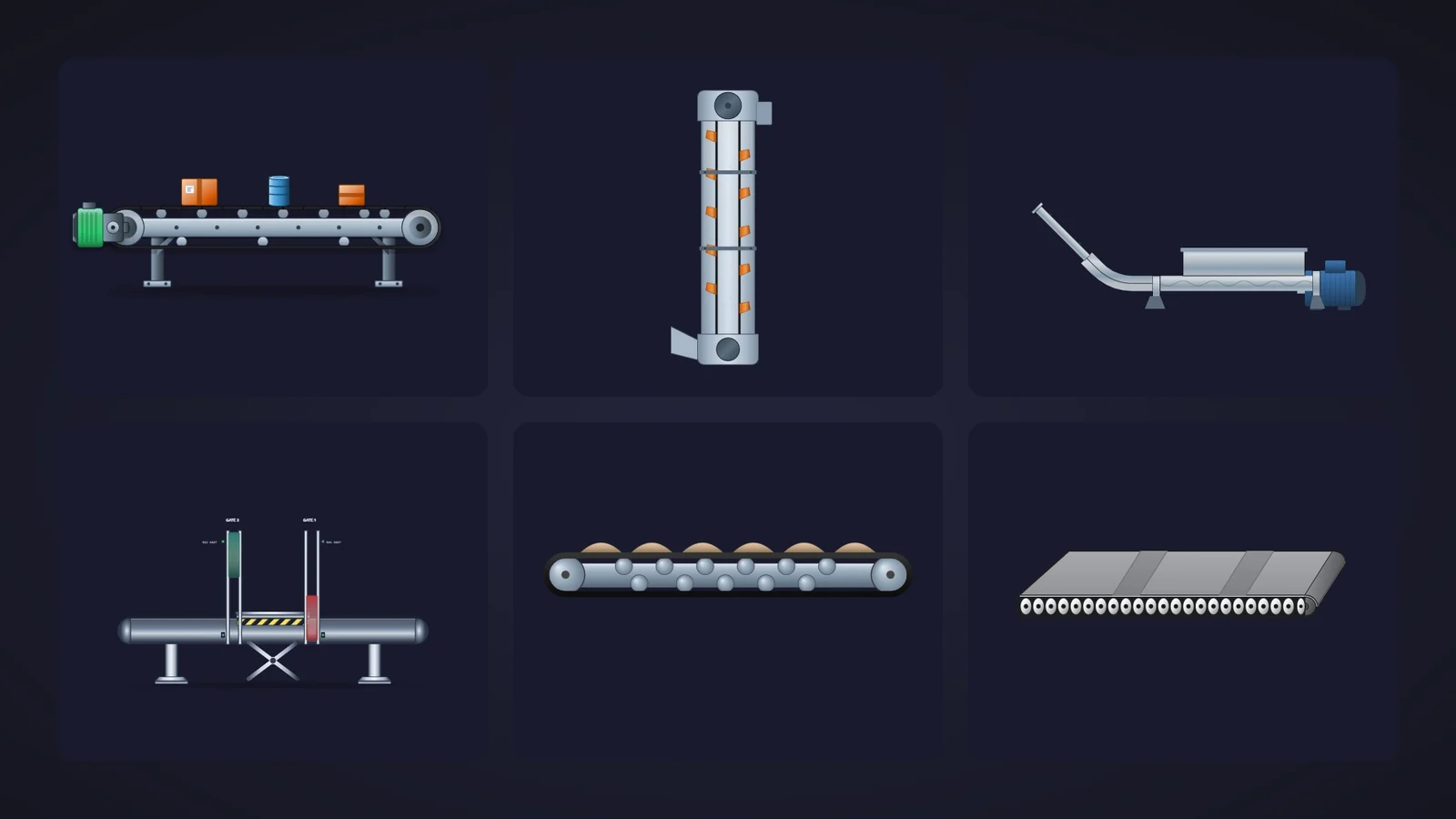
Quick picks
Short on time? Jump straight to the conveyor you need.
- 01Best overallConveyor Belt
- 02Crowd favourite (most downloaded)Conveyor Belt
- 03Best for tracking individual itemsConveyor Belt
- 04Best perspective belt (3D look)Roller Conveyor
- 05Best for bulk materials and miningAggregate Conveyor
- 06Best top-view roller conveyor for logistics layoutsRoller Conveyor
- 07Best open screw conveyor (cutaway)Screw Conveyor
- 08Best screw feeder with hopper and motorScrew Conveyor
- 09Best bucket elevatorBucket Elevator
- 10Best special section (lift table with safety gates)Conveyor Lift Gate
- 11Best running and direction indicatorConveyor Direction Arrows
Why conveyor graphics deserve more than a grey rectangle
Packaging lines, warehouses, quarries, bakeries, cement plants: wherever something moves from A to B, there is a conveyor on the HMI screen. And it is usually drawn as a grey rectangle with two circles, which tells the operator nothing about whether the belt is running, what it carries or which motor tripped.
A dynamic SVG conveyor fixes that without a line of code. In WinCC Unified (TIA Portal) and in WinCC V8, a dynamic SVG, the .svghmi format, is a vector drawing that exposes properties such as MotorStatusColor, BeltSpeed or ShowCargo. You drag it onto the screen, bind those properties to HMI tags and the drawing reacts: the motor turns green, the cargo appears, the screw shows it is turning. It stays sharp at any size, from a 7-inch Unified Comfort Panel to a 4K control-room wall.
What makes a dynamic SVG conveyor worth downloading
Before the list, the yardstick. This is what we looked for, roughly in order of how much it annoys us when it is missing:
- A visible running state. A motor status colour, a running switch or a speed property: the operator must see at a glance whether the conveyor moves. A pretty belt that always looks the same is decoration.
- Something to show what it carries. Cargo, material or buckets you can show, hide and move turn a static drawing into a line the operator can follow.
- Readable when small. Line overviews squeeze ten conveyors into one row; a conveyor that turns into a grey stripe at 150 pixels is no good.
- Honest properties. Property names that the sheet actually lists, colours you can tone down for high-performance screens in the ISA-101 spirit, and no promises the drawing does not keep.
- Variety. Instead of eleven versions of the same belt, we picked one champion per job: unit handling, food lines, bulk materials, logistics layouts, screw conveyors, vertical transport, special sections and direction indicators.
How we picked them (and what we did not do)
We searched the catalogue for dynamic SVGs with "conveyor", "belt", "roller", "screw", "chain" or "elevator" in their name: 26 results in November 2026, 25 of them conveying equipment or conveyor accessories (the odd one out was a PLC). For each one we looked at its real render (the drawing itself, not the catalogue cover with the big title on top) and read its product sheet to see which properties it exposes. Downloads only worked as tie-breakers, because a conveyor published in September has not had time to collect many.
We left out a screw conveyor that looks like a shaft with beads, two inclined screw conveyors we could not read, two chains that are tiny or almost invisible on a dark background, a belt reduced to a thin strip and a chain elevator whose sheet only names a property called "Property401". A fair warning, too: for this article we judged drawings and documentation; we did not run these conveyors in a live Runtime. They were generated with AI and every product page reminds you to test them in your own TIA Portal project before production. We would say the same about anything you download from anywhere.
The 11 best dynamic SVG conveyors, one by one
Each entry shows the real SVG render, what we liked, what to keep in mind and the properties you can bind, followed by the catalogue thumbnail: click it to open the product page and download the conveyor for free.
01Best overall
Conveyor Belt
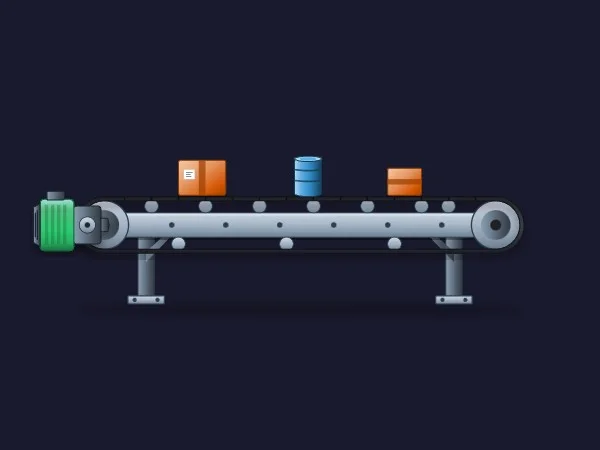
If we could only keep one, it would be this one. A belt conveyor in brushed steel with chrome rollers along the belt, two sturdy legs, end pulleys and a drive motor on the left. On top, three pieces of cargo (two orange boxes and a blue drum) make it obvious what the line does before anyone reads a label.
What sells it is that its six properties cover exactly what an operator asks of a conveyor. MotorStatusColor paints the drive with its state (running, stopped or fault, according to its sheet), BeltSpeed scales the belt and roller animation, and ShowCargo plus CargoPosition show and move the load. BeltColor and BasicColor take care of the looks.
It works equally well on a dark or a light background, and it is still recognisable as a conveyor when you shrink it for a line overview.
What we like
- Motor state, speed and cargo in a single symbol
- A polished look that does not get in the way
- Only six properties: you will have it bound in minutes
Keep in mind
- According to its sheet the cargo is one layer with a single position, so the three items move together
- Animated rollers in a side view are an approximation: test the effect before you promise it to the client
Bindable properties
- MotorStatusColor
- BeltSpeed
- BeltColor
- CargoPosition
- ShowCargo
- BasicColor
02Crowd favourite (most downloaded)
Conveyor Belt
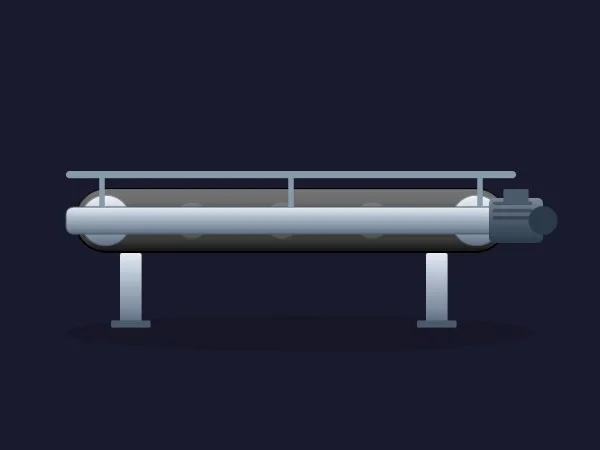
The veteran of the list: published in March 2026 and, at the time of writing, the most downloaded conveyor in the catalogue. A metallic belt conveyor with a protective side guard running along the top, a compact drive motor on the right, two legs and a soft shadow on the floor.
Here is what you should know before downloading: according to its sheet, its six properties are about looks, not motion. BasicColor, BeltColor and MotorColor set the colours, while ShowMotor, ShowSideGuard and ShowShadow decide how much hardware you see. To show the running state, drive MotorColor from a tag.
What we like
- The most downloaded conveyor, so the most widely used
- Guard rail, motor and shadow can each be hidden
- Clean, neutral style that fits most plant standards
Keep in mind
- No running or speed property according to its sheet
- The front rail hides most of the belt, so at small sizes it reads a bit like a pipe
Bindable properties
- BasicColor
- BeltColor
- MotorColor
- ShowMotor
- ShowSideGuard
- ShowShadow
03Best for tracking individual items
Conveyor Belt
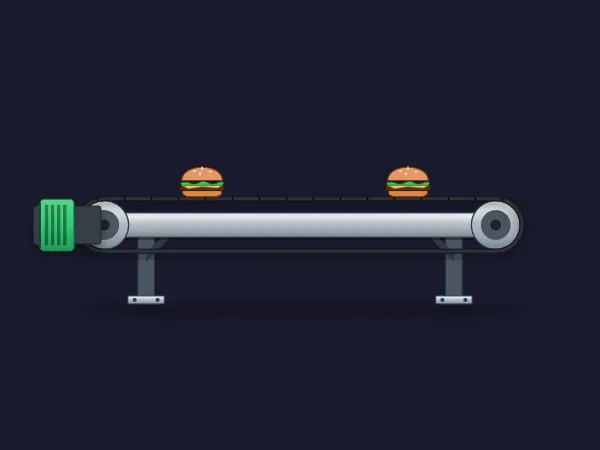
Most conveyors move their load as a block. This one gives you two separate items, each with its own switch and position: Cargo1Visible and Cargo1PositionX for the first, Cargo2Visible and Cargo2PositionX for the second. Bind them to your photocell or tracking data and the operator sees where each product is on the belt.
It is also the most mechanical of the belts: LeftRollerAngle and RightRollerAngle rotate the end rollers and BeltCleatsOffset slides the cleats along the belt, with BasicColor and MotorColor for the frame and the green drive. With nine properties, it is the most complete conveyor on the list.
What we like
- Two items with independent visibility and position
- Roller and belt motion you can drive from the PLC
- Tidy drawing that matches our best overall pick
Keep in mind
- The cargo is drawn as burgers: perfect for a food line, odd for a car plant (edit the file or ask the generator for boxes)
- Two roller angles and a belt offset mean three tags or expressions to animate one conveyor
Bindable properties
- BasicColor
- MotorColor
- LeftRollerAngle
- RightRollerAngle
- BeltCleatsOffset
- Cargo1Visible
- Cargo1PositionX
- Cargo2Visible
- Cargo2PositionX
04Best perspective belt (3D look)
Roller Conveyor
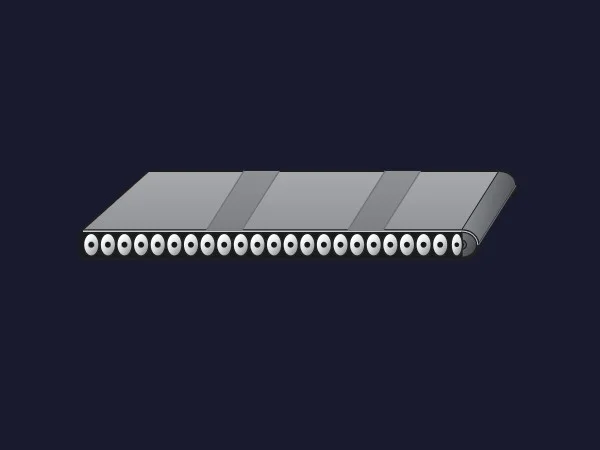
Every other conveyor here is a flat side view. This one is drawn in perspective: a wide grey belt seen slightly from above, with darker stripes across it and a row of small rollers along the front edge. On an overview it adds depth without looking like a toy.
Despite its name, the preview shows a belt over rollers rather than a bare roller conveyor, and that is where RollersVisible comes in: according to its sheet, it switches between a smooth belt surface and a roller-based design. BeltDisplacement moves the stripes and DrumRotation turns the drums, while BasicColor, BeltColor and StripeColor set the palette.
What we like
- The only conveyor with a perspective view
- Belt movement is easy to read thanks to the stripes
- Belt or roller look with a single switch
Keep in mind
- No motor and no status colour: add a separate indicator for the running state
- The name says roller conveyor, the preview shows a belt: check which look you get with
RollersVisible
Bindable properties
- BasicColor
- BeltColor
- StripeColor
- BeltDisplacement
- DrumRotation
- RollersVisible
05Best for bulk materials and mining
Aggregate Conveyor
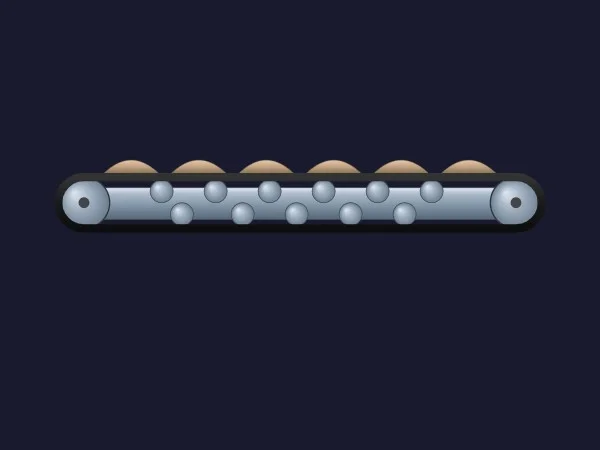
Boxes are fine for logistics, but quarries, cement plants and mines move sand, gravel and ore. This is the conveyor for them: a legless belt with steel pulleys and idlers, designed to hang between other equipment, and mounds of material riding on top.
Its six properties are all about the load. ShowMaterial and MaterialLoad show the material and scale its volume, MaterialPosition moves it along the belt and MaterialColor tells sand from clinker at a glance. BasicColor and BeltColor complete the palette.
What we like
- Load volume you can bind to a belt scale
- Material colour for different products
- No legs, so it fits between crushers, hoppers and silos
Keep in mind
- No motor or status colour
- The material mounds are evenly spaced and stylised
Bindable properties
- BasicColor
- BeltColor
- MaterialColor
- MaterialLoad
- ShowMaterial
- MaterialPosition
06Best top-view roller conveyor for logistics layouts
Roller Conveyor
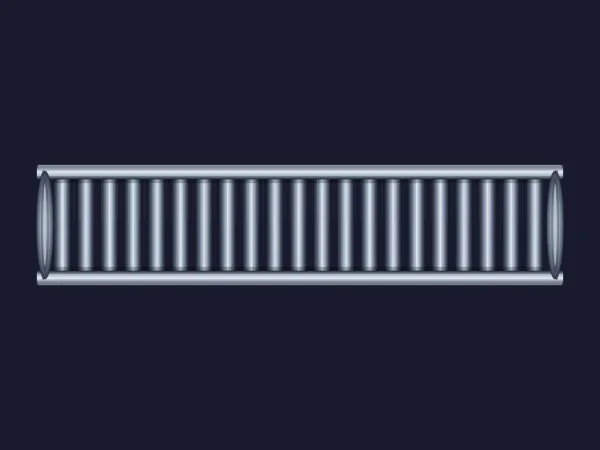
Warehouse and sorting screens are usually drawn from above, as a layout, and for that you need a top-view roller section. This one has brushed steel side rails and a long row of rollers with cylindrical shading. Placed end to end, several copies make a convincing line.
It has the property that so many conveyors forget: ConveyorRunning, a simple switch for the running state, plus ConveyorSpeed for the animation speed. BasicColor, RollerColor and ShowRollers handle the looks.
What we like
- A real running switch, ready for a PLC bit
- Seamless when you place several sections in a row
- Neutral metallic look that suits light and dark screens
Keep in mind
- Its sheet mentions a parcel and a red fault glow that the preview does not show and no listed property controls: check them in TIA Portal
- Straight sections only: no curves or transfers
Bindable properties
- BasicColor
- RollerColor
- ConveyorSpeed
- ConveyorRunning
- ShowRollers
07Best open screw conveyor (cutaway)
Screw Conveyor
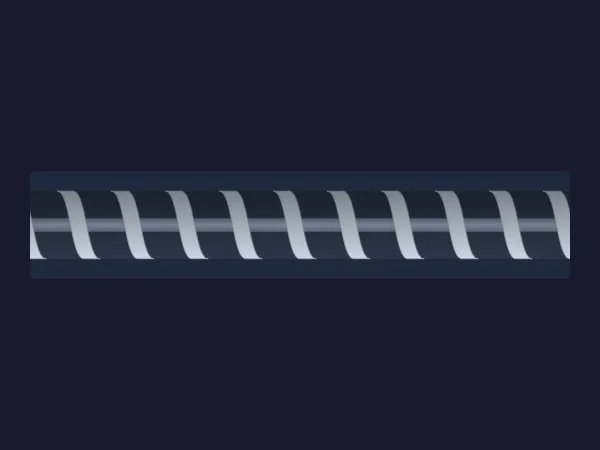
The most downloaded screw conveyor in the catalogue, and the best-rated one at the time of writing. It is a cutaway: a long trough with a silver helical flight that fills the whole width, so the operator sees the screw itself instead of a closed tube.
ScrewPosition animates the helix, which is exactly what you want to show material moving. ScrewColor, ShaftColor and InnerColor let you separate the flight, the shaft and the background of the trough, with BasicColor for the housing and IsVisible to hide parts for a simplified view.
What we like
- The screw is the star: clearly visible, even when small
- Separate colours for flight, shaft and trough
- Animation property ready to bind
Keep in mind
- No motor, hopper or supports: pair it with a motor symbol
- The dark trough background stands out on light screens: change
InnerColor
Bindable properties
- ScrewPosition
- IsVisible
- BasicColor
- ScrewColor
- ShaftColor
- InnerColor
08Best screw feeder with hopper and motor
Screw Conveyor
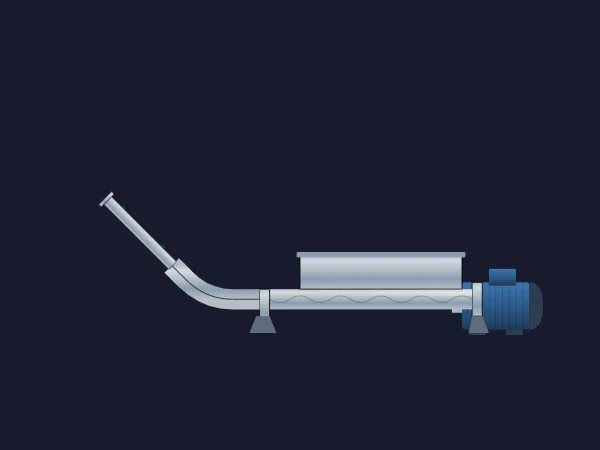
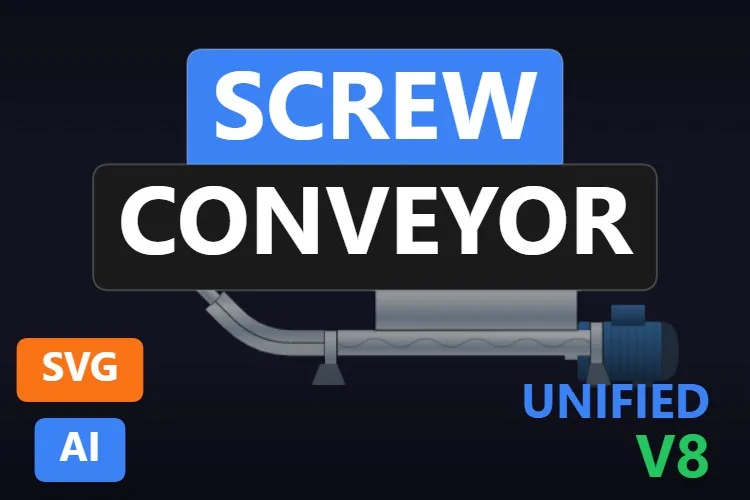
If the previous one is the cutaway, this is the complete machine: an inlet hopper on top, a horizontal tube with the auger inside, a blue drive motor at the end, two supports and a curved, inclined discharge pipe. It is the screw feeder you see under silos and dosing hoppers.
Its seven properties are well thought out. ScrewRotation drives the auger, ShowHopper and ShowAuger decide what you see, and there are two motor colours: MotorColor for the body and MotorStatusColor for the state. BasicColor and SupportColor complete it.
What we like
- Hopper, auger, motor and discharge in a single symbol
- Dedicated motor status colour
- Hopper and auger can be hidden
Keep in mind
- The auger inside the tube is faint and almost disappears at small sizes
- A long, thin drawing: it needs width on the screen
Bindable properties
- ScrewRotation
- ShowHopper
- ShowAuger
- BasicColor
- SupportColor
- MotorColor
- MotorStatusColor
09Best bucket elevator
Bucket Elevator
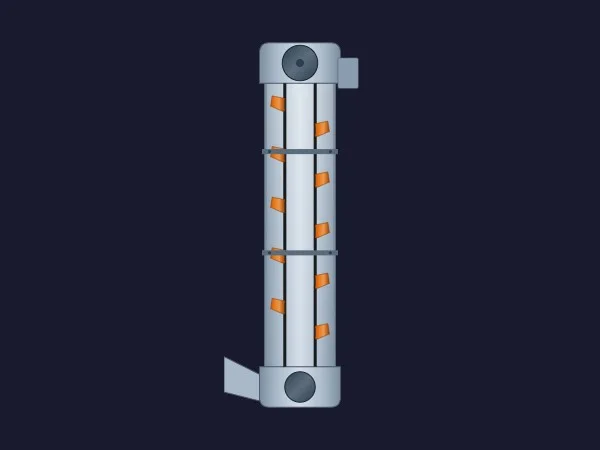
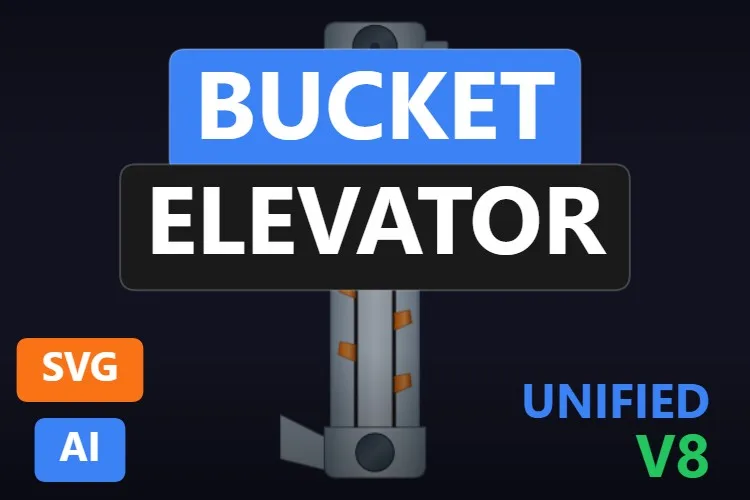
Vertical transport is the missing piece in most conveyor libraries, and this bucket elevator fills it nicely. A metallic casing with the head pulley and drive at the top, the boot with its inlet chute at the bottom and orange buckets visible inside through the open front.
Five properties, all useful: BeltPosition moves the buckets up the belt, MotorStatusColor paints the drive with its state, BucketColor and BasicColor set the colours and ShowBuckets hides the belt assembly for a cleaner, closed casing. Ideal for grain, cement and feed plants.
What we like
- The only complete bucket elevator among the best
- Motor status colour built in
- Orange buckets that stand out on any palette
Keep in mind
- Tall and narrow: plan the screen layout around it
- No visible discharge spout at the head
Bindable properties
- BasicColor
- BucketColor
- BeltPosition
- MotorStatusColor
- ShowBuckets
10Best special section (lift table with safety gates)
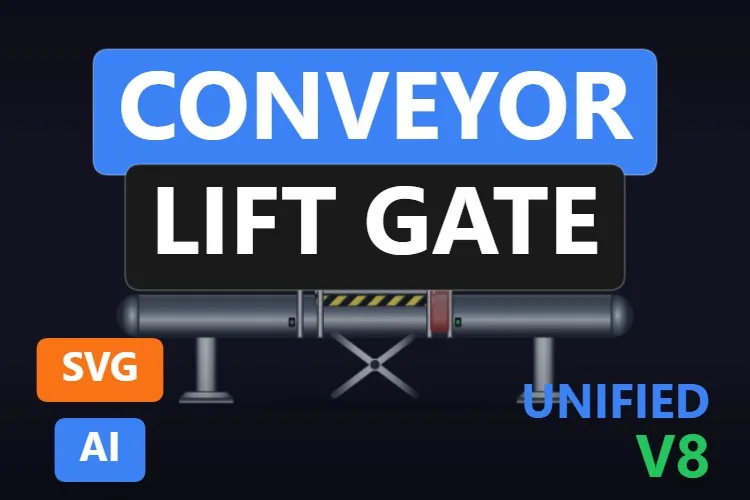
Conveyor Lift Gate
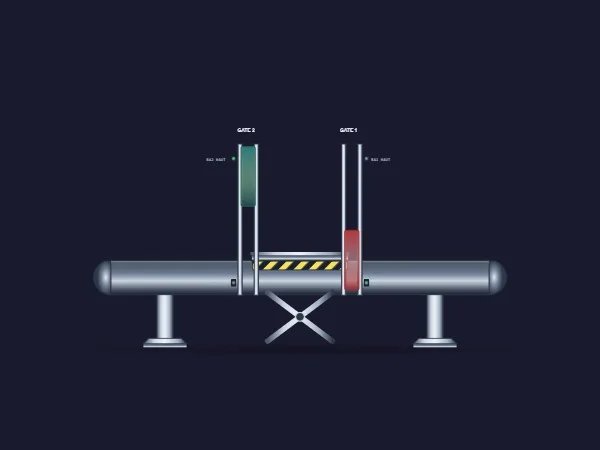
Not every conveyor just carries things in a straight line. This is a conveyor section with a scissor lift table in the middle, yellow and black hazard stripes and two vertical safety gates, each with its own colour. Small photoelectric sensors are drawn next to the gates.
Its sheet announces ten properties: LiftTableLevel raises the table, Gate1Position and Gate2Position move the gates, Gate1Color and Gate2Color paint them (green for open, red for closed, for example) and four switches show the sensors, starting with SensorBA1HautActive. Perfect for transfer stations, robot cells and multi-level lines.
What we like
- Lift table and two gates you can animate from the PLC
- Gate colours for a clear safety state
- Unique in the catalogue: nothing else looks like it
Keep in mind
- The gate and sensor labels are tiny and fixed text that an SVG cannot change at runtime
- The sheet only names one of the four sensor switches (with French names): check the full interface in TIA Portal before binding
Bindable properties
- LiftTableLevel
- Gate1Position
- Gate2Position
- Gate1Color
- Gate2Color
- SensorBA1HautActive
11Best running and direction indicator
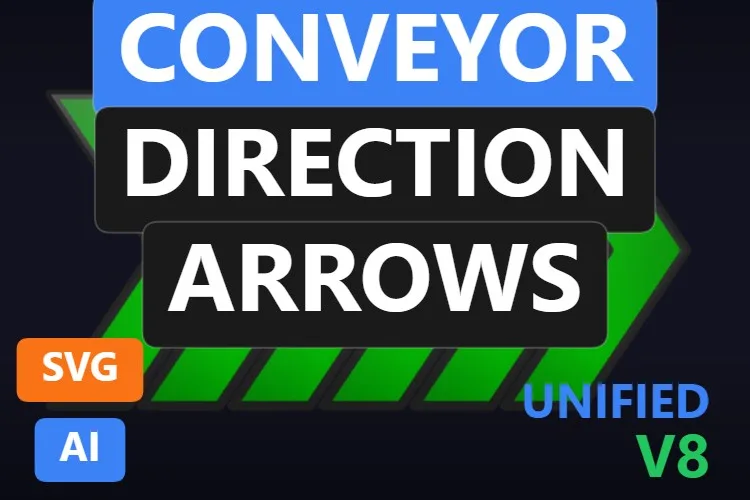
Conveyor Direction Arrows

Sometimes you do not need another conveyor, you need to show that the one you have is moving and in which direction. Six chevrons that light up in sequence when IsRunning is true and stay still when it is false: simple, and impossible to miss.
AnimationDuration sets the speed of the sequence in seconds, so you can match it roughly to the real belt speed, and BasicColor and StrokeColor set the fill and the outline. Place it on top of or next to any belt on this list that lacks a running state.
What we like
- Running state that anyone reads from across the room
- Animation speed you can tune
- Works with any conveyor drawing, even a plain rectangle
Keep in mind
- The default neon green is very loud: tone down
BasicColorfor high-performance screens - It only points right: a reversing belt needs a mirrored copy (edit the file or ask the generator)
Bindable properties
- BasicColor
- StrokeColor
- IsRunning
- AnimationDuration
Honourable mentions: 7 more conveyors worth a look
They did not make the top eleven, usually because a better sibling did or because their sheet leaves too many questions, but each one has a good reason to exist. Click any thumbnail to open its product page.
Bi-Directional Conveyor
A belt with rollers, a motor box and a forward/reverse arrow badge, and the second most downloaded conveyor. Its sheet announces six properties (colours, motor status and forward and reverse elements) without naming them.
View product
Conveyor Belt with moving boxes
Two big pulleys and two cardboard boxes that move with
View productConveyorPositionand hide withShowProducts. Simple and friendly for packaging screens.
Roller Conveyor Symbol
A top view with chunky chrome rollers that looks great at small sizes. Its sheet mentions flow indicators and a pulsing alarm state that the preview does not show.
View product
Bucket Elevator Internal
The bare belt of a bucket elevator with buckets going up and down,
View productBeltSpeed,BeltSpeedReverseandPulleyRotation. The buckets are cut off at the top and bottom of the preview.
Screw Conveyor
An inclined screw conveyor with a blue motor and a
View productConveyorAngleproperty to set its slope.
Conveyor Direction Arrows
The blue sibling of our direction indicator, with
View productFlashingActiveandArrowOpacityfor alarm states.
Conveyor Belt Symbol
A dark top-view belt frame with
View productBeltMovementandBeltVisibility. Sober, for very flat screens.
Didn't find your conveyor? Make your own (or remix one) with AI, for free
A confession: every conveyor in this article was created with the HMIx AI generator. That is why we can say this without blushing: if none of them is exactly what your line needs, you can generate your own in minutes.
Describe the equipment in plain words (for example, "inclined troughed belt conveyor with a drive motor at the head, a status colour for the motor and a material load from 0 to 100") and the generator walks you through it step by step: the drawing, the properties you will bind in WinCC, a simulation to try values and the final .svghmi package for WinCC Unified and WinCC V8. The same tool builds Custom Web Controls when you need numbers, buttons or logic that an SVG cannot provide, such as a conveyor faceplate with speed and start and stop buttons.
- Remix any conveyor on this list: on its product page, the "Edit in AI Generator" button opens it straight in the generator, ready for you to ask for changes such as "make it ISA-101 grey", "replace the burgers with boxes" or "make it point left". The "Edit it with AI" links in this article do the same.
- Free to try: you can start without an account, with a small daily allowance of credits, and the Community plan is free.
- The result is yours to use: download the package and drop it into your TIA Portal project like any other conveyor on this page.
How to use a dynamic SVG conveyor in WinCC Unified (and WinCC V8)
The short version, for when you have already picked your conveyor. Our dynamic SVG guide covers every step with diagrams and screenshots.
Download the .svghmi file
Open the product page, sign in with your free account and download the file. All the conveyors in this article are free.
Copy it into your TIA Portal project
In WinCC Unified, put the file in your project folder under
UserFiles\SVGControls(create both folders if they do not exist). Back in TIA Portal, refresh Dynamic widgets in the Tools task card and drag the conveyor onto your screen.Bind the properties
Select the conveyor and, in the Inspector window, find its state property (
MotorStatusColor,ConveyorRunning,IsRunning… each conveyor names it its own way) and bind it to an HMI tag. Do the same with speed, cargo and colours if you need them.Test before connecting the PLC
Bind the state to an internal tag, add an I/O field for that same tag and start Runtime: switch it between stopped, running and fault and watch the conveyor change. Only then switch to the real PLC tag.
On WinCC V8
WinCC V8 also supports SVGHMI dynamic graphics, which you configure in Graphics Designer. The file is the same; the engineering steps are those of that environment.
Pro tip: properties such as CargoPosition, BeltPosition or ScrewPosition are positions, not speeds. If you bind them to a counter that runs freely, the drawing jumps when the counter wraps. Use a value that cycles smoothly over the property's range, or keep it simple: show the running state with a colour or a switch and let the animation be a bonus.
Frequently asked questions
Are these dynamic SVG conveyors really free?
Yes. Every conveyor in this article is published as a free product on HMIx. You only need a free account to download them.
Do they work on WinCC Unified Comfort Panels and on WinCC V8?
Their product pages list compatibility with WinCC Unified, including Unified Comfort Panels, and with WinCC V8. As with any AI-generated graphic, test the behaviour in your own project and on your target device before going into production.
Can a dynamic SVG conveyor show the belt speed or the tonnage as a number?
Not as text. A dynamic SVG can change colours, visibility and positions, but it cannot display changing numbers. Place a WinCC I/O field next to the conveyor, or use a Custom Web Control if you want a full conveyor faceplate with values, buttons and logic.
How do I show that a conveyor is running?
The most reliable way is a colour or a switch: MotorStatusColor on the Conveyor Belt or the Bucket Elevator, ConveyorRunning on the Roller Conveyor or IsRunning on the Conveyor Direction Arrows. Belt and roller animations are a nice extra, but a clear state is easier to read.
Which conveyor should I use on a high-performance (ISA-101) screen?
A sober drawing such as the top-view Roller Conveyor or the Conveyor Belt with its cargo hidden, with colours toned down to greys. Keep the conveyor neutral when it is healthy and use colour only for states that need attention.
Can I modify one of these conveyors?
Of course. You can open the .svghmi file in any text or vector editor, or press "Edit in AI Generator" on the product page and ask for the changes in plain language. The second option is usually faster, because the generator takes care of the properties and the packaging.
Our verdict
If you only download one, make it the Conveyor Belt with the green motor: motor state, speed and cargo in one drawing, bound before your coffee gets cold. For tracking products, the Conveyor Belt with two items; for quarries and cement, the Aggregate Conveyor; for warehouse layouts, the top-view Roller Conveyor; for bulk solids, the Screw Conveyor with hopper and the Bucket Elevator.
And if your conveyor is stranger than all of these (they always are), remember that the generator that drew them is just one click away.