Blog · Dynamic SVG
The 11 best dynamic SVG electrical symbols for WinCC Unified and WinCC V8 (free)
We opened every piece of electrical and power equipment in the HMIx catalogue, 25 dynamic SVG transformers, breakers, generators, batteries, inverters, solar panels, switchboards and meters in November 2026, looked at each render up close, read every product sheet and kept the eleven dynamic SVG electrical symbols we would happily drop into a WinCC Unified or WinCC V8 screen tomorrow morning. All free, all in .svghmi format, and every one with properties you can bind to a tag.
- Dynamic SVG
- SVGHMI
- WinCC Unified
- WinCC V8
- TIA Portal
- Electrical symbols
- Energy management
- SCADA symbols
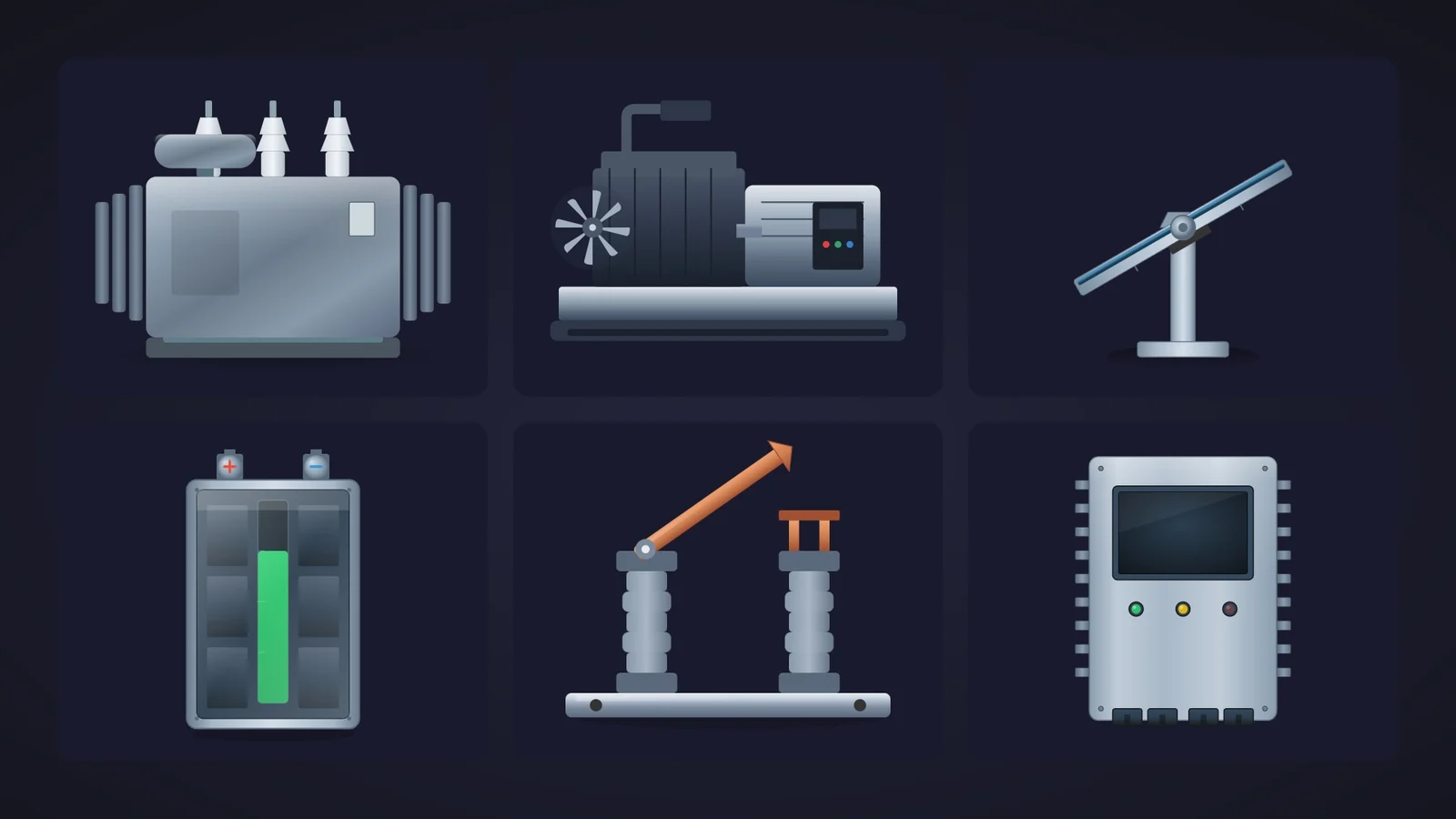
Quick picks
Short on time? Jump straight to the equipment you need.
- 01Best power transformer (overall winner)Power Transformer
- 02Best for single-line diagramsCircuit Breaker Symbol
- 03Best switch-disconnector (rotary handle)Breaker Switch
- 04Best air circuit breaker frontCircuit Breaker
- 05Best high-voltage disconnectorElectrical Disconnector
- 06Best diesel generator setDiesel Generator Unit
- 07Best generator for high-performance HMIGenerator Symbol
- 08Best battery storage (BESS) symbolBattery Bank
- 09Best inverter with status LEDsPower Inverter
- 10Best solar tracker (tilt angle)Photovoltaic Panel Profile
- 11Best solar panel (front view)Photovoltaic Panel
Why electrical screens deserve better than grey boxes
Every plant runs on electricity, yet the electrical screens are often the ugliest in the project: a single-line diagram drawn with rectangles, a generator that is a circle with a G, and a battery that is, well, another rectangle. Then a feeder trips at 3 a.m. and the operator has to work out from a wall of grey boxes which breaker opened and what is still energised.
Dynamic SVG electrical symbols fix that cheaply. In WinCC Unified (TIA Portal) and in WinCC V8, a dynamic SVG, the .svghmi format, is a vector drawing that exposes properties such as BladeAngle or ChargeLevel. You drag it onto the screen, bind those properties to HMI tags and the drawing reacts: the breaker blade swings open, the battery bar drops, the fault LED of the inverter lights up. No scripts, no JavaScript, and it stays sharp from a 7-inch Unified Comfort Panel to a 4K control-room wall.
What makes a dynamic SVG electrical symbol worth downloading
Before the list, the yardstick. This is what we looked for, roughly in order of how much it annoys us when it is missing:
- Switching state you can read. For breakers and disconnectors, open and closed must be obvious from the shape, not only from the colour. A blade that moves beats a box that changes tint.
- State built into the drawing. A charge level, a run or fault LED, a phase lamp or a fan that spins: something you bind to a tag so the picture tells the operator what the equipment is doing.
- Properties named in the sheet. You should know what you are binding before you download. Sheets that announce ten properties and name none lose points, however pretty the drawing.
- The right style for the right screen. Single-line diagrams want flat, IEC-style symbols; substation and utility overviews can afford realistic equipment. We kept both, and we tell you which is which.
- Variety. Instead of eleven transformers, one champion per job: transformer, breakers, switch-disconnector, high-voltage disconnector, generators, battery storage, inverter and solar.
How we picked them (and what we did not do)
We searched the catalogue for every transformer, breaker, disconnector, generator, battery, inverter, solar panel, switchboard, cabinet and meter published on HMIx and ended up with 25 dynamic SVG electrical items in November 2026 (motors and field instruments have their own articles). For each one we looked at its real render, the drawing itself rather than the catalogue cover, and read its product sheet to see which properties it exposes. Downloads only worked as tie-breakers, because most of these symbols are young and have not had time to collect any.
We dropped a disconnector whose preview never rendered, a drive cabinet modelled on a commercial brand, a couple of panel fronts (a protection relay and a generator controller) that are really keypads rather than equipment, and two meters already covered in our instruments article. A fair warning, too: for this article we judged drawings and documentation; we did not run these symbols in a live Runtime. They were generated with AI and every product page reminds you to test them in your own TIA Portal project before production. With electrical screens that advice goes double: the drawing must never claim a breaker is open when it is not.
The 11 best dynamic SVG electrical symbols, one by one
Each entry shows the real SVG render, what we liked, what to keep in mind and the properties you can bind, followed by the catalogue thumbnail: click it to open the product page and download the symbol for free.
01Best power transformer (overall winner)
Power Transformer
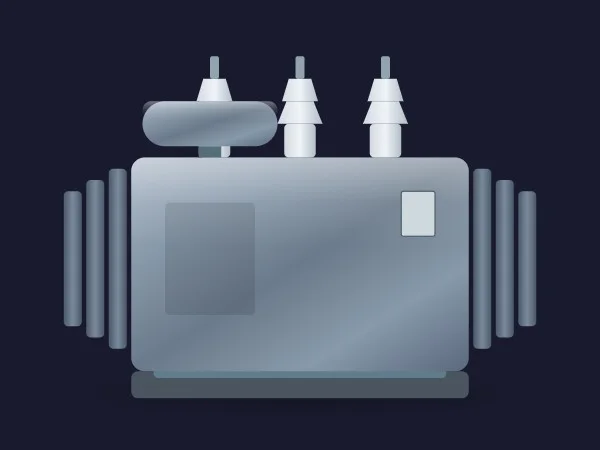
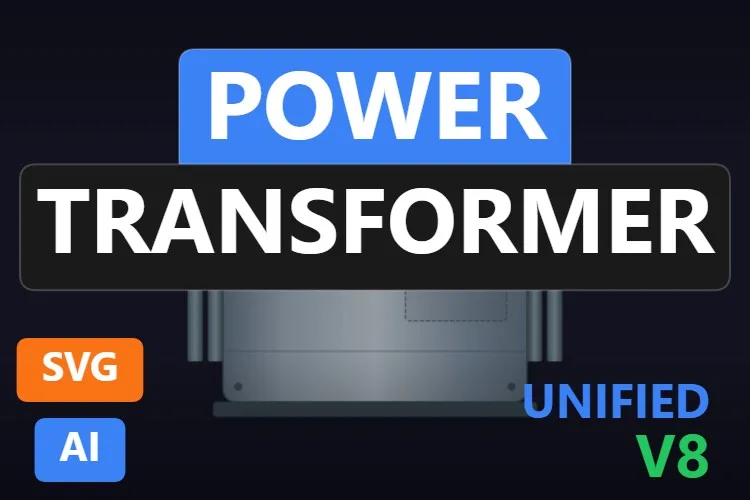
If we could only keep one, it would be this one. A clean oil-immersed power transformer: a brushed steel tank with a nameplate, the conservator tank on top, three white high-voltage bushings and banks of cooling radiators on both sides. It reads as a transformer at any size, which is more than most transformer clip art manages.
It is also the best-documented symbol on the list: the sheet names all ten properties. BasicColor, RadiatorColor and BushingColor split the palette; ShowRadiators and ShowConservator strip the drawing down for overviews; and ShowPhaseA, ShowPhaseB and ShowPhaseC hide individual bushings, which the sheet suggests for maintenance or out-of-service states.
The two unusual ones are VibrationLevel and Orientation, which the sheet describes as transforms to simulate movement and mounting angle. We would treat them as extras and test them before showing anything to a client.
What we like
- All ten properties named in the sheet
- Radiators and conservator can be hidden for a simpler look
- Per-phase bushing visibility
Keep in mind
- No built-in status lamp: drive
BasicColororRadiatorColorfrom a state, or add an indicator VibrationLevelandOrientationare curiosities: check how they look in your Runtime
Bindable properties
- BasicColor
- RadiatorColor
- BushingColor
- ShowRadiators
- ShowConservator
- ShowPhaseA
- ShowPhaseB
- ShowPhaseC
- VibrationLevel
- Orientation
02Best for single-line diagrams
Circuit Breaker Symbol

This is the one for single-line diagrams. A circuit breaker drawn in the IEC 60617 style: a vertical conductor, a tilting blade with a pivot ring and the cross on the fixed contact. In the preview it sits on the grey box that the sheet assigns to the open state.
It is the best-designed symbol in the group. BladeAngle swings the blade, and the sheet says it moves with a short ease-out and a small overshoot when it closes. The open state shows as a visible air gap, so it is readable without colour vision, and BoxOpenColor and BoxClosedColor reinforce it (grey and green by default; sites with the inverse convention can swap them). BladeColor, ContactMarkColor, PivotRingColor and BasicColor complete the seven properties.
It carries no text and no background, so you can label it Q1 or CB-101 with a WinCC text field and repeat it along a busbar.
What we like
- Open state readable by shape and colour
- Seven properties, all named and well explained
- No text in the drawing: your tags, your labels
Keep in mind
- Deliberately schematic: it will not impress anyone on a substation overview
- The grey box behind the blade is strong by default: on a dark diagram, pick a subtler
BoxOpenColor
Bindable properties
- BladeAngle
- BladeColor
- ContactMarkColor
- PivotRingColor
- BasicColor
- BoxOpenColor
- BoxClosedColor
03Best switch-disconnector (rotary handle)
Breaker Switch
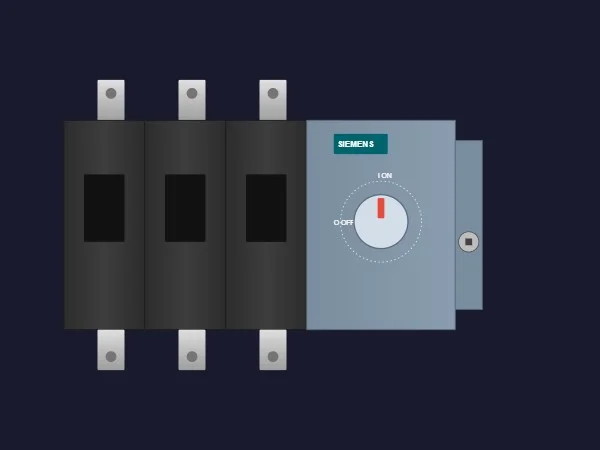
A three-pole load break switch as you would find it in a main distribution board: three black pole modules with silver terminals above and below, and a grey operating panel with a rotary handle marked 0 OFF and I ON. The sheet describes it as a 630 A unit.
Only three properties, but the right ones. SwitchPosition rotates the handle (negative values turn it to the left, says the sheet), Status is a colour for health or voltage presence, and BasicColor sets the housing. For an incomer or a feeder isolator on an MCC screen, that is all you need.
What we like
- The handle position shows the switch state
- Three properties: bound in a minute
- Realistic three-pole layout with terminals
Keep in mind
- The operating panel carries a manufacturer's logo: hide it or edit the file before using it on a client project
- The 0 OFF and I ON labels are fixed text
Bindable properties
- SwitchPosition
- Status
- BasicColor
04Best air circuit breaker front
Circuit Breaker
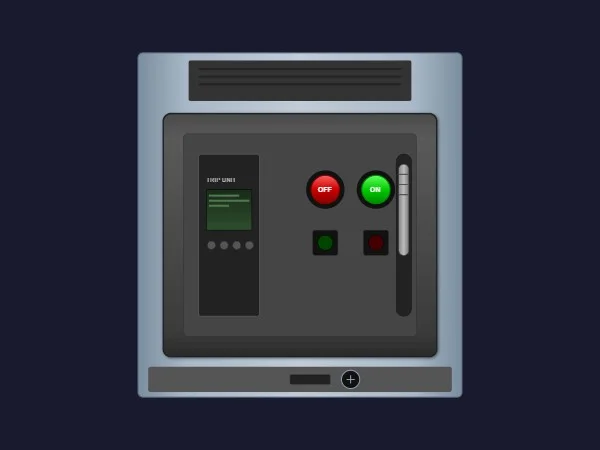
The front of a withdrawable air circuit breaker (ACB): a steel chassis with a vent at the top, a trip unit with a small green display, big red OFF and green ON push buttons, two indicator windows and the racking slot at the bottom. It is what an electrician sees when opening the LV switchgear door.
Its five properties are colours: BasicColor and ChassisFrameColor for the body and the frame, OpenButtonColor and CloseButtonColor for the two push buttons and DisplayBacklightColor for the trip unit display. That makes it great for a switchgear detail screen where the drawing itself is the button panel.
What we like
- The most detailed breaker on the list
- Separate colours for the open and close buttons
- Ideal for switchgear detail and command screens
Keep in mind
- No open/closed state property: show the state by recolouring the buttons or with a symbol next to it
- Too detailed for a single-line diagram
Bindable properties
- BasicColor
- ChassisFrameColor
- OpenButtonColor
- CloseButtonColor
- DisplayBacklightColor
05Best high-voltage disconnector
Electrical Disconnector

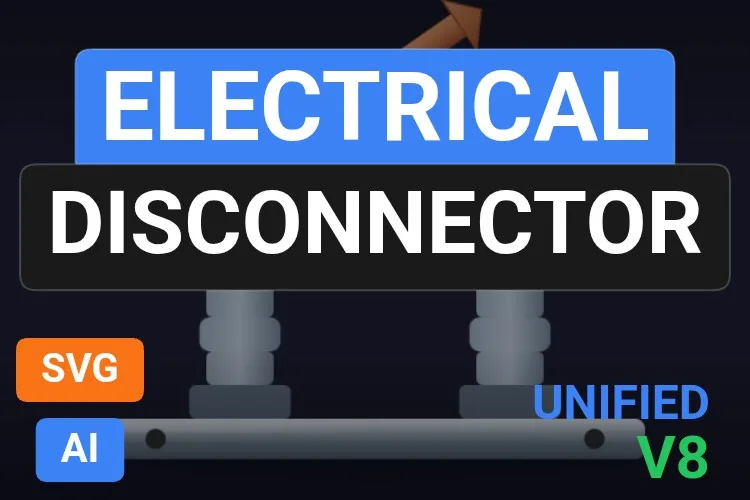
The outdoor substation classic: two ribbed insulator columns on a steel base, a fixed copper contact on the right and a copper blade hinged on the left. In the preview the blade is raised at an angle, so the isolator is clearly open, and you can see the air gap from across the room.
DisconnectorAngle drives the blade, which is exactly the property you want: bind it to the position feedback (or to two fixed angles for open and closed) and the drawing shows the real state by shape, not just by colour. InsulatorColor, ContactColor and TerminalColor let you separate porcelain, copper and terminals, and ShowShadow removes the floor shadow on flat screens.
What we like
- Open and closed readable from the blade position alone
- Six properties, all named in the sheet
- Instantly recognisable on substation and utility screens
Keep in mind
- The blade ends in an arrowhead, which looks more like a pointer than a contact
- Too realistic for a dense single-line diagram: use the Circuit Breaker Symbol style there
Bindable properties
- DisconnectorAngle
- BasicColor
- ShowShadow
- InsulatorColor
- ContactColor
- TerminalColor
06Best diesel generator set
Diesel Generator Unit
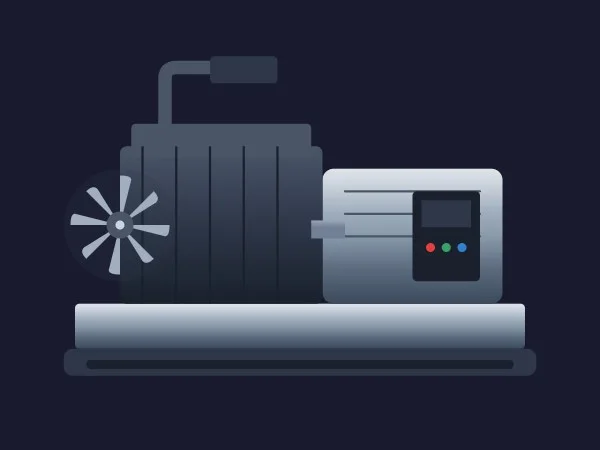
The standby genset every hospital, data centre and water plant has behind the building: a radiator fan on the left, a dark ribbed engine block with its exhaust pipe, an alternator housing with a small control panel and three LEDs, all on a long steel skid.
Its six properties are practical. FanRotation spins the radiator fan, and here the rotation makes sense because the fan faces you. FuelLevel adds the tank level, ShowExhaust and ShowControlPanel declutter the drawing, and BasicColor and EngineColor let you paint the engine with its running or fault state.
What we like
- A fan that genuinely faces the viewer, so rotation looks right
- Fuel level and engine colour in one symbol
- Wide, low shape that fits under a busbar
Keep in mind
- We could not see where
FuelLevelis drawn in the preview: test it before you promise it - The control panel LEDs are fixed colours, not states
Bindable properties
- FanRotation
- FuelLevel
- ShowExhaust
- ShowControlPanel
- BasicColor
- EngineColor
07Best generator for high-performance HMI
Generator Symbol

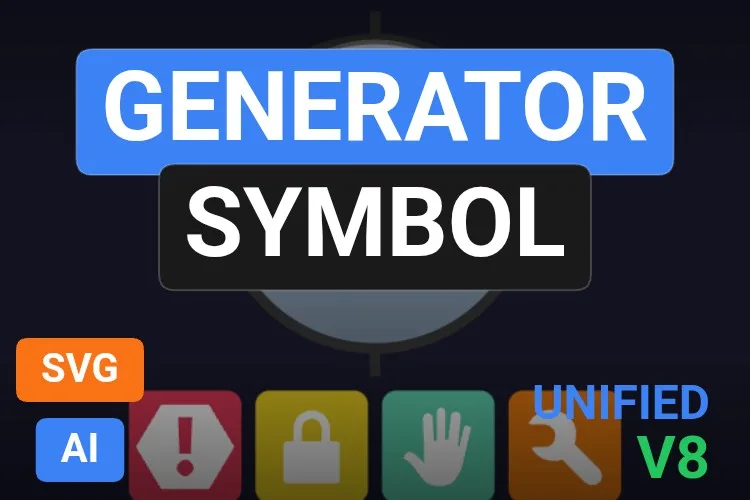
Not every screen wants a photorealistic genset. This is the IEC-style generator symbol, a circle with a big G, dressed in brushed steel and paired with the four status icons that HMIx uses across its symbol families: alarm, interlock, manual mode and maintenance.
ShowStatusBar shows or hides the whole icon row, ShowIconAlarm, ShowIconLock, ShowIconManual and ShowIconMaintenance switch each icon, and colour properties such as ColorAlarm and ColorMaintenance tint them. On a power plant overview with six gensets, the operator sees at a glance which one is in manual.
What we like
- Equipment state at a glance, without extra symbols
- The same icon language as the HMIx tank, valve and motor symbols
- Legible at small sizes
Keep in mind
- The sheet announces 11 properties and names 9 (only two of the four icon colours)
GeneratorRotationturns the whole disc, letter G included: use it sparingly
Bindable properties
- BasicColor
- GeneratorRotation
- ShowStatusBar
- ShowIconAlarm
- ShowIconLock
- ShowIconManual
- ShowIconMaintenance
- ColorAlarm
- ColorMaintenance
08Best battery storage (BESS) symbol
Battery Bank
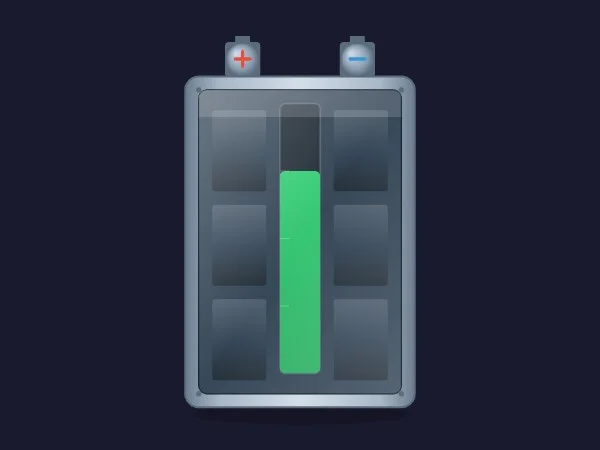
A battery rack you can read: a steel enclosure with six dark cells behind a glass front, red and blue terminals on top and a vertical charge bar down the middle. In the preview it sits at roughly two thirds, in a reassuring green.
ChargeLevel takes 0 to 100 and drives the bar, and LevelColor lets you switch it to amber or red when the state of charge gets low, or to another colour while charging. CellColor, TerminalColor and BasicColor cover the rest, and ShowGlass turns the reflective front on or off.
What we like
- State of charge from 0 to 100 with its own colour
- Recognisable as a battery, not as a tank
- Fits BESS, UPS and solar storage screens
Keep in mind
- The charge bar is narrow compared with the enclosure
- No scale or tick marks: add a percentage with a WinCC I/O field
Bindable properties
- ChargeLevel
- LevelColor
- BasicColor
- TerminalColor
- CellColor
- ShowGlass
09Best inverter with status LEDs
Power Inverter
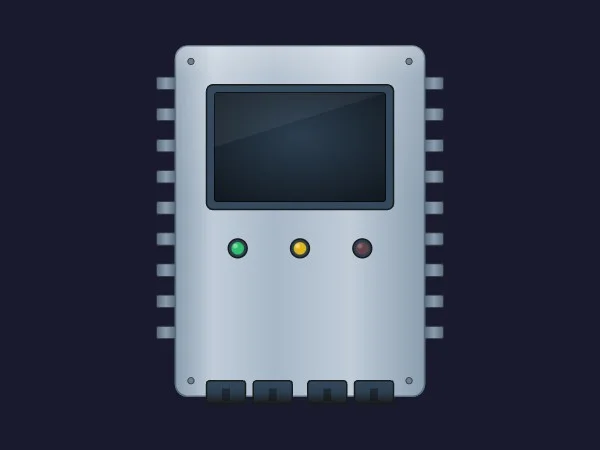
A wall-mounted inverter in a brushed aluminium box: cooling fins along both sides, a dark glass display, a row of three LEDs and the terminal blocks at the bottom. It suits PV inverters, battery inverters and, at a push, frequency converters in an electrical room.
The appeal is its three boolean state properties: PowerOn, RunActive and FaultActive light the green, yellow and red LEDs. That maps one-to-one onto the status words most inverters already send to the PLC. ScreenColor, FinColor, TerminalColor and BasicColor take care of the looks.
What we like
- Power, run and fault states as simple booleans
- Seven properties, all named
- Compact and tidy on overviews
Keep in mind
- The display is a dark window: put a WinCC I/O field over it for power or frequency
- The LEDs are small: on a busy overview, also tint
BasicColorfor faults
Bindable properties
- PowerOn
- RunActive
- FaultActive
- BasicColor
- FinColor
- ScreenColor
- TerminalColor
10Best solar tracker (tilt angle)
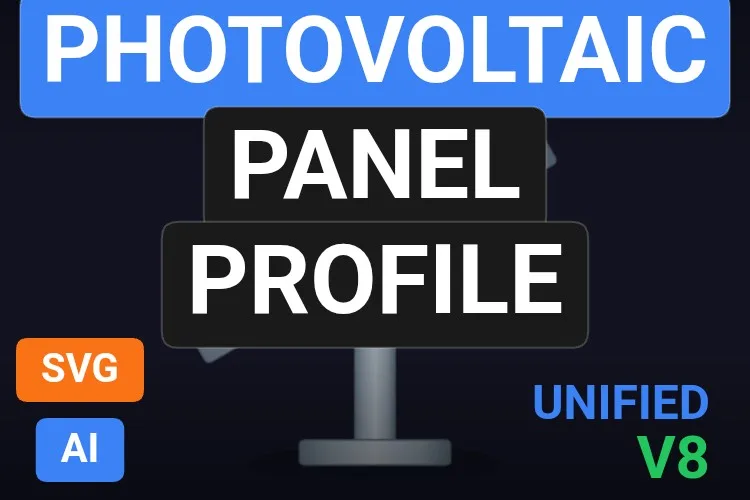
Photovoltaic Panel Profile

This one shows something no other symbol here does: the angle. A solar module seen side-on, sitting on a pivot at the top of a steel post, exactly how a single-axis tracker looks from the end of a row.
PanelAngle rotates the module around its pivot, and because the drawing is a side view with the axis pointing at you, rotation is the honest way to show it. Bind it to the tracker's angle feedback and the operator sees which rows are stowed for wind or stuck at the wrong angle. ShowSupport and ShowPivot hide the structure, and CellColor and BasicColor handle the colours.
What we like
- The only symbol on the list that shows tracker angle
- Rotation used where it is physically correct
- Slim enough to repeat for a whole row of trackers
Keep in mind
- No state colour beyond the cell colour
- Small details at overview sizes: give it some room
Bindable properties
- PanelAngle
- CellColor
- BasicColor
- ShowSupport
- ShowPivot
11Best solar panel (front view)
Photovoltaic Panel
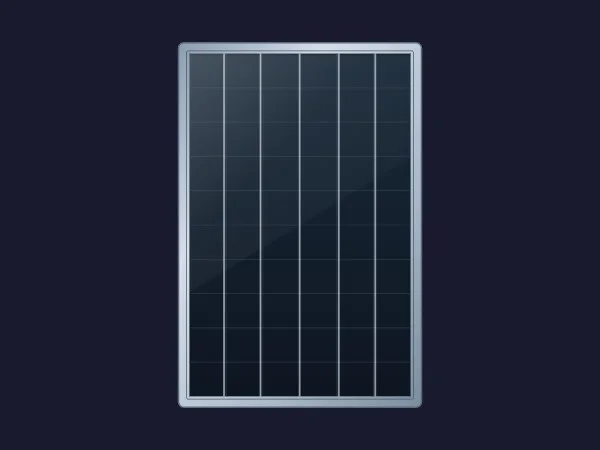
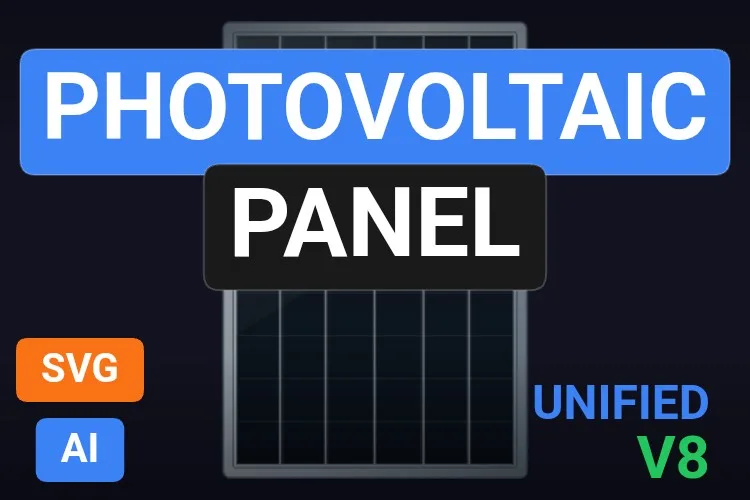
A monocrystalline solar module seen from the front: an anodised aluminium frame, dark blue-black cells divided by a fine grid and a diagonal glass reflection. Simple, tidy and immediately readable as a PV panel on a rooftop or solar-farm overview.
Its six properties are all about appearance, and that is where its use lies: SurfaceColor and PanelOpacity can be linked to power output so a string fades when it stops producing; GridColor and BusbarColor match a manufacturer's look; ShowGlassReflection switches to a flat style; and BasicColor handles the frame.
What we like
- Clean, recognisable module at any size
PanelOpacitygives an easy produced or not-produced effect- Flat or glossy finish on demand
Keep in mind
- No state lamp or fault mark: drive a colour from a tag or add an indicator
- Six identical cell columns: an array of many panels can look busy
Bindable properties
- SurfaceColor
- PanelOpacity
- GridColor
- BusbarColor
- ShowGlassReflection
- BasicColor
Honourable mentions: 7 more electrical symbols worth a look
They did not make the top eleven, usually because the sheet leaves too much unsaid or a sibling did the job better, but each one has a good reason to exist. Click any thumbnail to open its product page.
Power Transformer
The prettiest transformer of the bunch, with brown porcelain bushings and a conservator gauge. Its sheet only names
View productBasicColor.
Electrical Power Transformer
A distribution transformer with copper-brown bushings, an oil conservator with a gauge and finned radiators. It announces ten properties without naming them.
View product
Industrial Generator
A striking round generator with a rotor visible through the casing. Four properties, none named in its sheet.
View product
Power Generator
A large enclosed generator set with a radiator, engine and control cabinet. Three properties:
View productBasicColor,StatusColorandStatus.
Power Factor Panel
A capacitor bank cabinet for power factor correction with
View productPhaseL1Status,PhaseL2StatusandPhaseL3Status.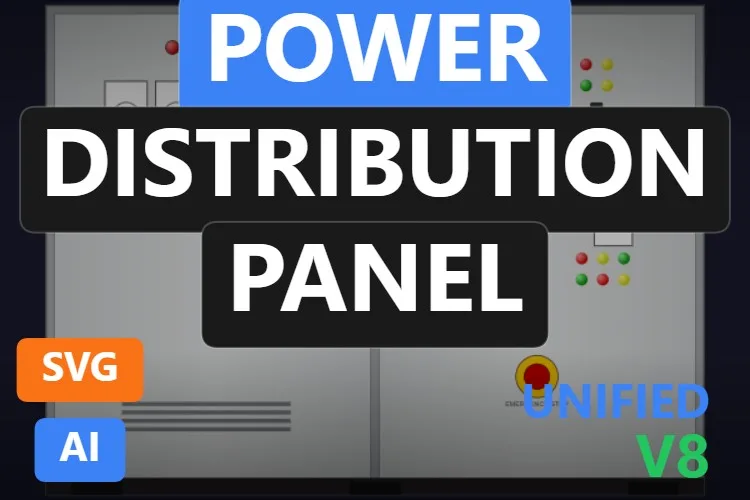
Power Distribution Panel
A two-door switchboard with lamps, meters and an emergency stop, plus
View productPhaseRStatus,PhaseSStatusandPhaseTStatus. The sheet mentions an MCCB handle and branch breakers that we could not see in the preview.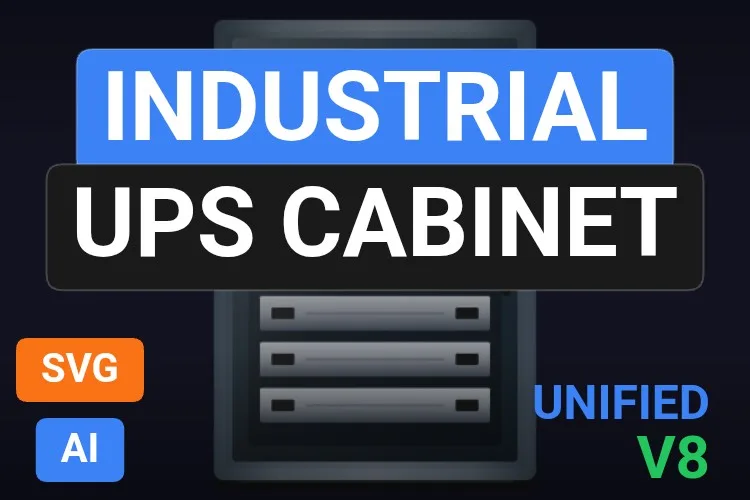
Industrial UPS Cabinet
A UPS cabinet with a status display and four module drawers. Its sheet announces nine properties but does not name them.
View product
Didn't find your equipment? Make your own (or remix one) with AI, for free
A confession: every symbol in this article was created with the HMIx AI generator. That is why we can say this without blushing: if none of them is exactly the equipment on your single-line diagram, you can generate your own in minutes.
Describe it in plain words (for example, "IEC single-line symbol of a withdrawable breaker, racked-in and racked-out positions, grey when open and green when closed") and the generator walks you through it step by step: the drawing, the properties you will bind in WinCC, a simulation to try values and the final .svghmi package for WinCC Unified and WinCC V8. The same tool builds Custom Web Controls when you need live numbers, energy trends or buttons that an SVG cannot provide.
- Remix any symbol on this list: on its product page, the "Edit in AI Generator" button opens it straight in the generator, ready for you to ask for changes such as "make it ISA-101 grey", "remove the logo from the front panel" or "add a status lamp to the transformer". The "Edit it with AI" links in this article do the same.
- Free to try: you can start without an account, with a small daily allowance of credits, and the Community plan is free.
- The result is yours to use: download the package and drop it into your TIA Portal project like any other symbol on this page.
How to use a dynamic SVG electrical symbol in WinCC Unified (and WinCC V8)
The short version, for when you have already picked your symbol. Our dynamic SVG guide covers every step with diagrams and screenshots.
Download the .svghmi file
Open the product page, sign in with your free account and download the file. All the symbols in this article are free.
Copy it into your TIA Portal project
In WinCC Unified, put the file in your project folder under
UserFiles\SVGControls(create both folders if they do not exist). Back in TIA Portal, refresh Dynamic widgets in the Tools task card and drag the symbol onto your screen.Bind the properties
Select the symbol and, in the Inspector window, find its state properties (
BladeAngle,ChargeLevel,FaultActive… each symbol names them its own way) and bind them to HMI tags. Do the same with colours and visibility switches if you need them.Test before connecting the PLC
Bind a state property to an internal tag, add an I/O field for that same tag and start Runtime: change the value and watch the blade swing, the bar move or the LED light up. Only then switch to the real PLC tag.
On WinCC V8
WinCC V8 also supports SVGHMI dynamic graphics, which you configure in Graphics Designer. The file is the same; the engineering steps are those of that environment.
Pro tip: drive breaker and disconnector symbols from the position feedback (the auxiliary contacts), never from the command you sent. If the PLC only knows "open" and "closed", convert it to two fixed angles for BladeAngle or DisconnectorAngle and show an intermediate or fault state when both feedbacks disagree. A symbol that shows a breaker open because someone pressed the button is worse than no symbol at all.
Frequently asked questions
Are these dynamic SVG electrical symbols really free?
Yes. Every symbol in this article is published as a free product on HMIx. You only need a free account to download them.
Can I build a single-line diagram in WinCC Unified with dynamic SVGs?
Yes. Use flat, schematic symbols such as the Circuit Breaker Symbol for breakers, draw busbars and conductors with WinCC lines, and bind each symbol's state property to the breaker's position feedback. Realistic equipment such as the Power Transformer fits better on overview and detail screens than inside a dense single-line diagram.
Can a dynamic SVG show voltage, current or power values?
Not by itself. A dynamic SVG can change colours, visibility, positions, angles and sizes, but it cannot rewrite text. Place a WinCC I/O field next to or over the symbol and bind it to the measured value. For energy dashboards with live numbers and trends, a Custom Web Control is the better tool.
Do they work on WinCC Unified Comfort Panels and on WinCC V8?
Their product pages list compatibility with WinCC Unified, including Unified Comfort Panels, and with WinCC V8. As with any AI-generated graphic, test the behaviour in your own project and on your target device before going into production.
What is the difference between a dynamic SVG and a Custom Web Control for electrical screens?
A dynamic SVG is a lightweight drawing whose properties (colours, visibility, angles) you bind to tags; it cannot show changing text or contain logic. A Custom Web Control is a small web application (HTML, CSS and JavaScript) that can display numbers, Sankey diagrams, trends and gauges and react to clicks. For a breaker or a transformer that only has to show its state, the SVG is simpler and lighter. Our Custom Web Control guide explains how they work.
Can I modify one of these electrical symbols?
Of course. You can open the .svghmi file in any text or vector editor, or press "Edit in AI Generator" on the product page and ask for the changes in plain language. The second option is usually faster, because the generator takes care of the properties and the packaging.
Our verdict
If you only download one, make it the Power Transformer: it looks right everywhere and its sheet tells you exactly what every property does. For single-line diagrams, the Circuit Breaker Symbol; for substations, the Electrical Disconnector; for standby power, the Diesel Generator Unit; and for solar and storage, the Battery Bank, the Power Inverter and the Photovoltaic Panel Profile.
And if your equipment is stranger than all of these (a ring main unit, a tap changer, that one switchboard nobody has drawn yet), remember that the generator that drew them is just one click away.