Blog · Dynamic SVG
The 9 best dynamic SVG instrument symbols for WinCC Unified and WinCC V8 (free)
We opened every field instrument in the HMIx catalogue, 21 dynamic SVG transmitters, flowmeters, sensors, switches and meters in November 2026, looked at each render up close, read every product sheet and kept the nine we would happily drop into a WinCC Unified or WinCC V8 screen tomorrow morning. All free, all in .svghmi format, and every one with properties you can bind to a tag.
- Dynamic SVG
- SVGHMI
- WinCC Unified
- WinCC V8
- TIA Portal
- Instrument symbols
- HMI graphics
- SCADA symbols
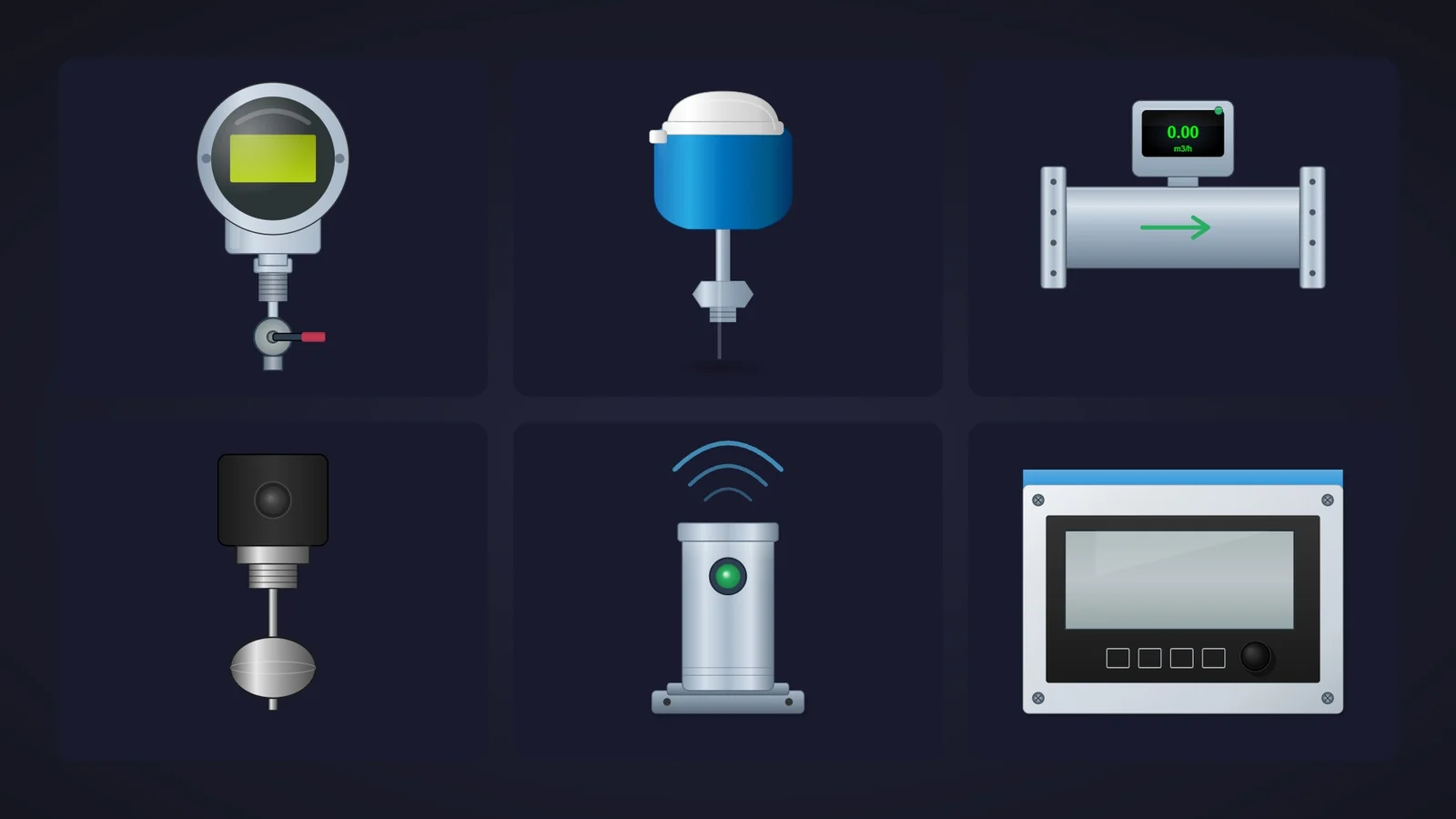
Quick picks
Short on time? Jump straight to the instrument you need.
- 01Best overallPressure Transmitter
- 02Best temperature sensor (RTD / thermocouple)Temperature Sensor
- 03Best magnetic flowmeterMagnetic Flowmeter
- 04Best compact flowmeter with flow directionFlowmeter Transmitter
- 05Best float level switchLevel Switch
- 06Best wall-mounted level transmitterLevel Transmitter
- 07Best for condition monitoring (vibration)Condition Sensor
- 08Best liquid analysis transmitter (pH, conductivity)CM442 TRANSMITTER
- 09Best pressure switch with a status lampPressure Switch
Why field instrument symbols deserve more than a grey circle
Pumps and tanks get all the attention, but the screen only tells the truth thanks to the instruments around them. The pressure transmitter on the discharge line, the temperature probe in the jacket, the flowmeter after the dosing pump, the float switch that stops everything before the tank overflows. When an operator asks "where does this number come from?", the answer should be visible on the screen.
That is where dynamic SVG instrument symbols come in. In WinCC Unified (TIA Portal) and in WinCC V8, a dynamic SVG, the .svghmi format, is a vector drawing that exposes properties such as StatusColor or FlowActive. You drag it onto the screen, bind those properties to HMI tags and the drawing reacts: the status lamp changes colour, the flow arrow appears, the float moves. No scripts, no JavaScript, and it stays sharp from a 7-inch Unified Comfort Panel to a 4K control-room wall.
What makes a dynamic SVG instrument symbol worth downloading
Before the list, the yardstick. This is what we looked for, roughly in order of how much it annoys us when it is missing:
- It looks like the real device. A pressure transmitter needs its round head and process connection, a magnetic flowmeter its flanged spool. If the operator cannot tell a transmitter from a switch, the symbol is decoration.
- State in the drawing. A status colour, a lamp, a flow arrow or a fault mark you can bind to a tag. That is what turns a picture into an instrument.
- Properties named in the sheet. You should know what you are binding before you download. Sheets that announce twelve properties and name eight lose points.
- Honesty about the display. A dynamic SVG cannot write changing numbers, so a transmitter display is either a coloured window or fixed text. The good ones let you change its colour or hide it; you put the live value on top with a WinCC I/O field.
- Variety. Instead of nine versions of the same transmitter, one champion per job: pressure, temperature, flow, level, vibration, liquid analysis and pressure switching.
How we picked them (and what we did not do)
We searched the catalogue for every transmitter, flowmeter, sensor, switch, gauge and meter published on HMIx and ended up with 21 dynamic SVG field instruments in November 2026 (tanks with a level, valves and motors have their own articles). For each one we looked at its real render, the drawing itself rather than the catalogue cover, and read its product sheet to see which properties it exposes. Downloads only worked as tie-breakers.
We dropped a dial gauge whose sheet promises a red needle that its preview does not show, a couple of drawings we could not identify as an instrument and two analyser cabinets so busy they are really small machines. A fair warning, too: for this article we judged drawings and documentation; we did not run these symbols in a live Runtime. They were generated with AI and every product page reminds you to test them in your own TIA Portal project before production. We would say the same about anything you download from anywhere.
The 9 best dynamic SVG instrument symbols, one by one
Each entry shows the real SVG render, what we liked, what to keep in mind and the properties you can bind, followed by the catalogue thumbnail: click it to open the product page and download the instrument for free.
01Best overall
Pressure Transmitter
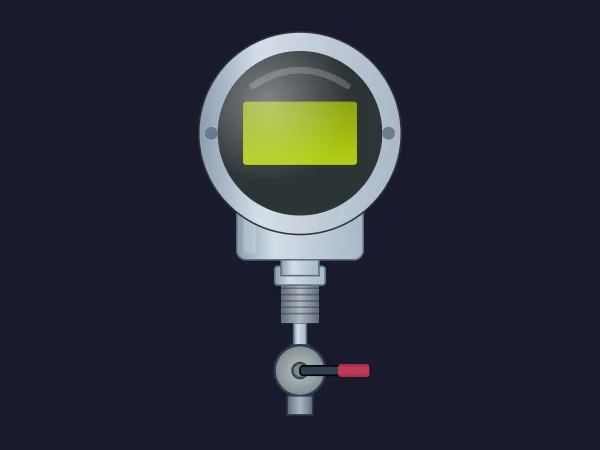
If we could only keep one, it would be this one. A round chrome head with a glass-covered LCD window, a threaded neck and, below, an isolation ball valve with a red handle: exactly what you find on a pressure tapping in any plant. In November 2026 it was also the most downloaded instrument in this search.
The details are what sell it. ShowIsolationValve and ValvePosition show whether the transmitter is isolated for maintenance, a state operators genuinely care about. DisplayBackgroundColor turns the LCD window into a status light (green for normal, red for alarm), and ShowGlassReflection, ShowMountingBolts and ShowProcessConnection adjust the level of detail.
It also scales well: the head stays readable as a small icon, and the valve detail rewards you on a detail screen.
What we like
- Isolation valve with its own position property
- LCD window colour that can carry the alarm state
- Instantly recognisable at any size
Keep in mind
- The LCD is a coloured window with no digits: add an I/O field over it for the pressure value
- The sheet announces 12 properties but names eight: check the full interface in TIA Portal
Bindable properties
- DisplayBackgroundColor
- ShowIsolationValve
- ValvePosition
- ShowGlassReflection
- ShowMountingBolts
- ShowProcessConnection
- BasicColor
- BezelInnerColor
02Best temperature sensor (RTD / thermocouple)
Temperature Sensor
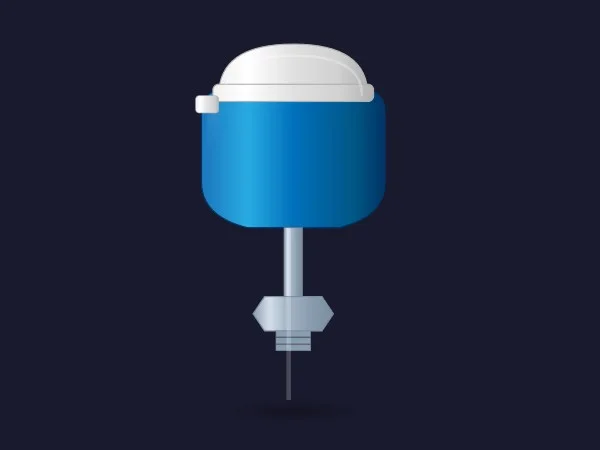
The classic temperature assembly you see on every pipe and vessel: a blue connection head with a white cap, a steel neck, a hexagonal process fitting and a long thin probe. In November 2026 it was the second most downloaded instrument in this search, and it is easy to see why.
The clever property is ProbeInsertionDepth, which scales the lower stem so the probe matches the real pipe or tank. ShowSensorHead, ShowProcessConnection and CableGlandVisibility take you from a fully housed transmitter to a bare probe, and CapColor, SteelColor and BasicColor handle the palette. Seven properties, all of them named in the sheet.
What we like
- Probe length adjustable to the real installation
- From full head to bare probe with three switches
- Every property named in the sheet
Keep in mind
- No status colour: use
CapColorif you want the head to show an alarm - The bright blue head is loud on grey screens
Bindable properties
- ProbeInsertionDepth
- CapColor
- SteelColor
- BasicColor
- ShowSensorHead
- ShowProcessConnection
- CableGlandVisibility
03Best magnetic flowmeter
Magnetic Flowmeter
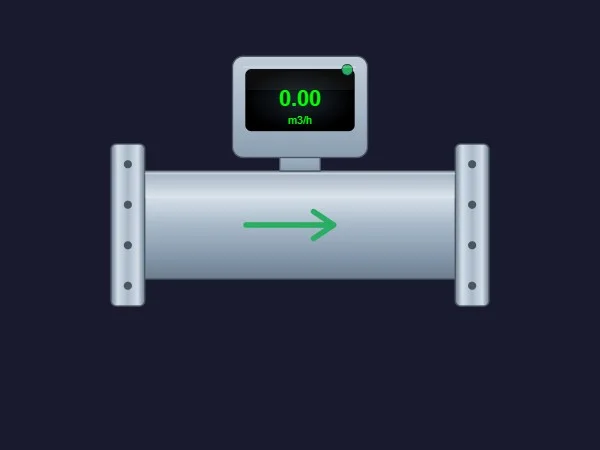
A proper electromagnetic flowmeter: a brushed steel spool between two bolted flanges, a transmitter head with a dark display and a green status LED, and a flow arrow painted on the pipe. It looks equally at home in a water works and on a dosing skid.
It is the flowmeter with the most state on board. FlowActive and ShowFlowArrow decide when the arrow appears, FlowArrowColor and FlowVelocity give it colour and pace, and StatusColor drives the LED for diagnostics. DisplayVisible hides the head when you need a slimmer symbol.
What we like
- Flow and device status in one symbol
- Arrow colour and speed are both bindable
- Realistic without being heavy
Keep in mind
- The display reads a fixed "0.00 m3/h" in the preview. The sheet also lists
FlowValue, but a dynamic SVG cannot rewrite text: check in TIA Portal what it drives and place an I/O field over the display - The sheet announces seven properties and names eight: review the interface before binding
Bindable properties
- FlowActive
- FlowVelocity
- FlowArrowColor
- ShowFlowArrow
- StatusColor
- DisplayVisible
- FlowValue
- BasicColor
04Best compact flowmeter with flow direction
Flowmeter Transmitter
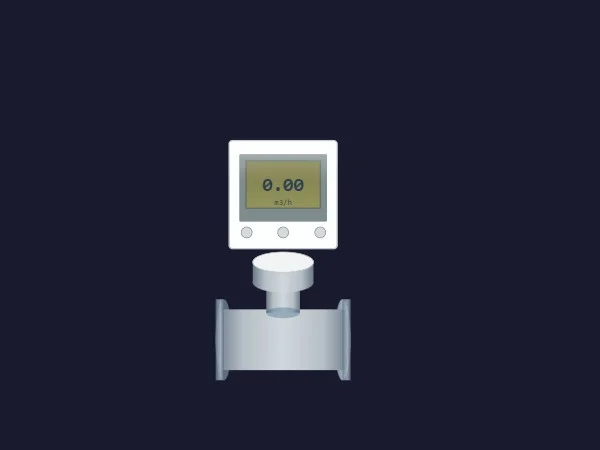
If the magnetic flowmeter is the full-size version, this is the compact one: a short flanged pipe section with a white square transmitter on top, a small display and three buttons. Neat, light and easy to fit on a crowded P&ID-style overview.
Its trump card is FlowDirection, which flips the sensor to match how the device is installed in the field, so you do not need two symbols for left-to-right and right-to-left lines. ShowSensor and ShowTransmitter let you show just the pipe or just the head, DisplayMode controls the output field, and three colours (BasicColor, TransmitterColor, FlangeColor) complete the set.
What we like
- One symbol for both flow directions
- Sensor and transmitter can be shown separately
- Small footprint for overviews
Keep in mind
- The display shows a fixed "0.00 m3/h": hide it or cover it with an I/O field
- No status colour of its own: use
TransmitterColorif you want to show a state
Bindable properties
- FlowDirection
- DisplayMode
- ShowSensor
- ShowTransmitter
- BasicColor
- TransmitterColor
- FlangeColor
05Best float level switch
Level Switch
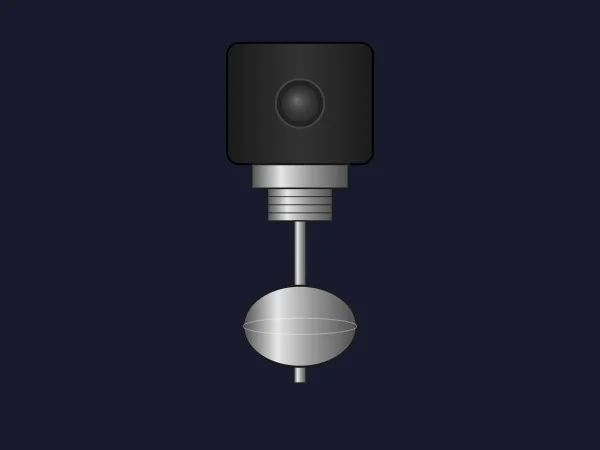
The level switch everyone pictures: a black head with a round lens, a threaded connection, a stem and a polished float hanging at the bottom. It reads as a float switch from across the room, which is exactly what you want next to the high-level line of a tank.
Its five properties are well chosen. FloatPosition moves the float vertically, so you can show it raised when the switch has tripped and lowered when it has not. ShowLed and LedColor add a status lamp for active, inactive or fault, and BasicColor and HousingColor match your palette.
What we like
- Instantly recognisable as a float switch
- The float itself can show the switch state
- Small and tidy next to a tank
Keep in mind
- In the preview the lens on the head is dark: check how
ShowLedandLedColorlook before you rely on the lamp - Vertical mounting only, as drawn
Bindable properties
- FloatPosition
- ShowLed
- LedColor
- BasicColor
- HousingColor
06Best wall-mounted level transmitter
Level Transmitter
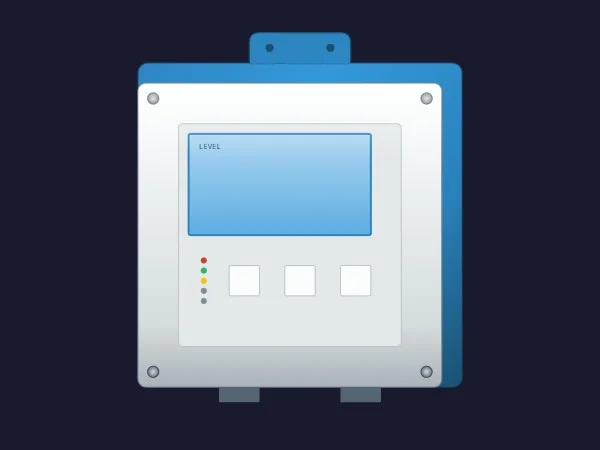
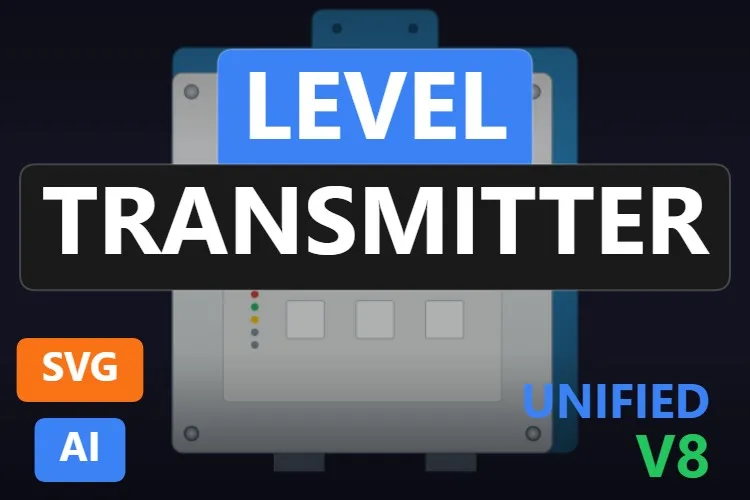
Not every level instrument hangs on the tank. Plenty of plants have a wall-mounted controller in a panel, and this drawing captures that: a white enclosure on a blue back plate, a light blue screen labelled "LEVEL", five status LEDs in red, green, yellow and two spares, and three buttons underneath.
Its sheet announces 13 properties. The ones it names are StatusLedRed and StatusLedGreen for the diagnostics, DisplayColor, PanelColor and BasicColor for the look, and Button1Color to Button3Color to light up the keys. On a faceplate, that is enough to mirror what the local display is telling the technician.
What we like
- Diagnostic LEDs you can drive one by one
- Looks like a real panel-mounted unit
- Works well on detailed faceplates
Keep in mind
- The screen is fixed text ("LEVEL"): put the live value on top with an I/O field
- The sheet announces 13 properties and names eight: check the full interface in TIA Portal before binding
Bindable properties
- StatusLedRed
- StatusLedGreen
- DisplayColor
- PanelColor
- BasicColor
- Button1Color
- Button2Color
- Button3Color
07Best for condition monitoring (vibration)
Condition Sensor
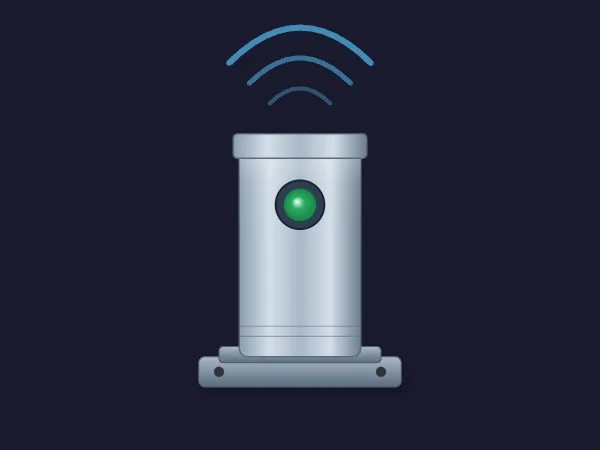
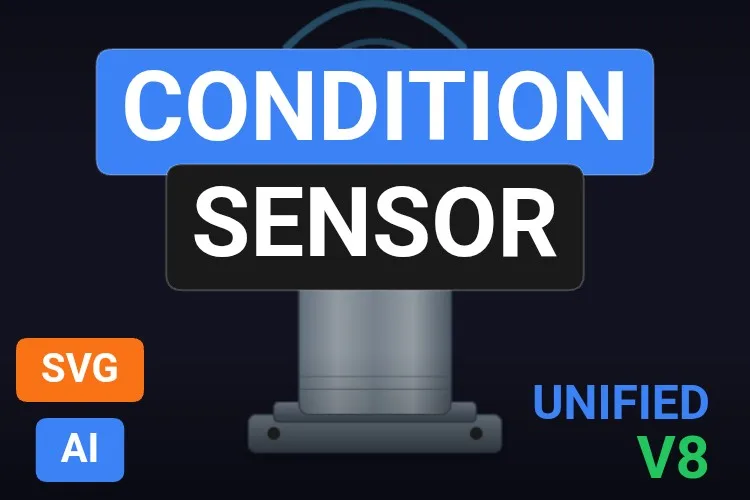
Predictive maintenance screens need something that says "this machine is being watched", and this is it: a stainless cylinder on a bolted base with a round status LED and three signal waves rising from the top, like a wireless vibration sensor.
StatusColor drives the LED, ShowSignal and SignalStrength control the waves, and VibrationLevel, according to its sheet, moves or transforms the sensor body to suggest physical stress. Put one on each motor of a fan or pump line and the maintenance team sees at a glance which one is complaining.
What we like
- A clear identity for vibration and condition monitoring
- Signal waves you can show, hide or scale
- Only five properties: quick to bind
Keep in mind
- A shaking sensor is eye-catching: test
VibrationLevelon the real screen and keep motion for real alarms - Better on maintenance screens than on dense process overviews
Bindable properties
- StatusColor
- ShowSignal
- SignalStrength
- VibrationLevel
- BasicColor
08Best liquid analysis transmitter (pH, conductivity)
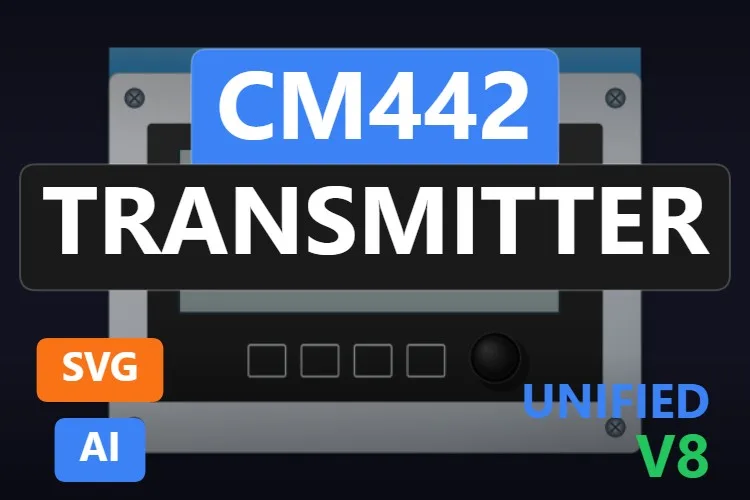
CM442 TRANSMITTER
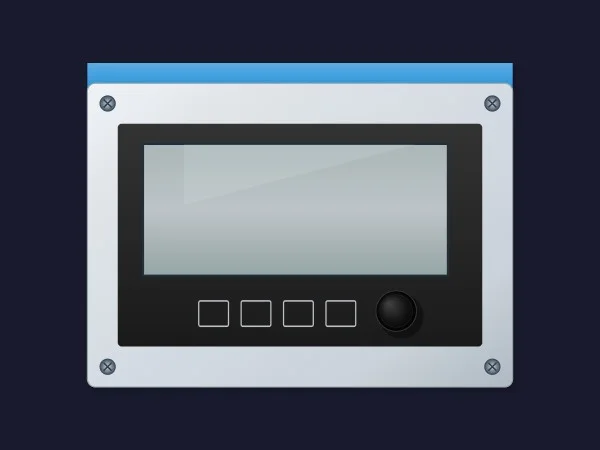
Water treatment and CIP screens always need one of these: the panel-mounted analyser transmitter where pH, conductivity or dissolved oxygen live. The name borrows a familiar commercial model designation; the drawing is a clean steel front plate with a blue header band, a large screen, four buttons and a rotary knob.
ShowDisplay and DisplayColor control the screen and its backlight, KnobRotation turns the knob, ButtonHighlight lights the main button and HeaderColor recolours the band, handy to tell the pH unit from the conductivity one. Six properties, all named.
What we like
- Fills a gap: few analyser symbols look this tidy
- Wide format that sits well next to a basin or a CIP line
- Every property named in the sheet
Keep in mind
- The screen is empty: the measured values go in WinCC I/O fields on top
- The model name in the title may not match your brand of analyser: rename it in your library
Bindable properties
- DisplayColor
- ShowDisplay
- KnobRotation
- ButtonHighlight
- HeaderColor
- BasicColor
09Best pressure switch with a status lamp
Pressure Switch
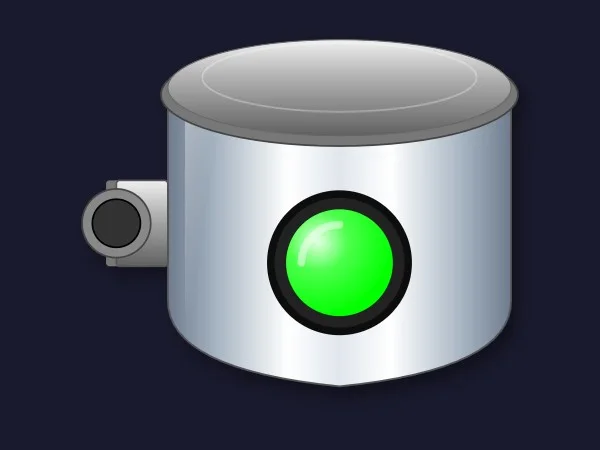
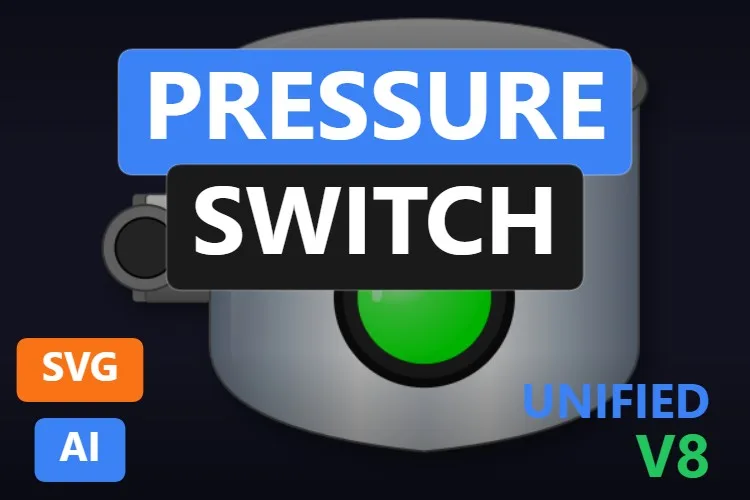
A pressure switch is a yes-or-no device, and this symbol says so loudly: a polished cylindrical housing with a big glossy lamp on the front and a cable port on the side. Green, it is happy; red, something tripped. Nobody needs a legend.
StatusColor paints the lamp, ShowStatusIndicator hides it, and ShowSidePort and ShowNameplate add or remove details to match your hardware. BodyOpacity lets you push the housing into the background so only the lamp draws the eye, a nice trick on grey high-performance screens.
What we like
- State readable from across the room
BodyOpacityfor quieter screens- Six properties, all named in the sheet
Keep in mind
- The sheet mentions a hexagonal process connection and a nameplate that the preview does not show: the housing ends in a point
- The big lamp is a lot of colour for an ISA-101 overview: tone it down or keep it for unit screens
Bindable properties
- StatusColor
- ShowStatusIndicator
- ShowSidePort
- ShowNameplate
- BodyOpacity
- BasicColor
Honourable mentions: 7 more instruments worth a look
They did not make the top nine, usually because a better sibling did or because the sheet leaves too much unsaid, but each one has a good reason to exist. Click any thumbnail to open its product page.
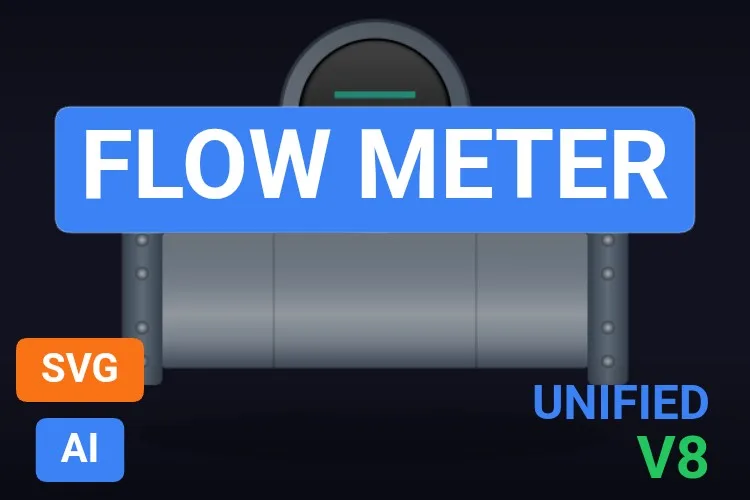
Flow Meter
An inline flowmeter with a round display head between bolted flanges, with
View productDisplayEnabledandShowShadow. A calmer alternative to our magnetic flowmeter.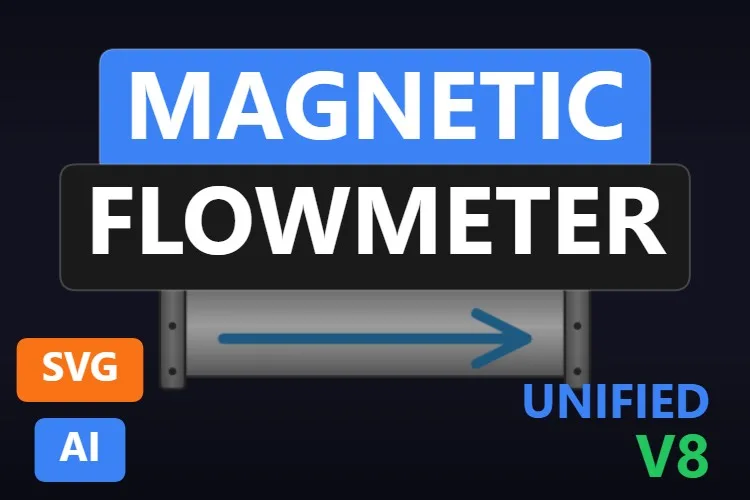
Magnetic Flowmeter
A flanged flowmeter with a seven-segment style display and a blue arrow you can rotate with
View productFlowDirectionRotation. The display reads a fixed "88.5".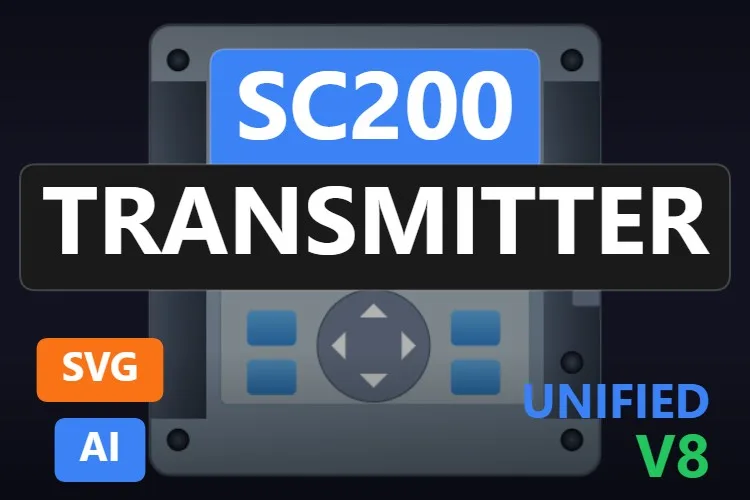
SC200 TRANSMITTER
A panel controller with a navigation keypad,
View productNavigationWheelRotationand evenSdCardInserted. A good alternative to our analyser pick.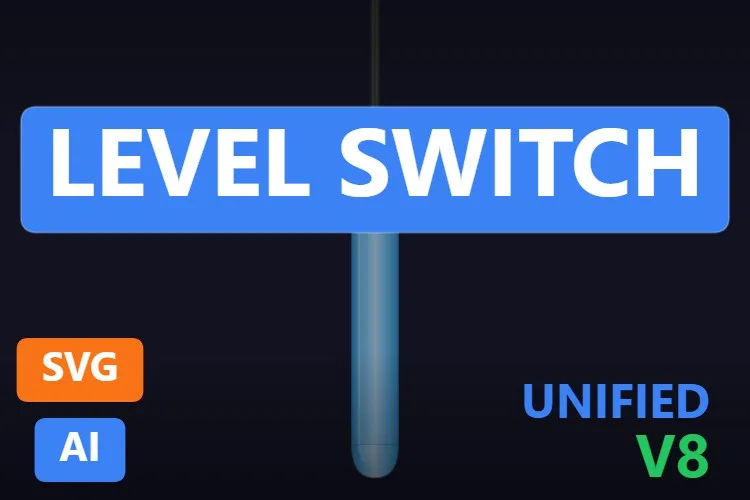
Level Switch
A slim rod-type level probe with only three properties, including
View productRotateto mount it at any angle. The minimalist of the group.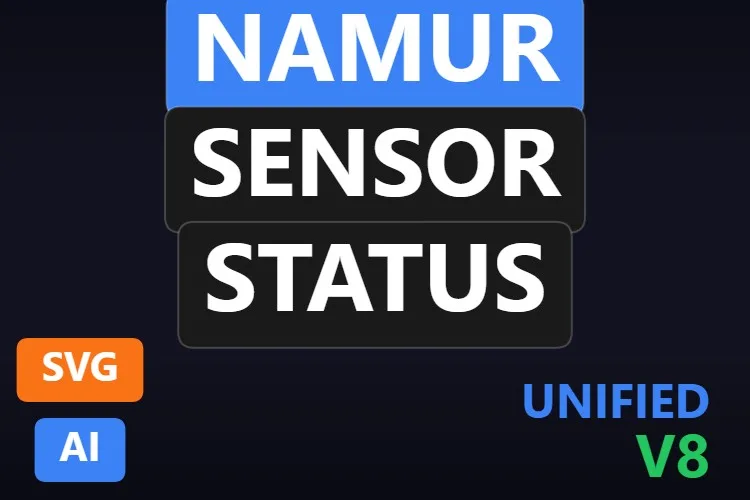
Namur Sensor Status
A cylindrical inductive proximity sensor with
View productShowFaultfor a red fault cross andDetectionStatus. Its gallery preview is an editor screenshot on a white background.
Sensor Indicator
A big glass lens in a steel ring with
View productSensorActive,ActiveColorandInactiveColor. More a status lamp than an instrument, but very readable.
Voltmeter Symbol
A square analog meter with a red needle and four status icons (alarm, lock, manual, maintenance). Charming, but its sheet announces 13 properties without naming them.
View product
Didn't find your instrument? Make your own (or remix one) with AI, for free
A confession: every instrument in this article was created with the HMIx AI generator. That is why we can say this without blushing: if none of them is exactly the device on your P&ID, you can generate your own in minutes.
Describe the instrument in plain words (for example, "radar level transmitter on a tank nozzle, frontal view, grey housing, status colour and a hide-able display") and the generator walks you through it step by step: the drawing, the properties you will bind in WinCC, a simulation to try values and the final .svghmi package for WinCC Unified and WinCC V8. The same tool builds Custom Web Controls when you need live numbers, trends or buttons that an SVG cannot provide.
- Remix any instrument on this list: on its product page, the "Edit in AI Generator" button opens it straight in the generator, ready for you to ask for changes such as "make it ISA-101 grey", "add a fault cross" or "turn the valve handle blue". The "Edit it with AI" links in this article do the same.
- Free to try: you can start without an account, with a small daily allowance of credits, and the Community plan is free.
- The result is yours to use: download the package and drop it into your TIA Portal project like any other instrument on this page.
How to use a dynamic SVG instrument in WinCC Unified (and WinCC V8)
The short version, for when you have already picked your instrument. Our dynamic SVG guide covers every step with diagrams and screenshots.
Download the .svghmi file
Open the product page, sign in with your free account and download the file. All the instruments in this article are free.
Copy it into your TIA Portal project
In WinCC Unified, put the file in your project folder under
UserFiles\SVGControls(create both folders if they do not exist). Back in TIA Portal, refresh Dynamic widgets in the Tools task card and drag the instrument onto your screen.Bind the properties
Select the instrument and, in the Inspector window, find its state properties (
StatusColor,FlowActive,FloatPosition… each symbol names them its own way) and bind them to HMI tags. Do the same with colours and visibility switches if you need them.Test before connecting the PLC
Bind a state property to an internal tag, add an I/O field for that same tag and start Runtime: change the value and watch the lamp, arrow or float react. Only then switch to the real PLC tag.
On WinCC V8
WinCC V8 also supports SVGHMI dynamic graphics, which you configure in Graphics Designer. The file is the same; the engineering steps are those of that environment.
Pro tip: a dynamic SVG cannot write changing numbers, so a transmitter display is just a coloured window or fixed text. Place a WinCC I/O field on top of it, bound to the measured value, and group both objects. The drawing tells the operator what the device is; the I/O field tells them what it reads.
Read the complete dynamic SVG guideFrequently asked questions
Are these dynamic SVG instrument symbols really free?
Yes. Every instrument in this article is published as a free product on HMIx. You only need a free account to download them.
Can a dynamic SVG show the measured value on the transmitter display?
Not by itself. A dynamic SVG can change colours, visibility, positions and sizes, but it cannot rewrite text. Place a WinCC I/O field or text field over the display and bind it to the process value, or hide the display and show the value next to the symbol.
Do they work on WinCC Unified Comfort Panels and on WinCC V8?
Their product pages list compatibility with WinCC Unified, including Unified Comfort Panels, and with WinCC V8. As with any AI-generated graphic, test the behaviour in your own project and on your target device before going into production.
Are these ISA-5.1 instrument bubbles for P&ID screens?
No. These are pictures of the real field devices (transmitters, flowmeters, switches), which suit equipment and detail screens. If your standard calls for P&ID-style instrument bubbles with tag letters, you can describe them to the HMIx AI generator and create your own.
What is the difference between a dynamic SVG and a Custom Web Control for an instrument?
A dynamic SVG is a lightweight drawing whose properties (colours, visibility, positions) you bind to tags; it cannot show changing text or contain logic. A Custom Web Control is a small web application (HTML, CSS and JavaScript) that can display numbers, trends and gauges and react to clicks. For a symbol that only has to show its state, the SVG is simpler and lighter. HMIx also has gauge and KPI Custom Web Controls, and our Custom Web Control guide explains how they work.
Can I modify one of these instruments?
Of course. You can open the .svghmi file in any text or vector editor, or press "Edit in AI Generator" on the product page and ask for the changes in plain language. The second option is usually faster, because the generator takes care of the properties and the packaging.
Our verdict
If you only download one, make it the Pressure Transmitter: it looks right everywhere and its isolation valve tells a story no other symbol does. For temperature, the Temperature Sensor; for flow, the Magnetic Flowmeter (or the Flowmeter Transmitter on crowded screens); for tank alarms, the float Level Switch; and for water treatment, the CM442 TRANSMITTER.
And if your instrument is stranger than all of these (radar, Coriolis, that one-off analyser nobody else has), remember that the generator that drew them is just one click away.