Blog · Dynamic SVG
The 11 best dynamic SVG water treatment symbols for WinCC Unified and WinCC V8 (free)
We opened every clarifier, screen, filter, centrifuge, dosing unit and reservoir in the HMIx catalogue, 30 dynamic SVGs in November 2026, looked at each render up close, read every product sheet and kept the eleven dynamic SVG water treatment symbols we would happily drop into a WinCC Unified or WinCC V8 screen for a drinking water or wastewater plant. All free, all in .svghmi format, and every one with properties you can bind to a tag.
- Dynamic SVG
- SVGHMI
- WinCC Unified
- WinCC V8
- TIA Portal
- Water treatment
- Wastewater (WWTP)
- SCADA symbols

Quick picks
Short on time? Jump straight to the equipment you need.
- 01Best overall: clarifier with water and sludge levelsWater Clarifier
- 02Best bar screen for the headworksCoarse Screen
- 03Best drum screen with alarm statesRotary Trommel Screen
- 04Best pressure vessel with bubbles and sludgeSaturation Vessel
- 05Best for chemical dosing (polymer make-up)Polymer Preparation Unit
- 06Best tertiary disc filter with pressure gaugeDisc Filter
- 07Best strainer with clogging indicatorIndustrial Filter
- 08Best pressure filter vessel (activated carbon)Carbon Filter Vessel
- 09Best for sludge dewateringDecanter Centrifuge
- 10Best buried reservoir or cisternUnderground Water Reservoir
- 11Best compact overview with status iconsWater Treatment Process Symbol
Why water and wastewater treatment screens need better symbols
A treatment plant is a long chain of very different machines: screens that catch rags, clarifiers that settle sludge, filters that slowly clog, a polymer unit nobody wants to clean and a centrifuge that turns all of it into cake. On many SCADA screens, every one of those is the same grey rectangle with a tag number, and the night-shift operator has to read the labels to know whether the problem is at the headworks or in the sludge building.
Dynamic SVG water treatment symbols fix that cheaply. In WinCC Unified (TIA Portal) and in WinCC V8, a dynamic SVG, the .svghmi format, is a vector drawing that exposes properties such as SludgeLevel or PressureValue. You drag it onto the screen, bind those properties to HMI tags and the drawing reacts: the sludge blanket rises, the rake moves, the gauge needle turns, the alarm triangle appears. No scripts, no JavaScript, and it stays sharp from a 7-inch Unified Comfort Panel to a 4K control-room wall.
What makes a water treatment SVG symbol worth downloading
Before the list, the yardstick. This is what we looked for, roughly in order of how much it annoys us when it is missing:
- Process state in the drawing. A water level, a sludge layer, a hopper fill, a gauge needle or an alarm shape: something you bind to a tag so the picture tells the operator what the equipment is doing.
- Recognisable at a glance. A clarifier has to look like a clarifier and a bar screen like a bar screen, even at 120 pixels on a plant overview. Generic vessels with a water-treatment name lose points.
- Properties named in the sheet. You should know what you are binding before you download. Sheets that announce a dozen properties and name half of them get a mention in the cons.
- Honest motion. Side views cannot really show a disc or a drum spinning, so we prefer symbols that show running with a colour, an arrow or a moving layer rather than a rotation that looks broken.
- Variety along the process. Instead of eleven filters, one champion per stage: screening, clarification, flotation, chemical dosing, filtration, carbon polishing, sludge dewatering, storage and a whole-plant overview.
How we picked them (and what we did not do)
We searched the catalogue for every clarifier, screen, filter, centrifuge, digester, dosing unit, diffuser, reservoir and water treatment symbol published on HMIx and ended up with 30 dynamic SVGs in November 2026. For each one we looked at its real render, the drawing itself rather than the catalogue cover, and read its product sheet to see which properties it exposes. Downloads only worked as tie-breakers: the most downloaded items of the search had 7. Two good ones are missing on purpose because they already won elsewhere: the Water Clarifier Tank is in our tanks article and the Sludge Feed Pump in our pumps article.
We dropped two items whose preview never rendered, three disc filters drawn as loose white ellipses or a plain trough, a "deacidification tank" that looks like a solar panel, a dewatering machine whose sheet describes a belt press while the render shows a screw, a trickling filter whose blower and spray header we could not see in the preview, and two digesters with steam and oil valves that are hard to read. A dust-collector bag filter and a vibrating sieve were out of scope. A fair warning, too: for this article we judged drawings and documentation; we did not run these symbols in a live Runtime. They were generated with AI and every product page reminds you to test them in your own TIA Portal project before production.
The 11 best dynamic SVG water treatment symbols, one by one
Each entry shows the real SVG render, what we liked, what to keep in mind and the properties you can bind, followed by the catalogue thumbnail: click it to open the product page and download the symbol for free.
01Best overall: clarifier with water and sludge levels
Water Clarifier
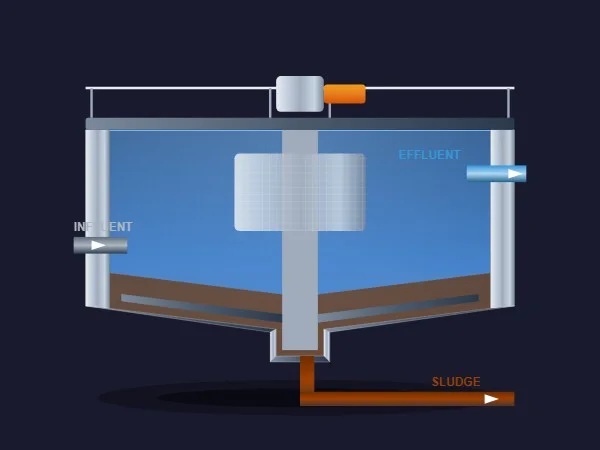
If we could only keep one, it would be this one. It is a cutaway of a circular clarifier: a bridge with a handrail and the drive on top, a central column with its feed well, blue water over a brown sludge layer that follows the sloped floor, scraper arms near the bottom and three pipes, influent on the left, effluent on the right and a sludge line leaving from the central hopper.
What makes it the winner is that it shows the two numbers an operator actually watches in a clarifier: WaterLevel and SludgeLevel, each with its own colour (WaterColor, SludgeColor). Bind the second one to your sludge blanket sensor and the whole shift can see the blanket creeping up before the effluent turns cloudy. MotorStatusColor paints the drive with its state, and ShowPiping, BridgeColor and BasicColor complete a sheet that names all eight of its properties.
What we like
- Water level and sludge blanket in one symbol
- Drive status colour built in
- All eight properties named in the sheet
Keep in mind
- The INFLUENT, EFFLUENT and SLUDGE labels are fixed English text, and in the preview the tank wall cuts through "INFLUENT"
- No property for scraper rotation: the drive colour is the only sign of motion
Bindable properties
- WaterLevel
- SludgeLevel
- WaterColor
- SludgeColor
- MotorStatusColor
- BridgeColor
- ShowPiping
- BasicColor
02Best bar screen for the headworks
Coarse Screen

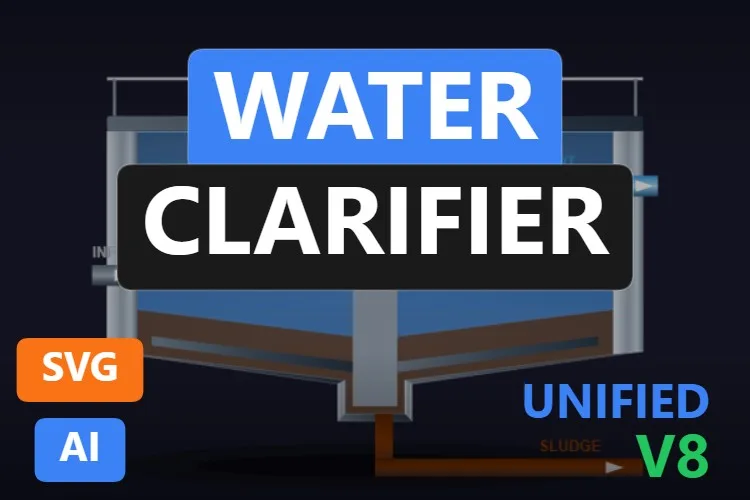
Every wastewater plant starts with one of these, and very few symbol libraries bother to draw it. This is an inclined mechanical bar screen standing in the inlet channel: the bar rack dips into the water, the rake runs along it, the drive unit sits at the top and a chute on the right drops the screenings into a skip that you can imagine yourself.
The seven properties are the right ones for the headworks. RakePosition moves the rake, WaterLevel raises the water in the channel (useful to show the level upstream of a blinding screen), ShowRake and ShowWater simplify the drawing, and DriveUnitColor is the obvious place to bind the motor status. BarRackColor and BasicColor handle the steelwork.
What we like
- A genuine headworks screen, not a generic filter
- Rake position and channel level both bindable
- All seven properties named in the sheet
Keep in mind
- The sheet does not give the range of
RakePosition: try a few values before binding it to a counter - The channel water is a small blue strip in the preview; check that it reads well at your screen size
Bindable properties
- RakePosition
- WaterLevel
- ShowRake
- ShowWater
- DriveUnitColor
- BarRackColor
- BasicColor

03Best drum screen with alarm states
Rotary Trommel Screen

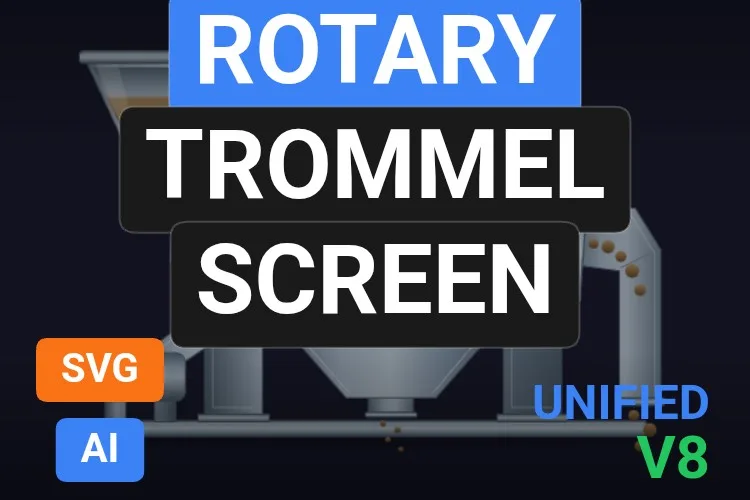
The most detailed drawing of the whole search, and the best-documented sheet. An inclined perforated drum on support rollers, a feed hopper on the left, a fines hopper underneath, an oversize chute on the right, the drive motor at the bottom and brown particles falling where they should. It has no text at all, so your screen supplies the labels.
The sheet explains every property with unusual precision. MotorRunning shows a curved arrow and a filled motor ring (the drum is never rotated artificially, which we appreciate). FeedActive, FinesFlow and OversFlow switch each material stream on and off, HopperLevel (0 to 100) fills the feed hopper inside its conical shape, and AlarmState shows an amber triangle at level 1 and a red diamond at level 2, colour and shape together, very much in the ISA-101 spirit.
What we like
- Alarm states that combine colour and shape
- Each material stream switchable on its own
- The clearest sheet of the list: every property explained
Keep in mind
- Its sheet aims it at aggregate, recycling and compost plants: it fits treatment plants that use a drum screen, not every headworks
- Busy at small sizes, with all streams visible at once in the preview
Bindable properties
- MotorRunning
- FeedActive
- FinesFlow
- OversFlow
- HopperLevel
- AlarmState
- BasicColor
04Best pressure vessel with bubbles and sludge
Saturation Vessel
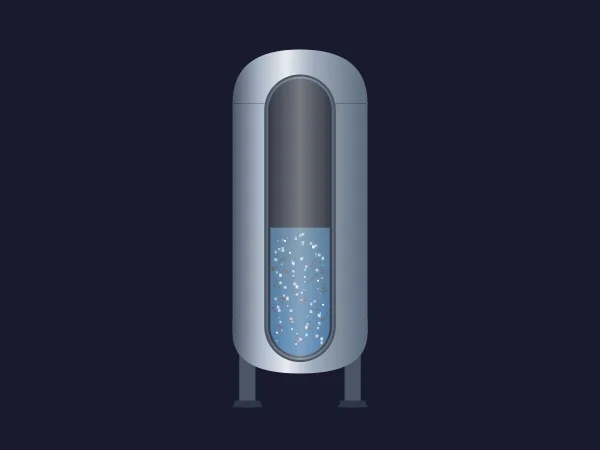
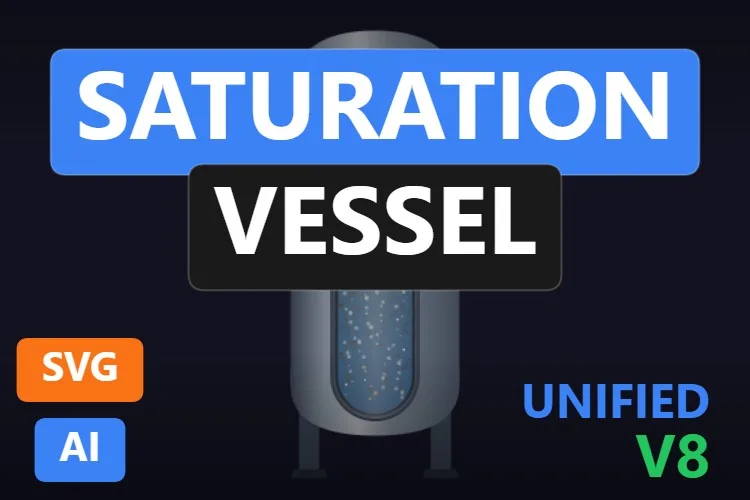
A vertical stainless vessel with dished heads and short legs, and a tall window down the front where you see blue liquid full of white bubbles under a dark headspace. Clean, readable and nicely shaded, it is the kind of drawing that works as well on a unit screen as on an overview.
Its seven properties give it more life than the shape suggests. VesselLevel and LiquidColor handle the contents, ShowBubbles turns the aeration effect on and off, ShowSludge adds a sediment layer and ShowInternalView opens the cutaway. Its sheet suggests water treatment and carbonation units; we would also use it wherever a pressurised vessel needs to show that gas is being dissolved.
What we like
- Bubbles you can switch on with the process
- Level, sludge and cutaway in one symbol
- Compact and legible at small sizes
Keep in mind
- No nozzles or pipes drawn: you will connect it with pipe objects on the screen
- We could not see the sludge layer in the preview, so test
ShowSludgebefore relying on it
Bindable properties
- VesselLevel
- LiquidColor
- ShowBubbles
- ShowSludge
- ShowInternalView
- SupportColor
- BasicColor
05Best for chemical dosing (polymer make-up)
Polymer Preparation Unit
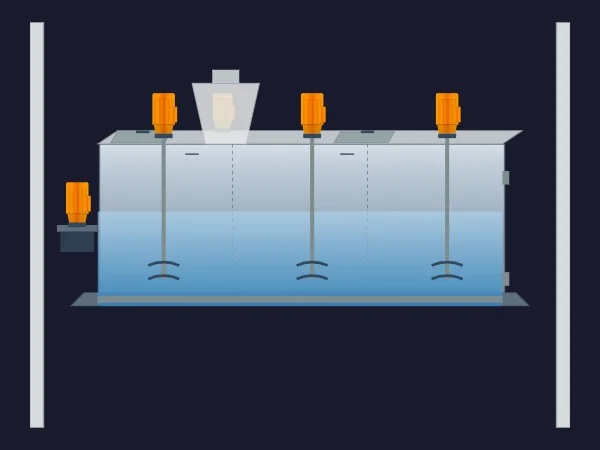
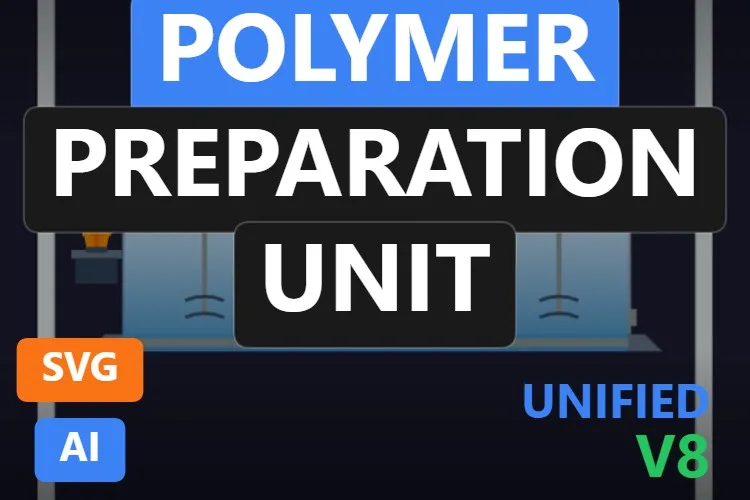
Polymer make-up units are on every sludge treatment line and almost never in symbol libraries. This one is a rectangular tank split into three compartments by dashed dividers, three orange agitator motors with their shafts and impellers, a translucent powder feeder on top and a small dosing pump on the left-hand side.
Its sheet names all eleven properties, and they match the machine. Mixer1Active, Mixer2Active and Mixer3Active drive each agitator, FeederActive and DosingPumpActive the powder feeder and the dosing pump, LiquidLevel and LiquidColor the solution, MixerRotation the blades and ShowDividers the compartments. MotorMainColor and BasicColor handle the paint.
What we like
- Every motor of the unit with its own state
- All eleven properties named in the sheet
- A real machine that is hard to find drawn
Keep in mind
- Two tall white posts frame the drawing and look odd on their own: crop them in a group or cover them on your screen
- Wide and short: it needs a whole row on an overview
Bindable properties
- LiquidLevel
- LiquidColor
- Mixer1Active
- Mixer2Active
- Mixer3Active
- FeederActive
- DosingPumpActive
- MixerRotation
- ShowDividers
- MotorMainColor
- BasicColor
06Best tertiary disc filter with pressure gauge
Disc Filter

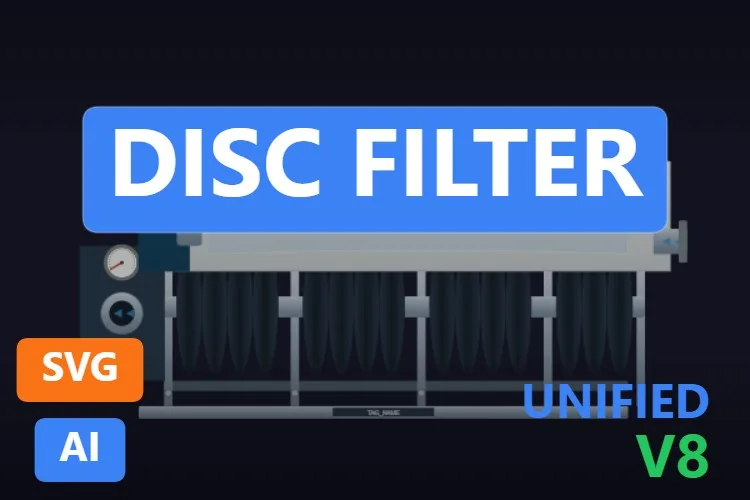
The tertiary disc filter, the last step before discharge or reuse in many plants, drawn as it looks on site: a long white hood with a blue end cap and a lever, rows of dark filter discs underneath on a steel frame and a control box on the left with a pressure gauge and a round status dial.
The sheet lists twelve properties and names eight. PressureValue drives the gauge needle, so you can show the differential pressure that triggers backwash without an extra object. FlowSpeed animates the flow arrows, ShowHousing and HousingOpacity let you see through the hood to the discs, and DiscColor, CoverColor and BasicColor handle the colours.
What we like
- Built-in pressure gauge for the backwash trigger
- See-through hood with adjustable opacity
- Looks like the real equipment
Keep in mind
- The plate at the bottom reads "TAG_NAME"; the sheet lists a
TagNameproperty, but an SVG cannot rewrite text in Runtime, so check what it does or cover it with a text field - The sheet announces 12 properties and names 8
Bindable properties
- PressureValue
- FlowSpeed
- ShowHousing
- HousingOpacity
- DiscColor
- CoverColor
- BasicColor
07Best strainer with clogging indicator
Industrial Filter

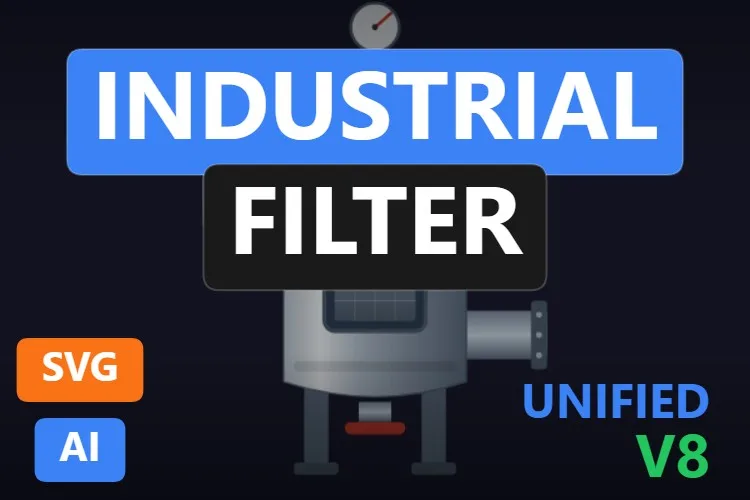
A vertical stainless filter housing with a pressure gauge on top, a cutaway window that shows the internal mesh, a flanged inlet on the left, an outlet lower on the right, a red drain valve and two sturdy legs. It reads instantly as a strainer or cartridge filter, which is exactly what most pump suction lines and dosing skids need.
Six properties, all named. MeshLevel transforms the internal mesh to represent clogging or status, MeshColor can turn it brown or red as the filter fouls, ShowCutaway closes the window for a simple overview, and PipeColor, LegColor and BasicColor match the rest of your plant.
What we like
- Clogging shown inside the drawing
- Simple, legible and easy to bind
- All six properties named in the sheet
Keep in mind
- The gauge on top is not among the named properties: treat it as decoration
- The sheet does not say how
MeshLevellooks at each value: test it
Bindable properties
- MeshLevel
- MeshColor
- ShowCutaway
- PipeColor
- LegColor
- BasicColor
08Best pressure filter vessel (activated carbon)
Carbon Filter Vessel
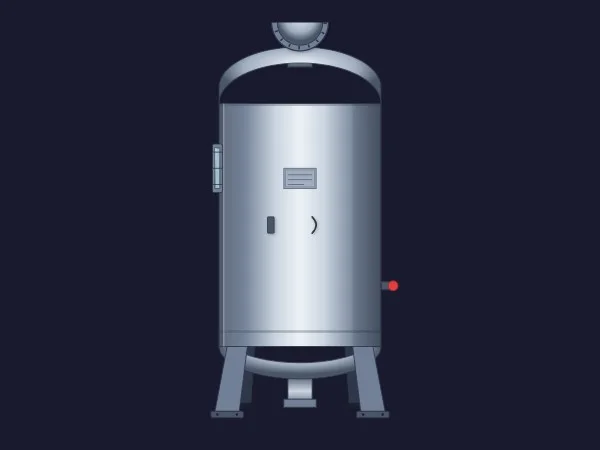
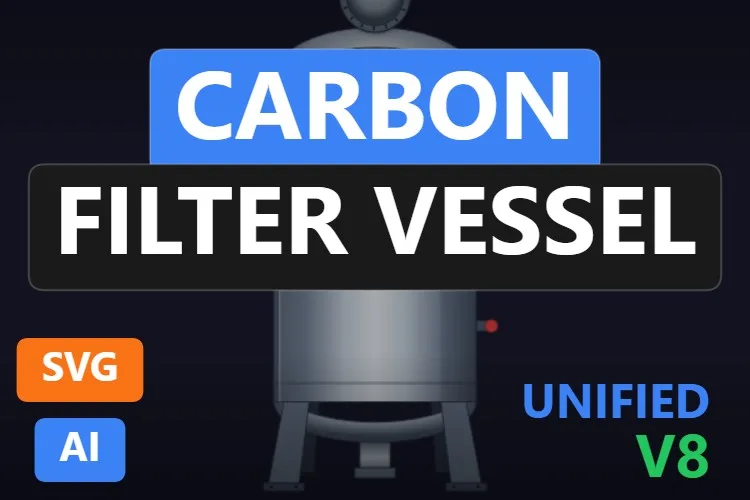
Activated carbon, sand and multimedia pressure filters all look like this from the outside, so this vessel covers a lot of ground. A vertical brushed-steel cylinder with an elliptical head, a top manhole, a small sight glass on the left, a nameplate with blank lines, a red sample point and four legs joined by a ring.
The properties are maintenance-minded. SightGlassLevel fills the sight glass, ValveRotation turns the valve handles, HatchOpenAngle opens the manhole to show the vessel is being serviced, and ShowManhole and ShowNameplate decide how much detail you see. BasicColor and SupportColor cover the rest; the sheet announces eight properties and names seven.
What we like
- Generic enough for carbon, sand or multimedia filters
- Open manhole as a clear maintenance state
- Realistic brushed-steel shading
Keep in mind
- The sight glass is small, so the level is hard to read on an overview
- Two small marks on the shell and the valve handles are not obvious in the preview
Bindable properties
- SightGlassLevel
- ValveRotation
- HatchOpenAngle
- ShowManhole
- ShowNameplate
- SupportColor
- BasicColor
09Best for sludge dewatering
Decanter Centrifuge

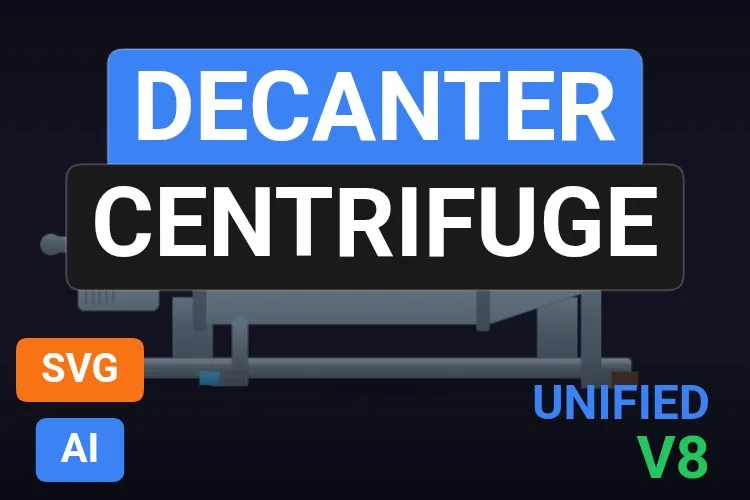
The machine at the end of the sludge line. A horizontal cylindrical-conical bowl with a window that shows a wavy liquid line, a drive housing with a green status LED on the left, a stout base frame and two small coloured outlets underneath, one for the centrate and one for the cake.
Five properties, all named. StatusColor drives the LED, LiquidColor tints the contents, ShowBowl hides the bowl for a maintenance view, and MotorVibration is meant to link to your vibration sensor to show mechanical stress, a nice touch for a machine whose bearings everybody worries about.
What we like
- Instantly recognisable decanter shape
- Status LED built into the drive
- Vibration property for condition monitoring
Keep in mind
- The sheet talks about rotor rotation, but none of its five properties is a speed
- The LED is small: add a status colour around it on dense screens
Bindable properties
- StatusColor
- MotorVibration
- ShowBowl
- LiquidColor
- BasicColor
10Best buried reservoir or cistern
Underground Water Reservoir
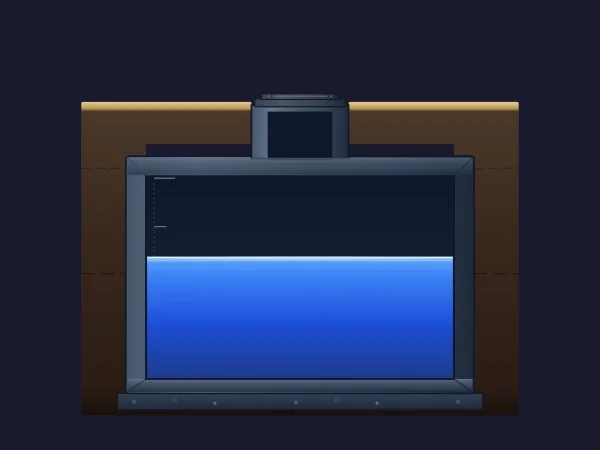
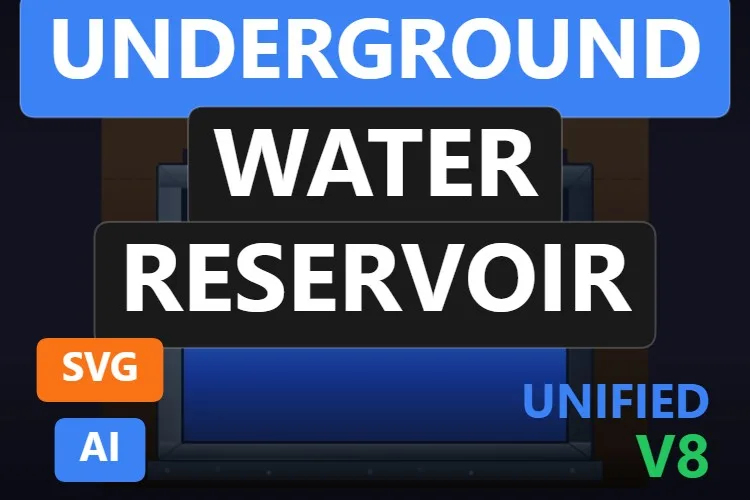
A cross-section of a buried concrete reservoir: brown soil layers, a vault with bevelled inner walls, an access manhole at ground level and a column of blue water. Drinking water networks, rainwater harvesting and fire water reserves are full of these, and they are usually drawn as a plain rectangle.
Three properties, all clearly explained. FillLevel raises the water from the floor to the ceiling (0 to 100 %), WaterColor separates drinking water from treated effluent, and BasicColor adjusts the vault for dark or light screens. One minute to bind, and the soil makes it obvious to anyone that this tank is underground.
What we like
- Unique in the catalogue: buried storage at a glance
- Documented 0 to 100 % level
- Bound in a minute
Keep in mind
- The ticks on the inner wall are almost invisible
- No pipes or pump: add them on the screen
Bindable properties
- FillLevel
- WaterColor
- BasicColor
11Best compact overview with status icons
Water Treatment Process Symbol

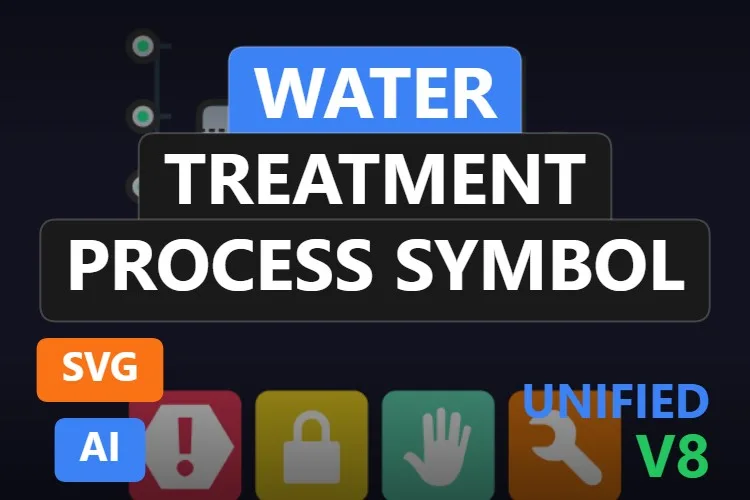
Not a single machine but a whole small plant in one object: four inlet pumps on a manifold, a primary filter, two secondary filters in parallel, a reservoir with a level and an outlet pump, joined by flow arrows. Underneath, a row of four status icons: alarm, interlock, manual mode and maintenance.
It is perfect for the top level of a multi-site SCADA, where each well field or small treatment station is one tile. Pump1Running to Pump4Running colour the inlet pumps, WellLevel fills the reservoir and the icon row is controlled with switches and colours such as ShowIconAlarm and ColorMaintenance.
What we like
- A whole station in one tile
- Alarm, lock, manual and maintenance icons built in
- Flat style that stays legible when small
Keep in mind
- The topology is fixed: four pumps, three filters and one reservoir
- The sheet announces 15 properties and names only some of them: check the full interface in TIA Portal
Bindable properties
- Pump1Running
- Pump2Running
- Pump3Running
- Pump4Running
- WellLevel
- ShowIconAlarm
- ColorMaintenance
Water Treatment Process Symbol
Free · WinCC Unified & V8 · .svghmi
Honourable mentions: 5 more water treatment symbols worth a look
They did not make the top eleven, usually because a sibling did the job better or the drawing has a quirk, but each one has a good reason to exist. Click any thumbnail to open its product page.
Clarifier
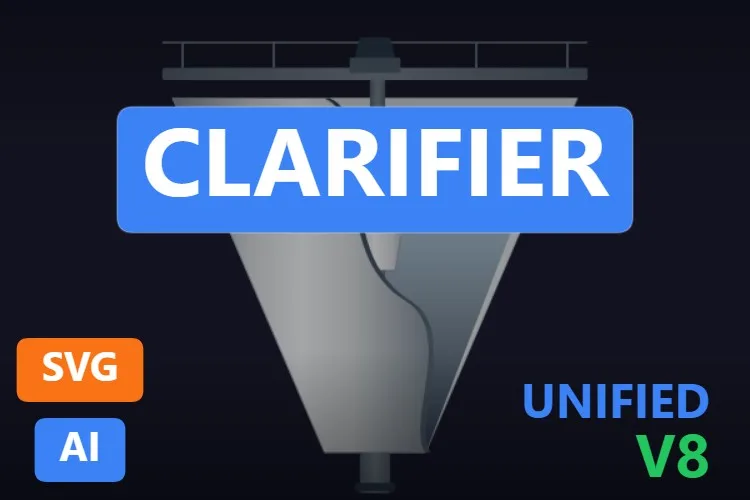
A conical clarifier or thickener with a bridge, centre shaft and feed well, drawn as a peeled cutaway. Its sheet announces 21 properties, the most of the search, and names ten of them.
View product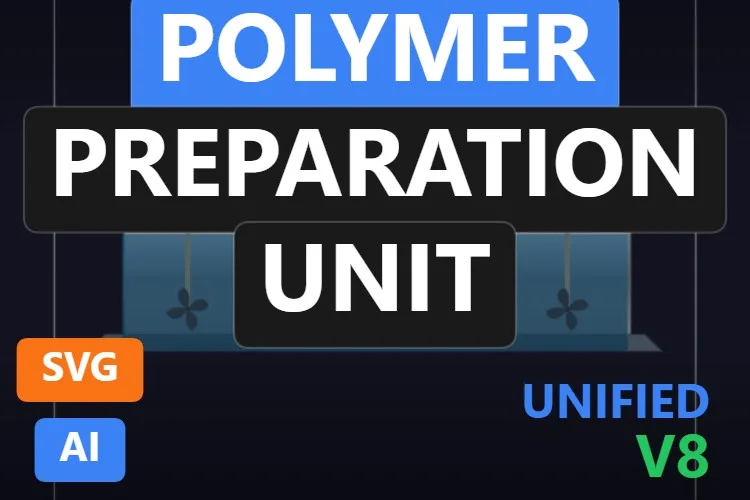
Polymer Preparation Unit
The four-compartment sibling of our polymer pick, with
View productMixer1AngletoMixer4Angle,Motor1RunningtoMotor4RunningandFillLevel. It has the same tall side posts.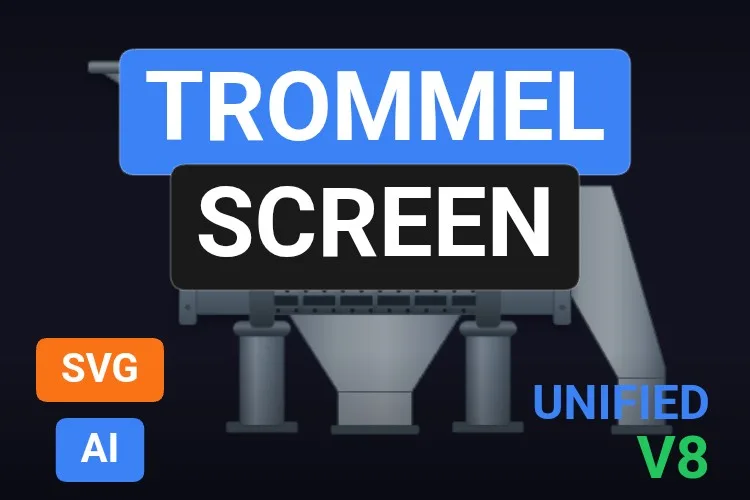
Trommel Screen
The simpler sibling of our trommel pick: riding rings coloured for stopped, running, warning and fault, and
View productMeshScroll(0 to 12) to make the drum look as if it turns.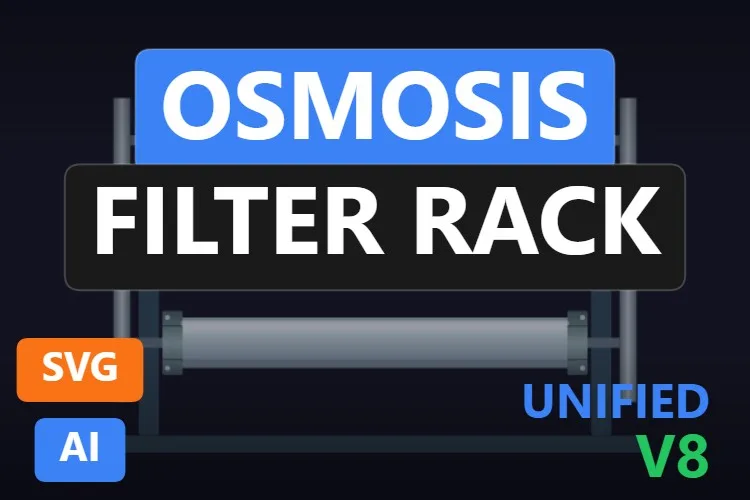
Osmosis Filter Rack
Three reverse osmosis pressure vessels on a rack, clean and recognisable. It only has one colour property, so it shows state but nothing more.
View product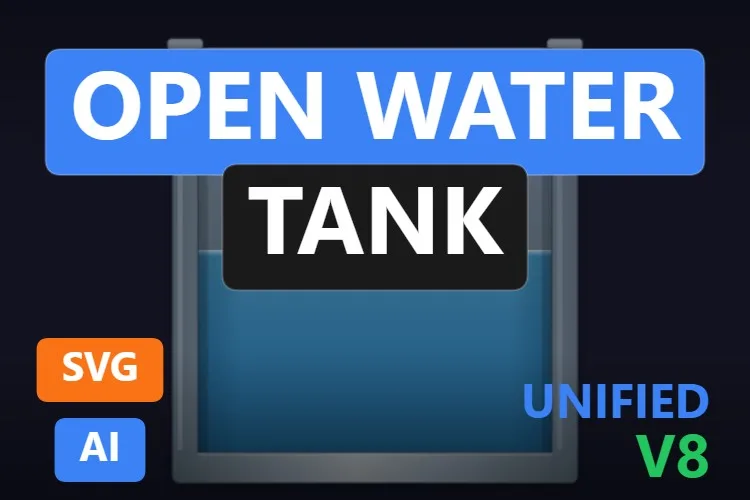
Open Water Tank
An open rectangular basin whose water is clipped to the walls at every level, with just
View productLevelandBasicColor. Ideal for simple basins and cooling loops.
Didn't find your equipment? Make your own (or remix one) with AI, for free
A confession: every symbol in this article was created with the HMIx AI generator. That is why we can say this without blushing: if none of them is exactly the aeration basin, sand filter or UV reactor in your plant, you can generate your own in minutes.
Describe it in plain words (for example, "rectangular aeration basin in cross-section with membrane diffusers, a bubble curtain that turns on with the blower and a dissolved oxygen colour band") and the generator walks you through it step by step: the drawing, the properties you will bind in WinCC, a simulation to try values and the final .svghmi package for WinCC Unified and WinCC V8. The same tool builds Custom Web Controls when you need live flows, dosing trends or buttons that an SVG cannot provide.
- Remix any symbol on this list: on its product page, the "Edit in AI Generator" button opens it straight in the generator, ready for you to ask for changes such as "remove the fixed labels", "make it ISA-101 grey" or "add a fourth mixer to the polymer unit". The "Edit it with AI" links in this article do the same.
- Free to try: you can start without an account, with a small daily allowance of credits, and the Community plan is free.
- The result is yours to use: download the package and drop it into your TIA Portal project like any other symbol on this page.
How to use a dynamic SVG water treatment symbol in WinCC Unified (and WinCC V8)
The short version, for when you have already picked your symbol. Our dynamic SVG guide covers every step with diagrams and screenshots.
Download the .svghmi file
Open the product page, sign in with your free account and download the file. All the symbols in this article are free.
Copy it into your TIA Portal project
In WinCC Unified, put the file in your project folder under
UserFiles\SVGControls(create both folders if they do not exist). Back in TIA Portal, refresh Dynamic widgets in the Tools task card and drag the symbol onto your screen.Bind the properties
Select the symbol and, in the Inspector window, find its state properties (
WaterLevel,SludgeLevel,PressureValue,AlarmState… each symbol names them its own way) and bind them to HMI tags. Do the same with colours and visibility switches if you need them.Test before connecting the PLC
Bind a state property to an internal tag, add an I/O field for that same tag and start Runtime: change the value and watch the sludge blanket rise, the gauge needle move or the alarm triangle appear. Only then switch to the real PLC tag.
On WinCC V8
WinCC V8 also supports SVGHMI dynamic graphics, which you configure in Graphics Designer. The file is the same; the engineering steps are those of that environment.
Pro tip: most levels in these symbols expect a percentage, while your sludge blanket sensor or level transmitter reports metres. Convert in the tag (linear scaling of the HMI tag or a value scaled in the PLC) instead of in a script, so every screen that uses the symbol shows the same thing. And drive anything that moves, such as a rake, a mixer or a flow arrow, from the run feedback, never from the start command: a rake that keeps moving on a screen while the real one is jammed is how screens lose operators' trust.
Read the complete dynamic SVG guideFrequently asked questions
Are these dynamic SVG water treatment symbols really free?
Yes. Every symbol in this article is published as a free product on HMIx. You only need a free account to download them.
How do I show the sludge blanket level of a clarifier in WinCC Unified?
Use a clarifier symbol with a separate sludge property, such as the Water Clarifier on this list, and bind SludgeLevel to the tag of your sludge blanket sensor and WaterLevel to the water level. Scale the values in the tag to what the symbol expects and test the result with an internal tag before connecting the PLC.
Can a dynamic SVG show flow, turbidity or pH values?
Not by itself. A dynamic SVG can change colours, visibility, positions, angles and sizes, but it cannot rewrite text. Place a WinCC I/O field next to or over the symbol and bind it to the measured value. For dashboards with live numbers and trends, a Custom Web Control is the better tool.
Do they work on WinCC Unified Comfort Panels and on WinCC V8?
Their product pages list compatibility with WinCC Unified, including Unified Comfort Panels, and with WinCC V8. As with any AI-generated graphic, test the behaviour in your own project and on your target device before going into production.
Where can I find pumps, valves, tanks and instruments for a treatment plant?
They have their own articles in this blog: the best dynamic SVG pumps (including sludge and submersible pumps), valves, tanks (including a water clarifier tank) and field instruments. Together with this list, they cover most of a typical water or wastewater treatment screen.
Can I modify one of these water treatment symbols?
Of course. You can open the .svghmi file in any text or vector editor, or press "Edit in AI Generator" on the product page and ask for the changes in plain language. The second option is usually faster, because the generator takes care of the properties and the packaging.
Our verdict
If you only download one, make it the Water Clarifier: water level and sludge blanket in one symbol, and a sheet that names every property. For the headworks, the Coarse Screen or, if you use a drum screen, the Rotary Trommel Screen; for chemicals, the Polymer Preparation Unit; for filtration, the Disc Filter, the Industrial Filter and the Carbon Filter Vessel; for sludge, the Decanter Centrifuge; and for storage, the Underground Water Reservoir. The Water Treatment Process Symbol tops it off for multi-site overviews.
And if your plant has something none of these cover (an aeration basin, a UV reactor, a lamella settler), remember that the generator that drew them is just one click away.